

第三步:校準機械臂(Windows)
需要同時接上主動臂和從動臂
校準從動臂Follower
Shell
lerobot-calibrate --robot.type=so101_follower --robot.port=COM6 --robot.id=my_follower_arm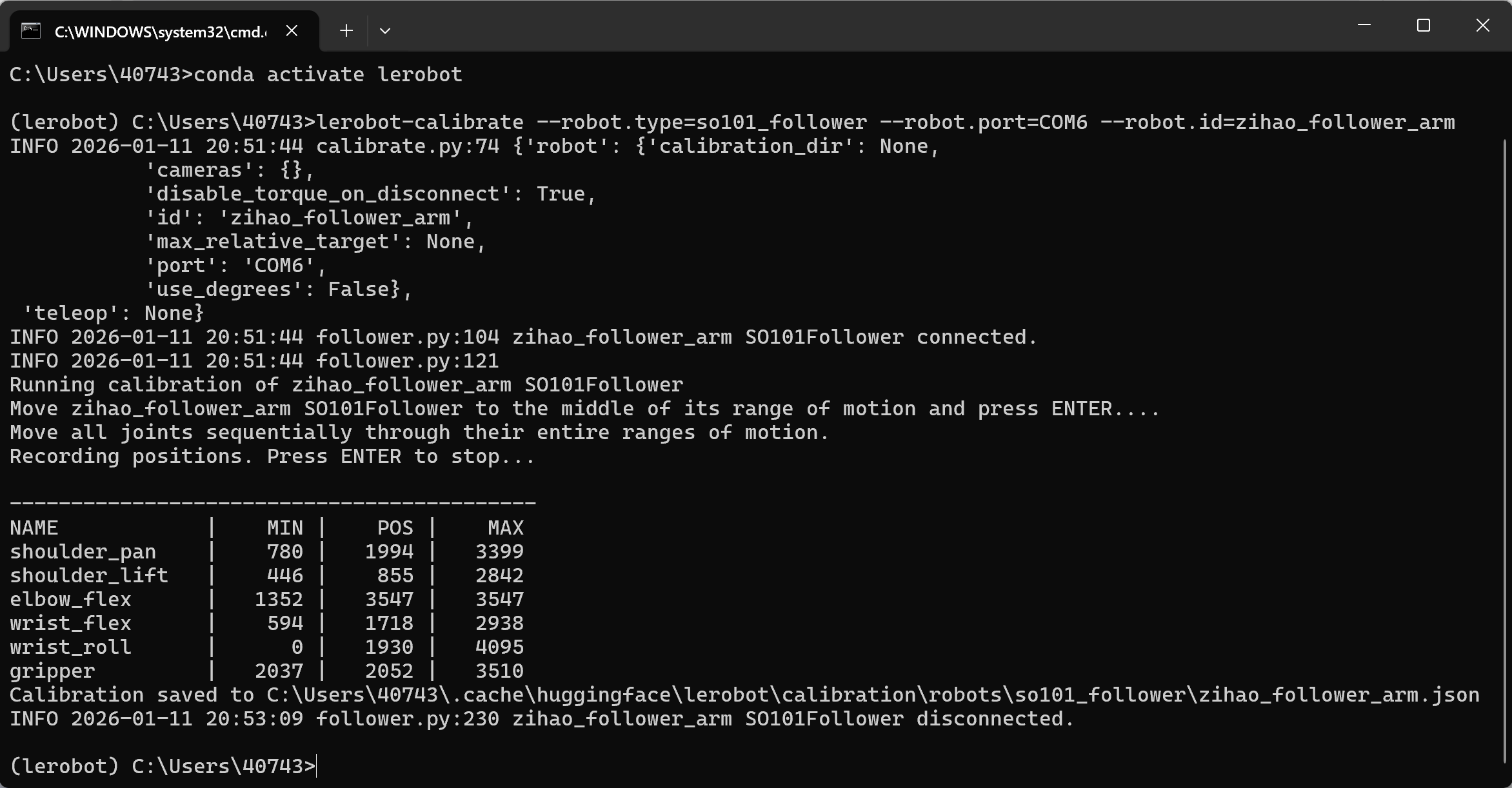
校準主動臂Leader
Shell
lerobot-calibrate --teleop.type=so101_leader --teleop.port=COM7 --teleop.id=my_leader_arm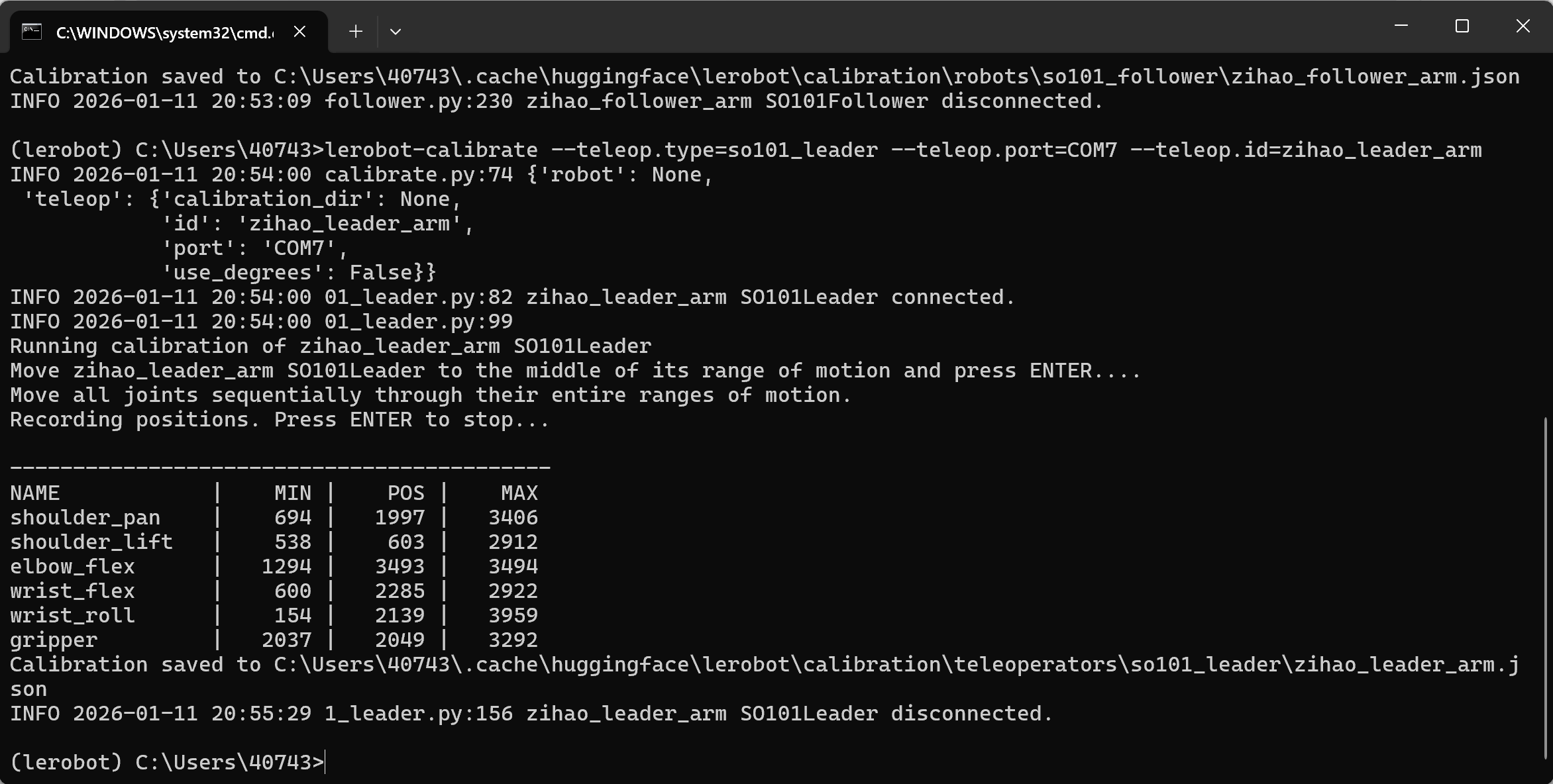
檔案導出位置
C:\Users<你的Windows使用者名稱>.cache\huggingface\lerobot\calibration\robots\so101_follower\my_follower_arm.json
C:\Users<你的Windows使用者名稱>.cache\huggingface\lerobot\calibration\teleoperators\so101_leader\my_leader_arm.json
換機械臂校準
lerobot-calibrate --robot.type=so101_follower --robot.port=COM4 --robot.id=my_follower_arm
注意事項
①有一個臂達到限位後不動了
需要重新校準
②找不到舵機
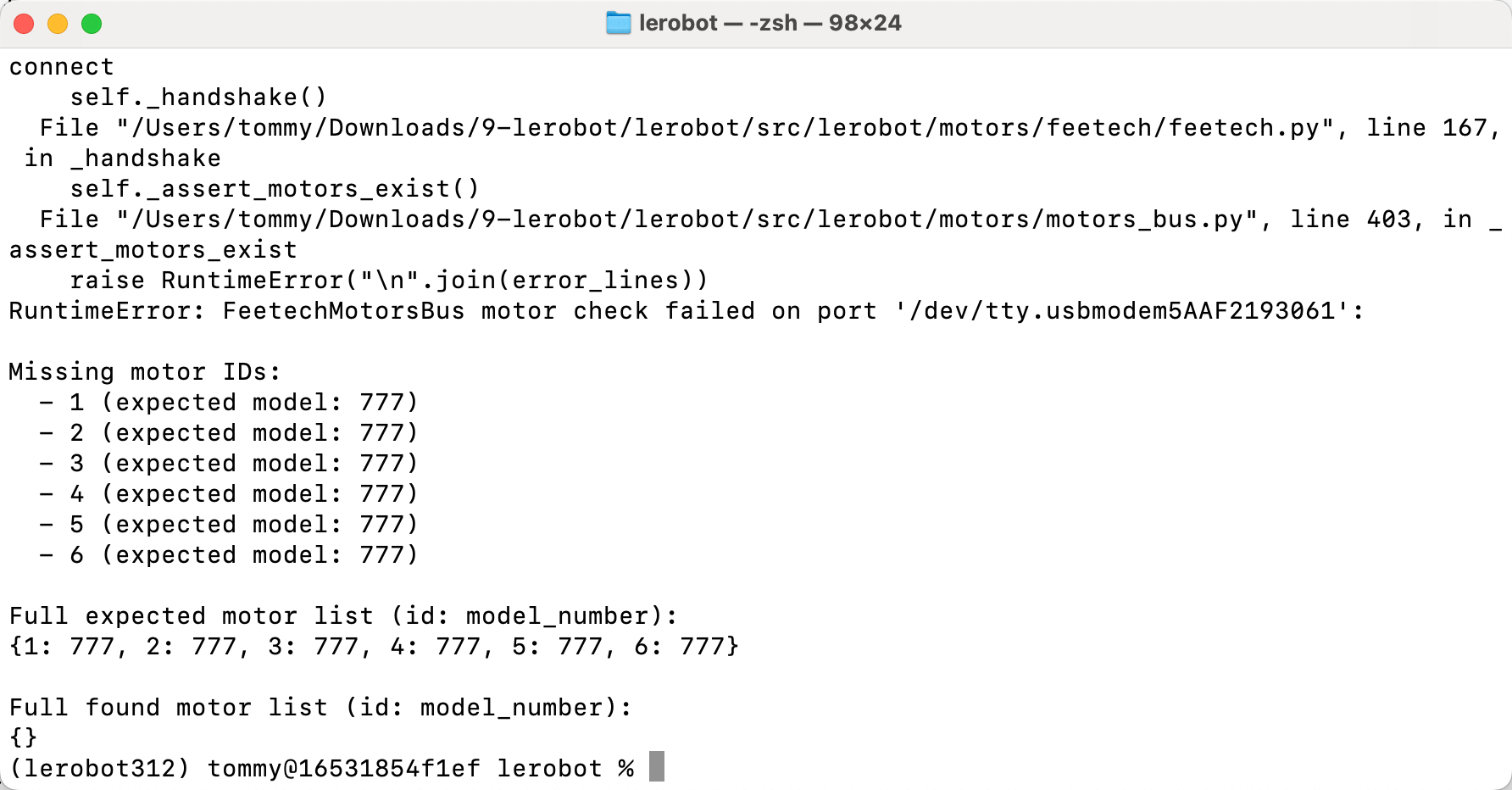
舵機電沒插,重新插拔並轉一轉插口