

训练命令行-pi0(效果最好)
参考文档
https://github.com/huggingface/lerobot/blob/46e19ae579f80ce66211afafd1c3c649c569131f/docs/source/pi0.mdx
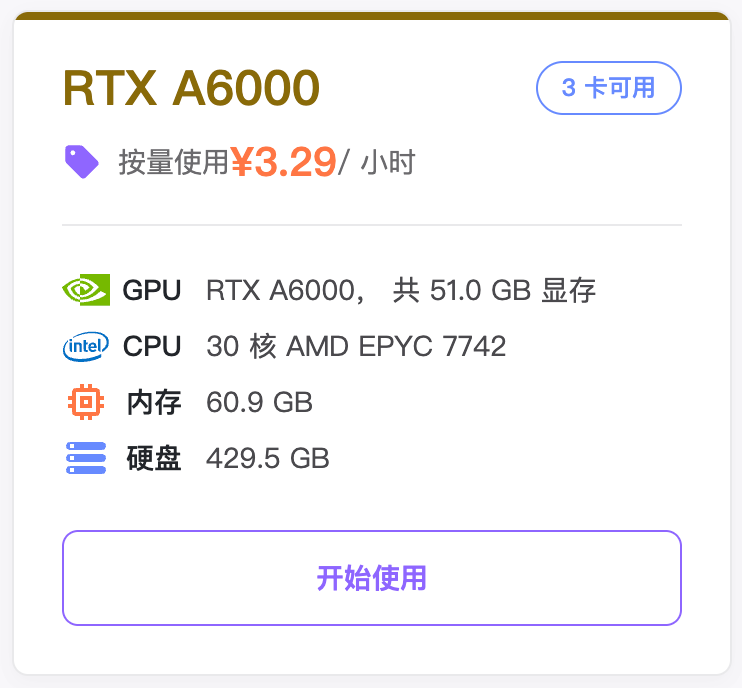
推荐云GPU实例
安装环境
Shell
conda create -y -n lerobot-pi python=3.10 -y
conda activate lerobot-pi
conda install *ffmpeg*=7.1.1 *-c* conda-forge -y

cd lerobot
pip install -e ".[pi]"
命令行
Shell
sudo rm -rf output_lerobot_train/shake/pi0_A

lerobot-train \
  --dataset.repo_id=Tommymy/lerobot_my_dataset_shake_hands \
  --dataset.root=~/lerobot_my_dataset_shake_hands \
  --dataset.revision=v0.1.0 \
  --dataset.streaming=false \
  --policy.type=pi0 \
  --output_dir=~/output_lerobot_train/shake/pi0_A \
  --job_name=shake_pi0_A \
  --policy.pretrained_path=lerobot/pi0_base \
  --policy.compile_model=true \
  --policy.gradient_checkpointing=true \
  --policy.dtype=bfloat16 \
  --policy.freeze_vision_encoder=false \
  --policy.train_expert_only=false \
  --steps=50000 \
  --policy.device=cuda \
  --policy.push_to_hub=false \
  --wandb.enable=true \
  --wandb.project=Lerobot_my_Project \
  --batch_size=8
命令行运行20分钟后,训练才会正式开始
模型压缩包5个G左右,解压后7个G