

ラズベリーパイ: シリアルポート通信
依存関係のインストール
Plain
sudo apt-get updatePlain
sudo apt-get install -y python3-smbus python3-serialファイルの場所
~/UART_Voice/uart_voice.py
シリアルポートの有効化
/boot/firmware/config.txt または /boot/config.txt を編集し、以下の設定を確認します:
Plain
enable_uart=1
dtoverlay=disable-bt
その後、Raspberry Pi を再起動します。
Plain
sudo reboot配線の説明
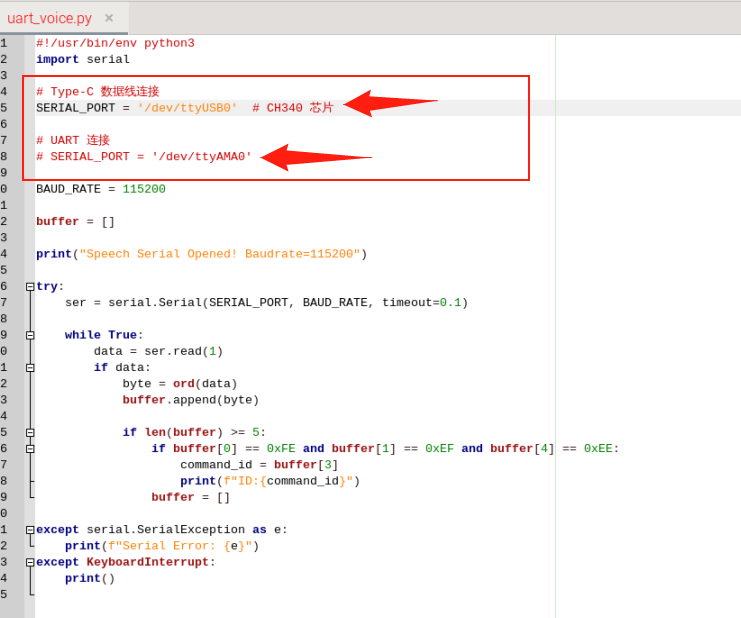
Type で Raspberry Pi に直結する場合、SERIAL_PORT = '/dev/ttyUSB0' のコメントを解除し、SERIAL_PORT = '/dev/ttyAMA0' をコメントアウトします
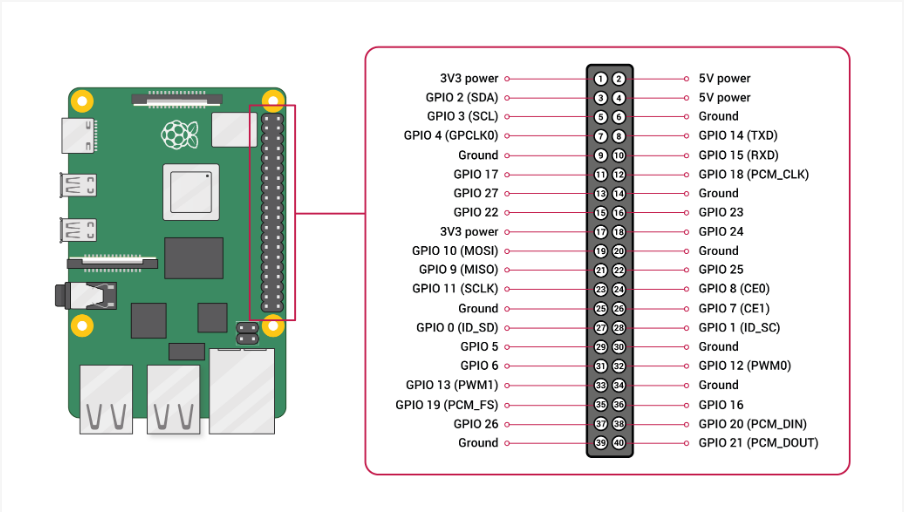
UART ピンで Raspberry Pi に接続します
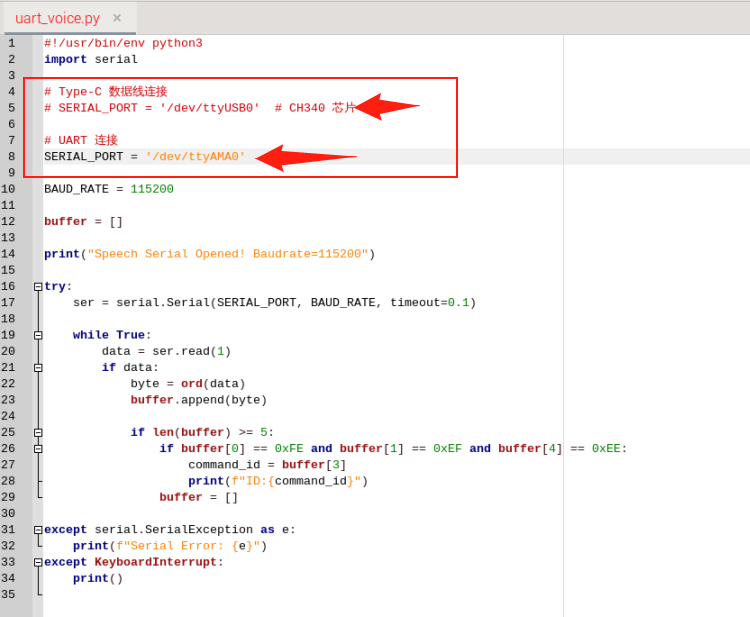
SERIAL_PORT = '/dev/ttyUSB0' をコメントアウトし、SERIAL_PORT = '/dev/ttyAMA0' のコメントを解除します
実行
Plain
cd UART_VoicePlain
python3 uart_voice.py出力フォーマット
Plain
Speech Serial Opened! Baudrate=115200
ID:4
ID:1
ID:10