

Raspberry Pi: Serial Port Communication
Install Dependencies
Plain
sudo apt-get updatePlain
sudo apt-get install -y python3-smbus python3-serialFile Location
~/UART_Voice/uart_voice.py
Enable the Serial Port
Edit /boot/firmware/config.txt or /boot/config.txt and ensure the following configuration:
Plain
enable_uart=1
dtoverlay=disable-bt
Then restart the Raspberry Pi.
Plain
sudo rebootWiring Instructions
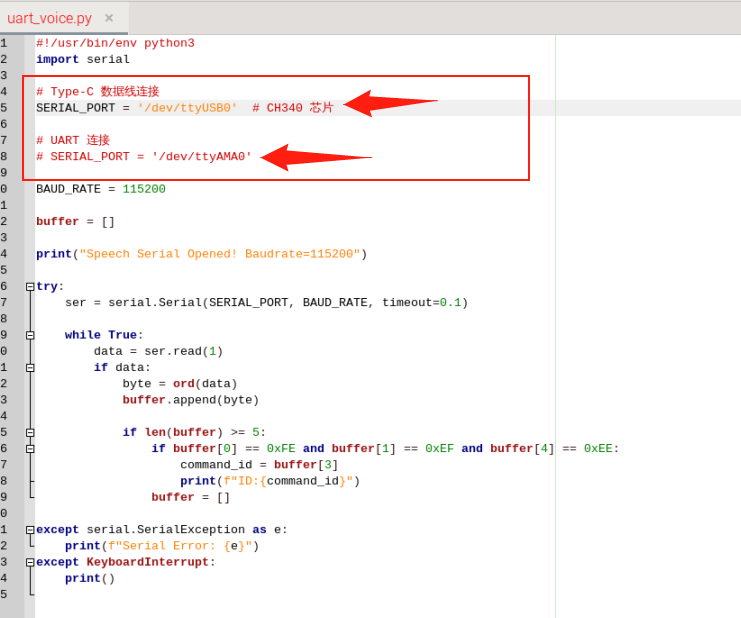
When the Type cable is connected directly to the Raspberry Pi, uncomment SERIAL_PORT = '/dev/ttyUSB0' and comment out SERIAL_PORT = '/dev/ttyAMA0'
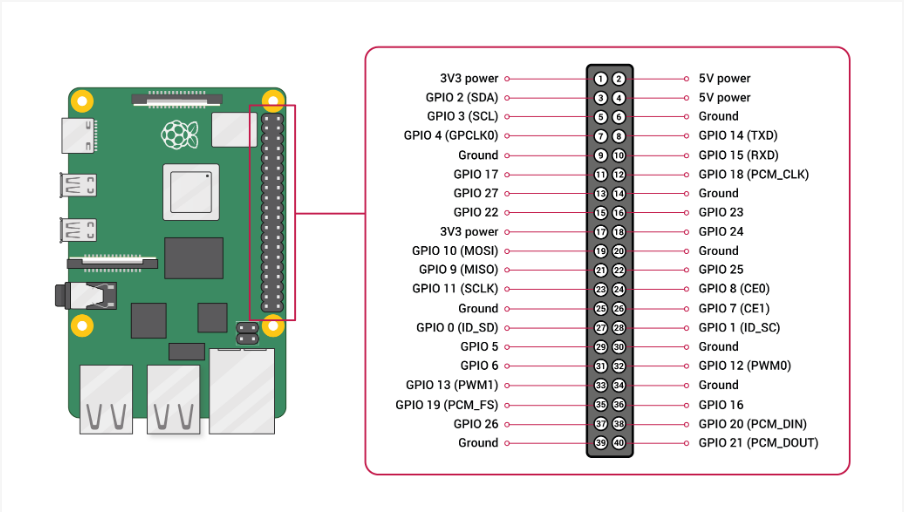
Connect to the Raspberry Pi through the UART pins
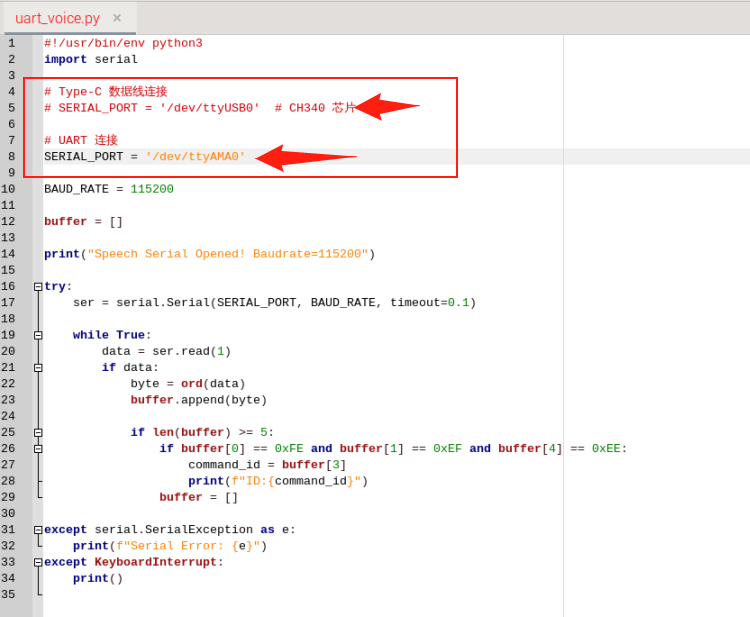
Comment out SERIAL_PORT = '/dev/ttyUSB0' and uncomment SERIAL_PORT = '/dev/ttyAMA0'
Run
Plain
cd UART_VoicePlain
python3 uart_voice.pyOutput Format
Plain
Speech Serial Opened! Baudrate=115200
ID:4
ID:1
ID:10