

Jetson: Serial Port Communication
Install Dependencies
Plain
sudo apt-get updatePlain
sudo apt-get install -y python3-smbus python3-serialCheck User Groups
Plain
sudo usermod -aG i2c $USERPlain
sudo usermod -aG dialout $USERLog out and log back in for it to take effect.
File Location
UART_Voice/uart_voice.py
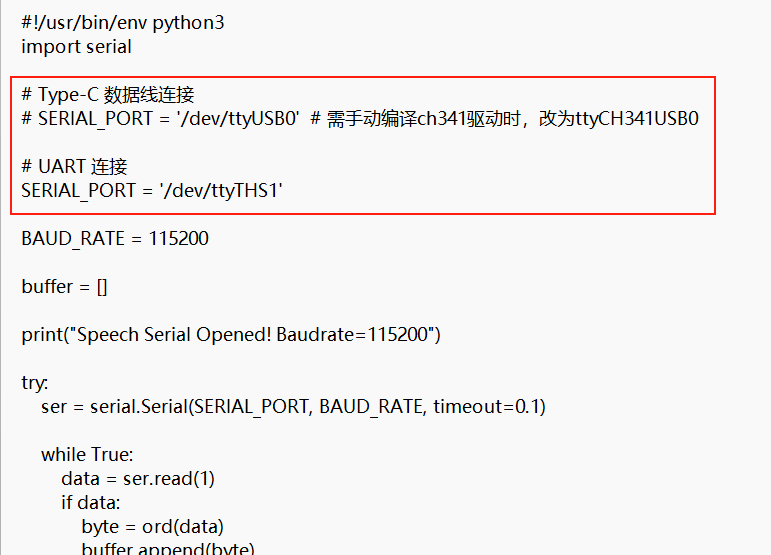
When the module is connected to the Jetson through the UART pins, comment out SERIAL_PORT = '/dev/ttyUSB0' and uncomment SERIAL_PORT = '/dev/ttyTHS1'
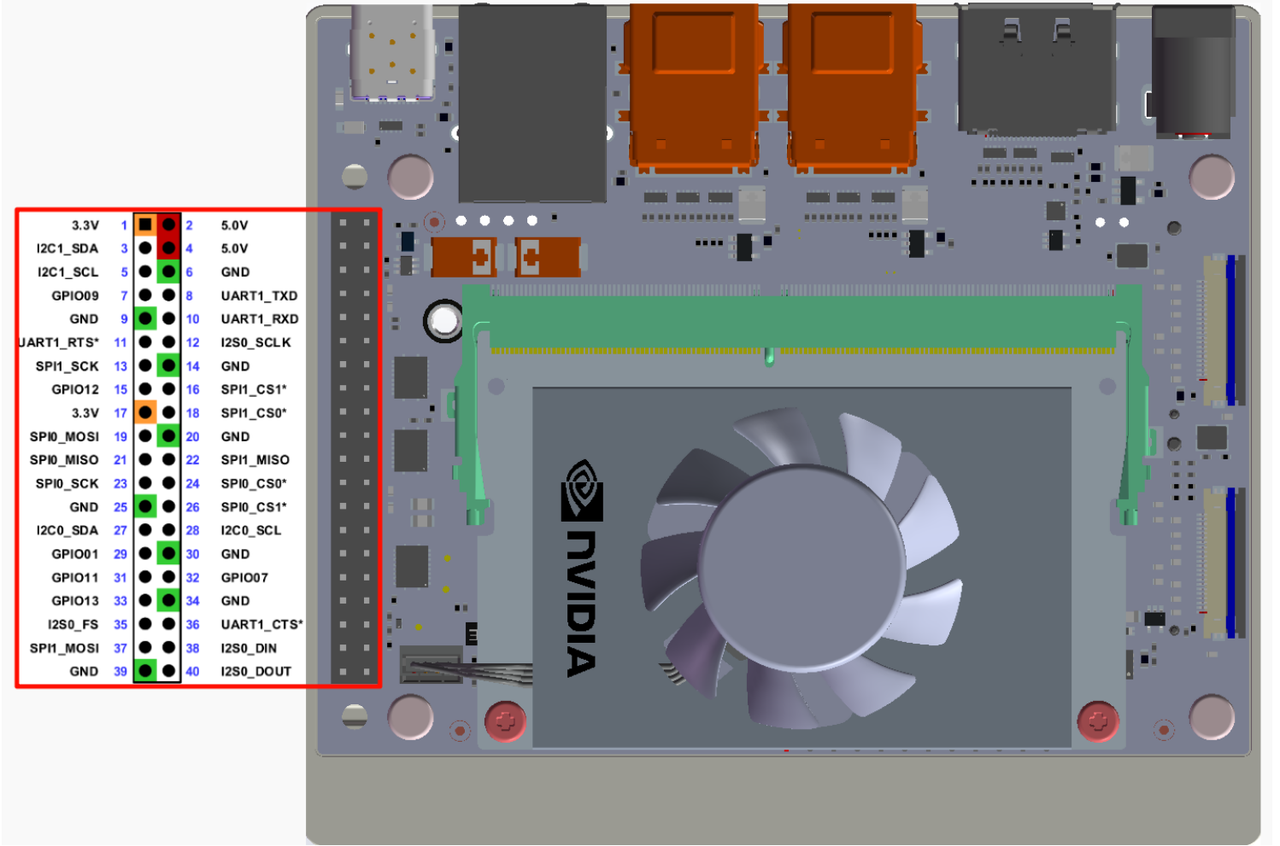
Wiring Instructions
Check the Serial Port
Plain
ls /dev/ttyTHS*Run
Plain
cd UART_VoicePlain
python3 uart_voice.pyOutput Format
Plain
Speech Serial Opened! Baudrate=115200
ID:4
ID:1
ID:10
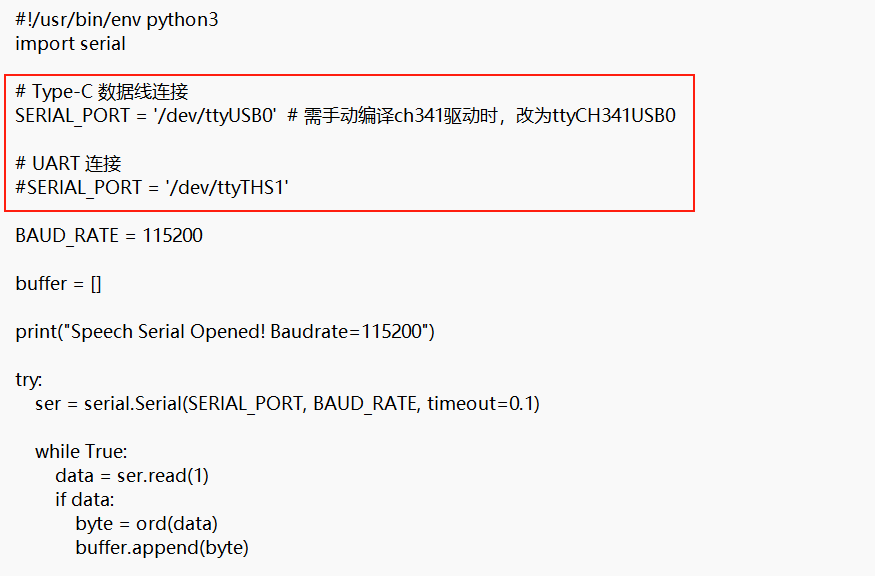
When the module is connected to the Jetson through a Type data cable, uncomment SERIAL_PORT = '/dev/ttyUSB0' and comment out SERIAL_PORT = '/dev/ttyTHS1'
Check the Serial Port
Plain
ls /dev/ttyUSB*Run
Plain
cd UART_VoicePlain
python3 uart_voice.pyOutput Format
Plain
Speech Serial Opened! Baudrate=115200
ID:4
ID:1
ID:10
Troubleshooting
Serial Port Is Occupied
If the serial port cannot be opened, check whether it is occupied by another service:
Plain
sudo systemctl stop nvgettyPlain
sudo systemctl disable nvgetty