

Quick Start
The speech recognition firmware is already flashed at the factory, so users can quickly try it out without flashing. If you need to add other recognition entries, or if you need to reflash other firmware or customize entries, you can go to the "3. Custom Protocol Entry Creation" tutorial to see how to customize entries.
1. Preparation Before Use
One type-c data cable
Voice interaction module
2. Device Connection
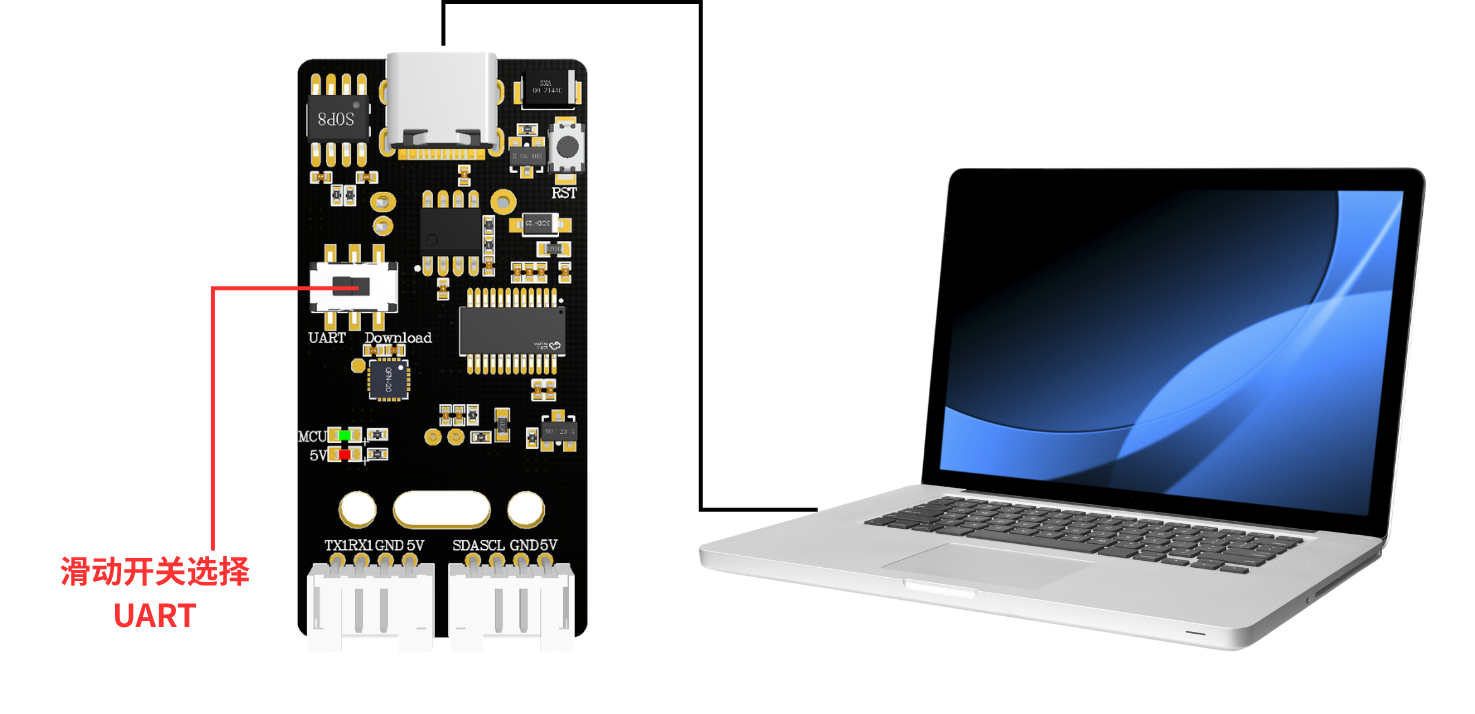
3. Speech Recognition and Playback
After powering the voice interaction module via type-c, you can wake the module with the “你好,小犀” wake word. A successfully woken module replies “我在”, indicating that it is currently in a voice-recognizable state. If no command entry is recognized within 15 seconds, the module enters sleep mode and simultaneously plays back “我去休息了”. If you want to wake the module again, simply say the wake word again.
The factory firmware comes with command words and playback words; the protocol list can be found in the provided attachments. The figure below shows an excerpt of the command word / playback word protocol list. You can check what function the corresponding command word represents by its function type. The playback words that need to be played are passive playback words, which can only be triggered by sending the corresponding command to the voice interaction module from a computer serial port or another microcontroller or host controller device; see the figure below for details.
Function words:
Command words:
Playback words:
There are two playback modes: one is active, and one is passive playback
Active playback: after we say a command word according to the table, the module will actively play back the corresponding sentence. After waking it up, when we say “小车前进”, the module will actively play back “好的,正在前进” after recognizing it.
Passive playback: the corresponding sentence is played back by the module only after the command in the protocol table is sent to the voice module through the serial port. You can also write the corresponding playback data to the passive playback register according to the IIC protocol. For details, see "Multi-Host Controller Communication".