

ROS: Drawing GPS Tracks
This function draws real-time GPS data information and displays it in rviz2.
1. Implementation Principle
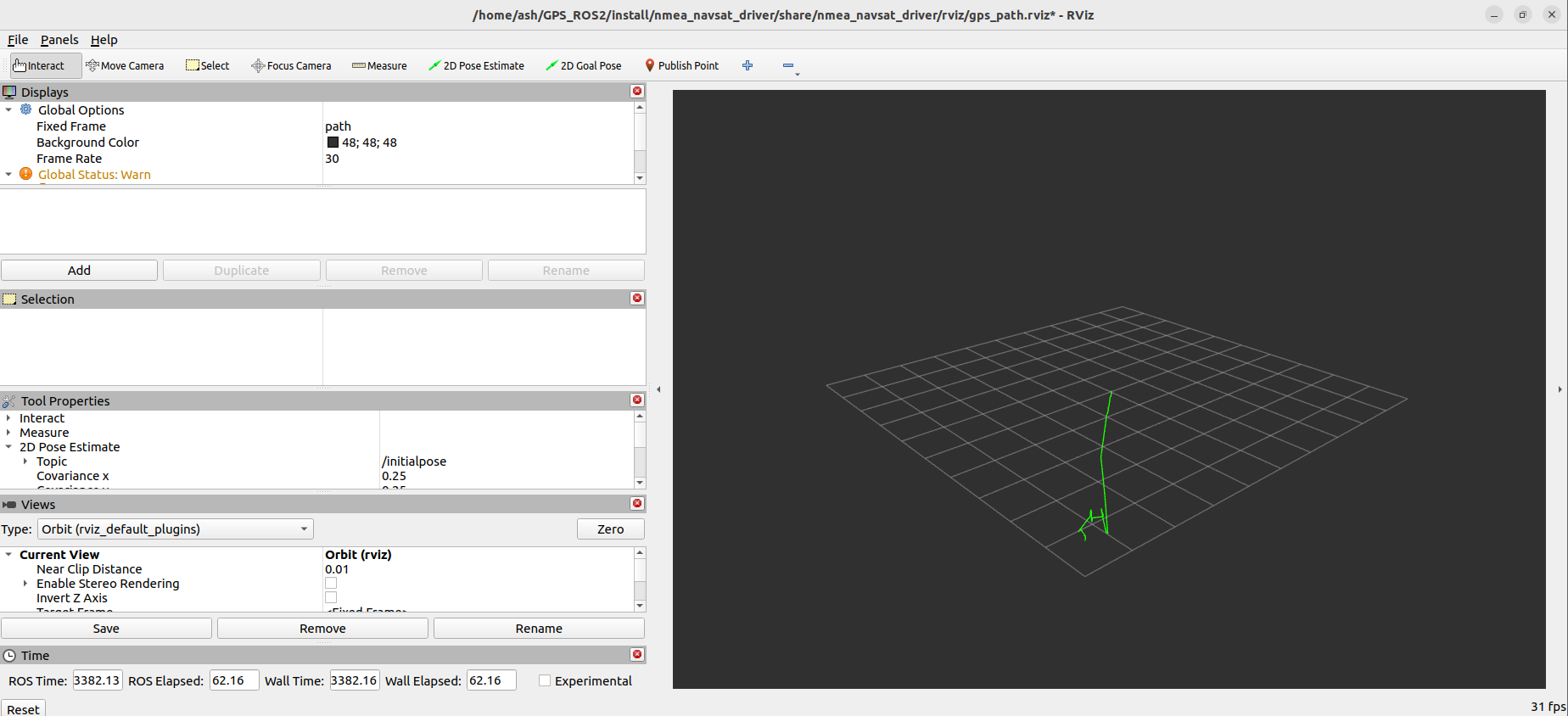
It is impossible to visualize the GPS information directly; we need to convert the coordinate system, converting the GPS track from latitude and longitude WGS-84 coordinates to the real-world xyz coordinate system. With the real-world xyz coordinates, we can display the path through rviz2 and simulate the GPS track. The track is obtained by accumulating the position of each GPS coordinate relative to the first coordinate, and then adding them up to obtain the track.
2. Startup Steps
In the terminal, enter,
ros2 launch nmea_navsat_driver gps_path_to_rviz.launch.py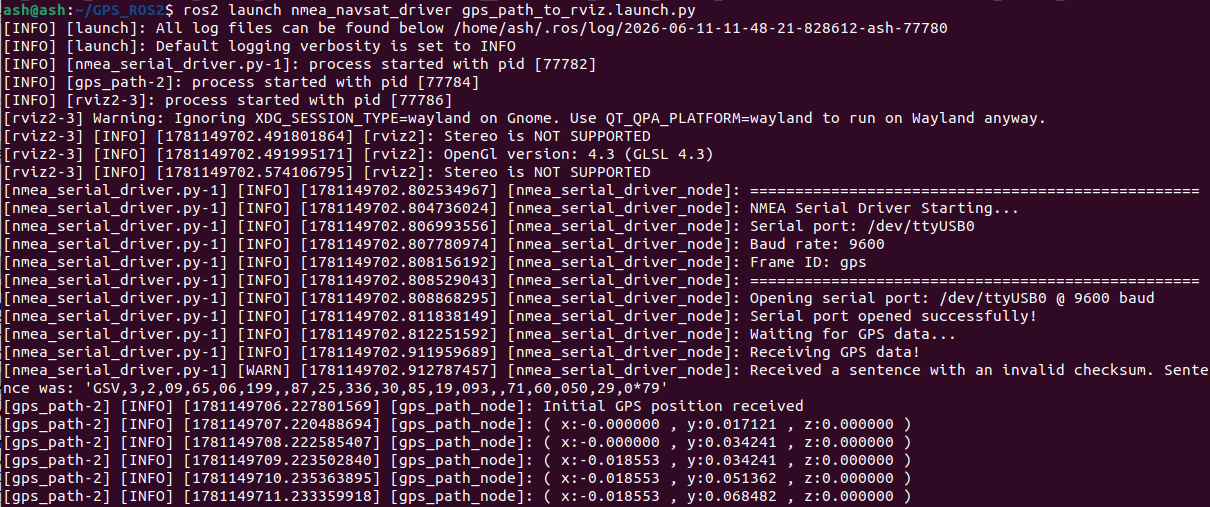
In the interface displayed by rviz2, we can see that the green line is slowly extending continuously, as shown in the figure below,
3. Analysis of the launch Code
from launch import LaunchDescription
from launch.actions import DeclareLaunchArgument
from launch.substitutions import LaunchConfiguration
from launch_ros.actions import Node
from ament_index_python.packages import get_package_share_directory
import os

def generate_launch_description():
    port_arg = DeclareLaunchArgument('port', default_value='/dev/myserial')
    baud_arg = DeclareLaunchArgument('baud', default_value='9600')
    frame_id_arg = DeclareLaunchArgument('frame_id', default_value='gps')
    time_ref_source_arg = DeclareLaunchArgument('time_ref_source', default_value='gps')
    useRMC_arg = DeclareLaunchArgument('useRMC', default_value='False')

    port = LaunchConfiguration('port')
    baud = LaunchConfiguration('baud')
    frame_id = LaunchConfiguration('frame_id')
    time_ref_source = LaunchConfiguration('time_ref_source')
    useRMC = LaunchConfiguration('useRMC')

    nmea_serial_driver_node = Node(
        package='nmea_navsat_driver',
        executable='nmea_serial_driver',
        name='nmea_serial_driver_node',
        output='screen',
        parameters=[{
            'port': port,
            'baud': baud,
            'frame_id': frame_id,
            'time_ref_source': time_ref_source,
            'useRMC': useRMC
        }]
    )

    gps_path_node = Node(
        package='nmea_navsat_driver',
        executable='Draw_GPS_Path',
        name='gps_path_node',
        output='screen'
    )

    rviz_config = os.path.join(
        get_package_share_directory('nmea_navsat_driver'),
        'rviz',
        'gps_path.rviz'
    )

    rviz_node = Node(
        package='rviz2',
        executable='rviz2',
        name='rviz2',
        arguments=['-d', rviz_config]
    )

    return LaunchDescription([
        port_arg,
        baud_arg,
        frame_id_arg,
        time_ref_source_arg,
        useRMC_arg,
        nmea_serial_driver_node,
        gps_path_node,
        rviz_node
    ])
Three nodes are started: nmea_serial_driver_node reads GPS data, gps_path_node draws the GPS data track, and the rviz2 node.
Among them, the source code of the gps_path_node node, gps_path.cpp, is under nmea_navsat_driver/src; you can take a look.