

SCS0009 Hand Tracking (Official dora Demo)
This page covers the official hand-tracking pipeline for the SCS0009 bus servo version: camera → MediaPipe → MuJoCo IK → AHControl (Rust) → SCS0009. For PWM-version tracking, see PWM hand tracking.
The scripts 1 → 4 below use the Windows one-click scripts as an example; they are in AmazingHand-main/Demo/Windows_Deploy_Scripts/. For the location and differences of the Linux and macOS scripts, see the end of this page. Run them in numerical order.
Hardware preparation
| Hardware | Requirement |
|---|---|
| Dexterous hand | Right / Left / Both |
| Servo driver board | External, USB to PC |
| Power | External supply, at least 5V 4A (or use a 7–12V input as required by the driver board); USB power is not enough |
| Camera | Built-in or USB webcam |
The model files can be viewed or downloaded at Onshape (including the URDF).
The hand's MuJoCo model
Environment setup (Script 1)
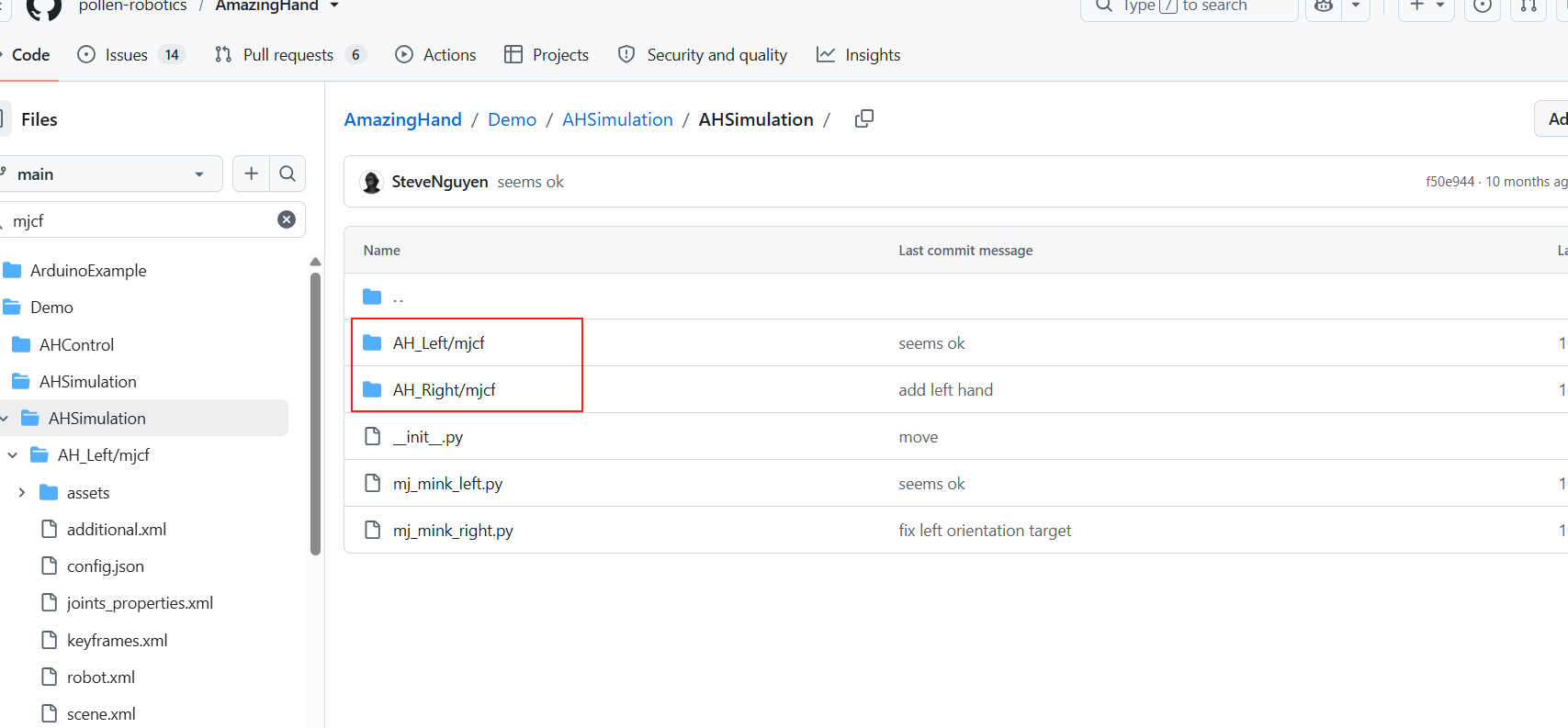
Double-click 1-Install_Env.bat — it automatically:
Checks the MSVC build tools (cl.exe) — required to compile Rust. If missing, it prompts you to install Visual Studio 2022 Build Tools with the "Desktop development with C++" workload, then reopen the terminal.
Installs Rust (rustup + stable-msvc toolchain)
Configures the cargo Tsinghua mirror (
C:\Users\<your username>\.cargo\config.toml) to speed up crate downloadsInstalls uv (Python package manager)
Installs dora-cli 0.5.0 (
cargo install; the first compile takes about 10–20 minutes, be patient)Installs the dora-rs pip package (optional; installed into the virtual environment)
Important: after the script finishes, close and reopen the terminal so the environment variables take effect. The installation may be slow depending on your network; please be patient and do not close it midway.
Environment setup alternative (if the scripts don't work)
Rust: https://www.rust-lang.org/tools/install
On Windows use rustup-init.exe and choose the default MSVC toolchain
Environment variable: add
%USERPROFILE%\.cargo\binto PATH
uv: in PowerShell run
irm https://astral.sh/uv/install.ps1 | iex.- Environment variable: add
%USERPROFILE%\.local\binto PATH
- Environment variable: add
dora-cli:
cargo install dora-cli --version 0.5.0
cargo Tsinghua mirror settings (~/.cargo/config.toml)
[source.crates-io]
replace-with = "tuna"

[source.tuna]
registry = "sparse+https://mirrors.tuna.tsinghua.edu.cn/crates.io-index/"

[registries.tuna]
index = "sparse+https://mirrors.tuna.tsinghua.edu.cn/crates.io-index/"

[http]
check-revoke = false
Use the sparse index (as above), not the git-repo mirror — the git method first downloads about 1 GB of index and easily hangs at
Updating 'tuna' index.
Wiring
Connect the servo driver board to the PC via USB, with an external power supply (at least 5V 4A, or use a 7–12V input as required by the driver board)
Find the port on the PC: Device Manager → Ports (COM & LPT), e.g.
COM11
Configuring the serial port (Script 2)
Double-click 2-Setup_Serial.bat (the actual logic is in 2-Setup_Serial.ps1):
It prompts "connect the servo driver board to the computer" → press Enter to start detection
The detected COM ports are listed automatically (with device names)
With a single port, press Enter to confirm; with multiple ports, type the number
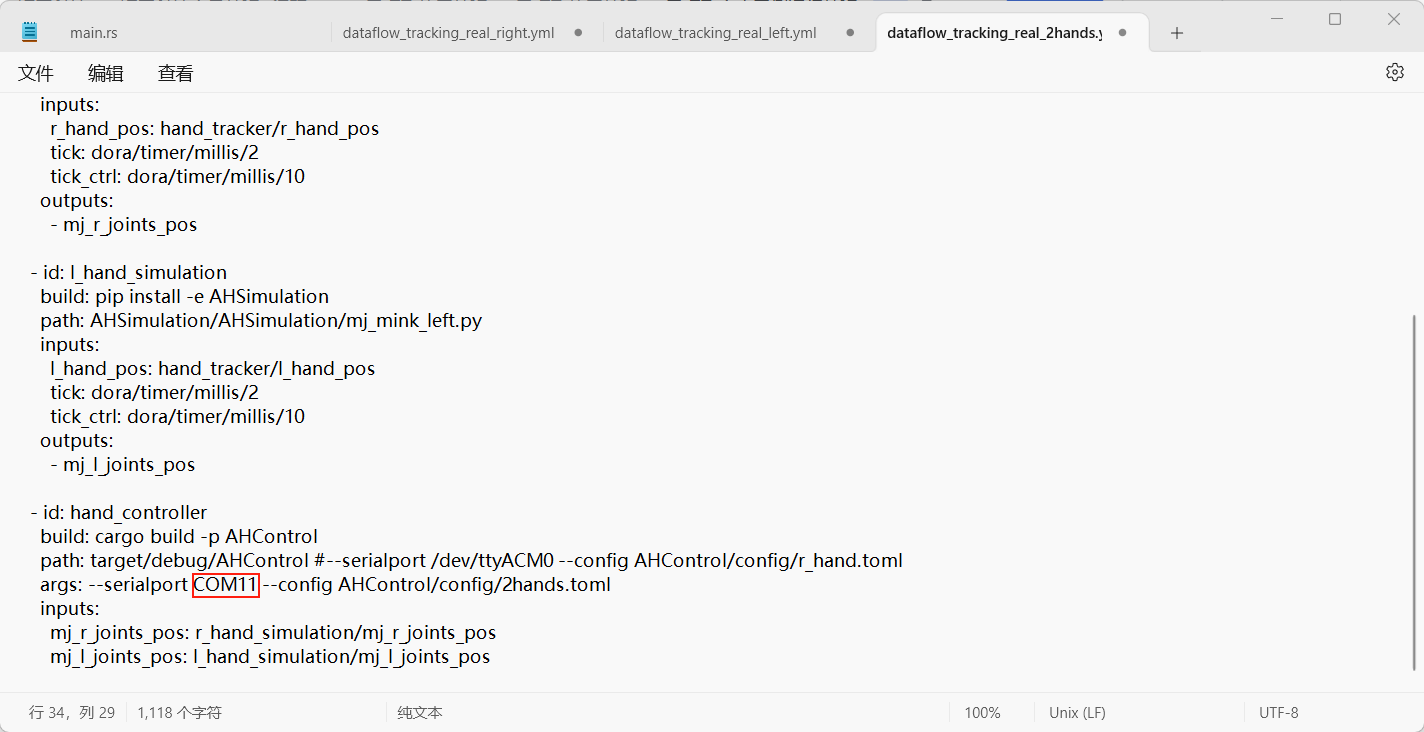
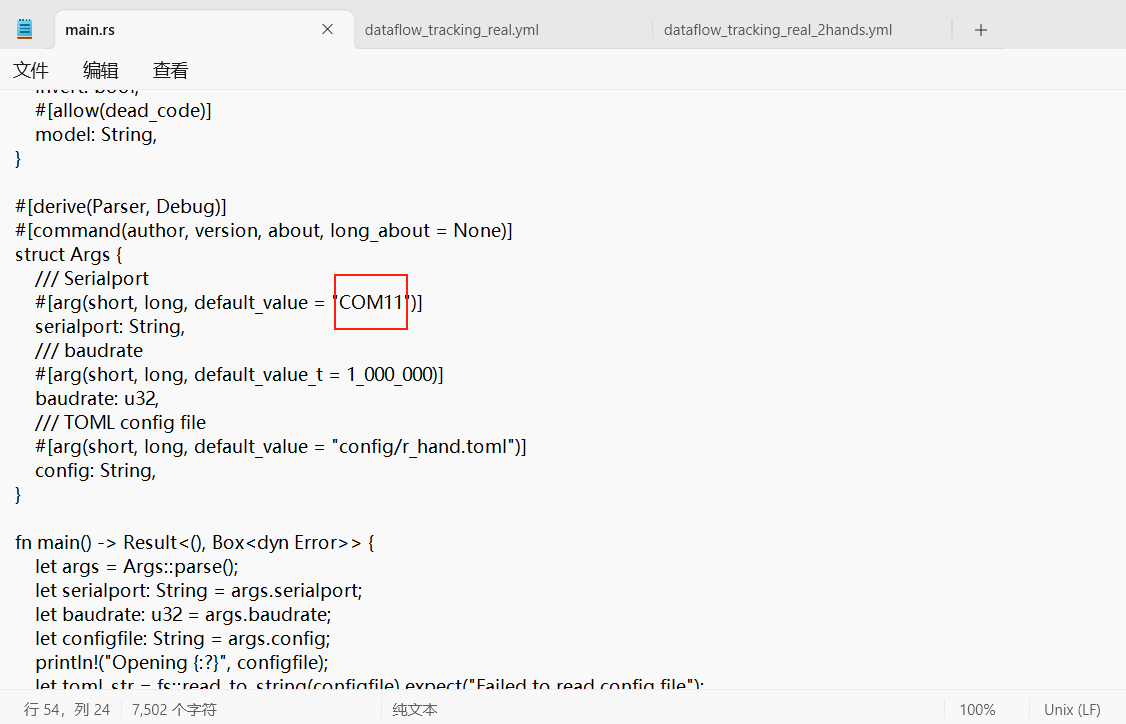
It automatically writes
--serialportinto the 3 dataflow yml files and the default port intoAHControl\src\main.rsThe original files are automatically backed up as
.bak
If you replug the USB cable, the port number may change, so re-run this script.
Code deployment (Script 3)
Double-click 3-Deploy_Demo.bat — it automatically:
Starts the dora daemon (
dora up)Creates a Python 3.12 virtual environment (
uv venv --python 3.12)Activates the virtual environment
Builds the AHControl Rust node (
cargo build --release, about 10 minutes the first time)Syncs the AHSimulation and HandTracking dependencies (
uv sync)Force-installs mediapipe==0.10.14
Deployment only needs to be done once. Re-running it asks whether to rebuild the virtual environment.
Running the code (Script 4)
Double-click 4-Run_Demo.bat — an interactive menu appears:
============================================
   Select a run mode:
============================================
    1 - Simulation (webcam hand tracking)
    2 - Real hardware
    q - Quit
============================================
  Enter number [1/2/q]:
Choose 1: simulation environment; camera gestures drive the two simulated hands
Choose 2: a submenu appears; choose right hand / left hand / both hands
============================================
   Real hardware - select the hand:
============================================
    1 - Right hand
    2 - Left hand
    3 - Both hands
    b - Back to main menu
============================================
After choosing, it automatically runs dora build + dora run. A camera window opens; make hand gestures toward the camera and the dexterous hand follows in real time. Ctrl+C stops it; after the dataflow ends, press Enter to return to the main menu, where you can choose another mode or press q to quit.
On first run, Windows may block camera permission; click "Allow".
Project cleanup (Script 0)
Double-click 0-Cleanup_Project.bat, type Y to confirm, and it automatically:
Stops the dora daemon
Deletes the 3 virtual environments (
.venv)Deletes the Rust build output (
AmazingHand-main/Demo/target)Deletes
pycache,.bakbackups, logs, andAmazingHand-main/Demo/out(the dora log directory)Restores the default port (
--serialport /dev/ttyACM0), removing this machine's serial port residue
After cleanup you can copy the whole
AmazingHand-mainfolder to someone else — clean and portable. On a new machine, just run 1 → 2 → 3 → 4 in order.
Linux and macOS differences
The one-click scripts are also available for Linux and macOS, in AmazingHand-main/Demo/Linux_Deploy_Scripts/ and AmazingHand-main/Demo/Mac_Deploy_Scripts/ respectively. Steps 1–4 are the same process as on Windows; only the system differences are listed below.
Script execution permission (Linux / macOS)
After copying from Windows or extracting from an archive, the scripts lose their +x execute bit, so run this before the first use:
cd "AmazingHand-main/Demo/Linux_Deploy_Scripts"   # on macOS use Mac_Deploy_Scripts
chmod +x *.sh
After that run them with ./script-name; do not use bash script-name, or the interactive prompts inside the script will be skipped.
Linux (Ubuntu)
- Serial port permissions:
sudo usermod -aG dialout $USER, then log out and back in; temporarily you can usesudo chmod 666 /dev/ttyACM*. - Device names:
/dev/ttyUSB*(CH340 / CP2102) or/dev/ttyACM*(onboard USB serial). - Camera: Settings → Privacy → Camera, allow apps to access it; make sure no other program is using the camera.
- Virtual machine: connect the USB camera to the VM first; if OpenCV reports
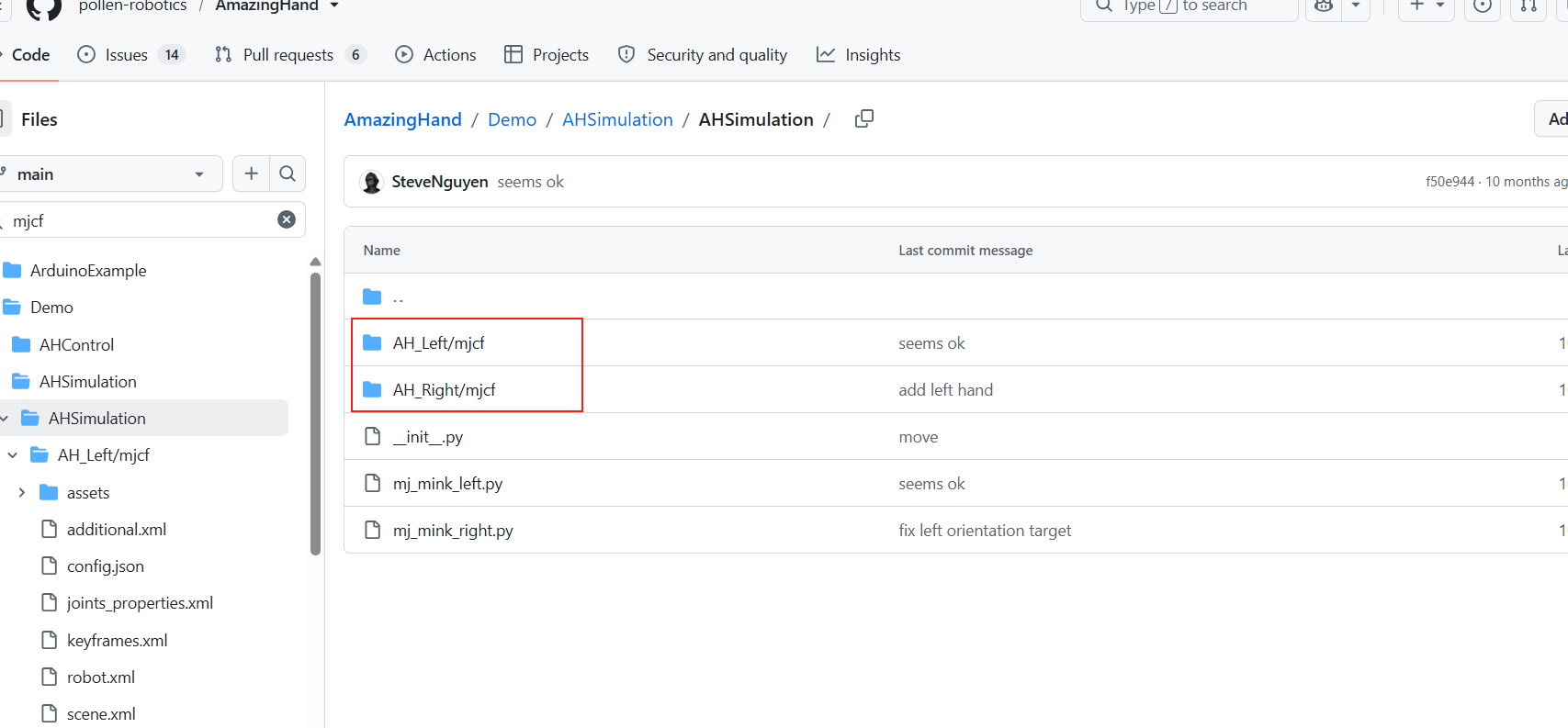
can't open camera by indexorselect() timeout, switch the USB controller between 2.0 / 3.1 in the VM settings and restart; if necessary,sudo usermod -aG video $USER. - Chinese paths: keep the project path in English characters as far as possible, to avoid MuJoCo / MediaPipe failing to load models.
macOS
- Serial port: use
/dev/cu.*, not/dev/tty.*; list device names withls /dev/cu.*. - Serial port permissions:
sudo chmod 666 /dev/cu.usbmodem*, or allow the terminal in "System Settings → Privacy & Security → Input Monitoring". - Camera: allow the terminal to access the camera on first run; you can also change it in "System Settings → Privacy & Security → Camera".
- Apple Silicon: it is normal for the first
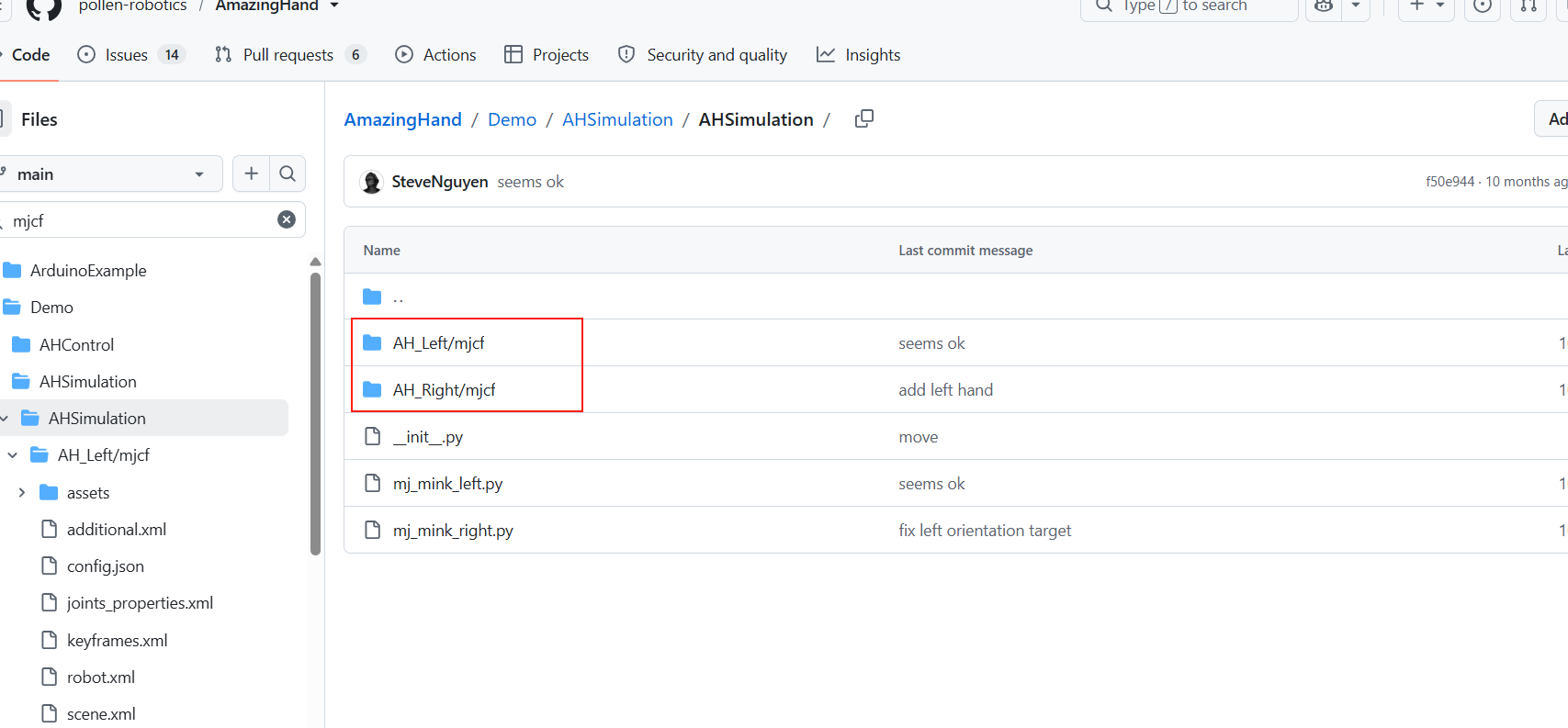
cargo buildof the dora dependencies to be slow; if it says "cannot verify the developer", click "Open Anyway" in "Privacy & Security".
Manual installation (without the one-click scripts)
If the scripts are not usable, you can deploy manually as described in the official demo:
Get the code: clone the repository or download
AmazingHand.zip, and enterAmazingHand-main/Demo/.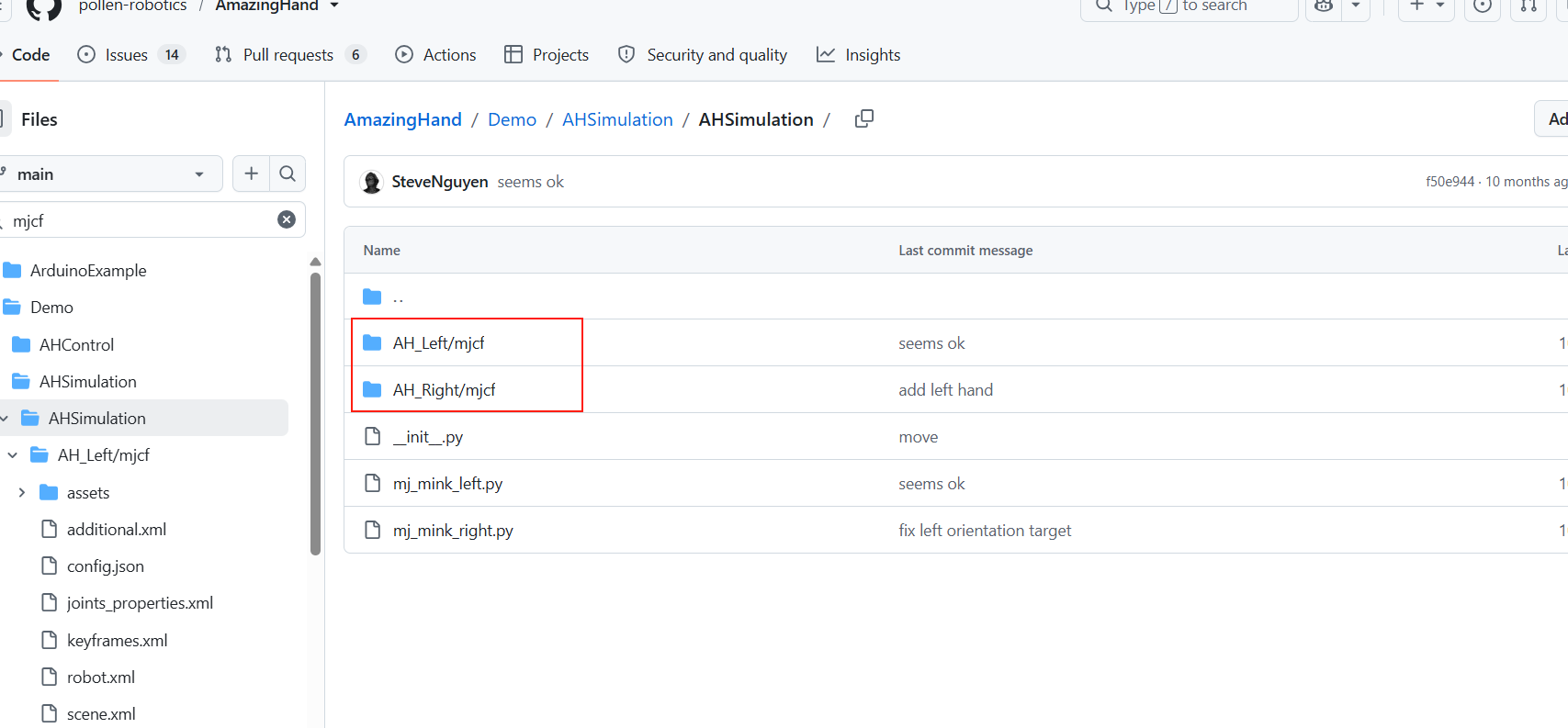
Install the environment: Rust (rustup), uv, dora-cli; reopen PowerShell/Bash so PATH takes effect. For installation details, see Environment setup (Script 1) above.
Create the environment and install the dependencies:
bashuv venv --python 3.12 # Windows: .venv\Scripts\activate # Linux/macOS: source .venv/bin/activate cd AHControl cargo build --release cd .. cd AHSimulation uv sync cd .. cd HandTracking uv sync cd ..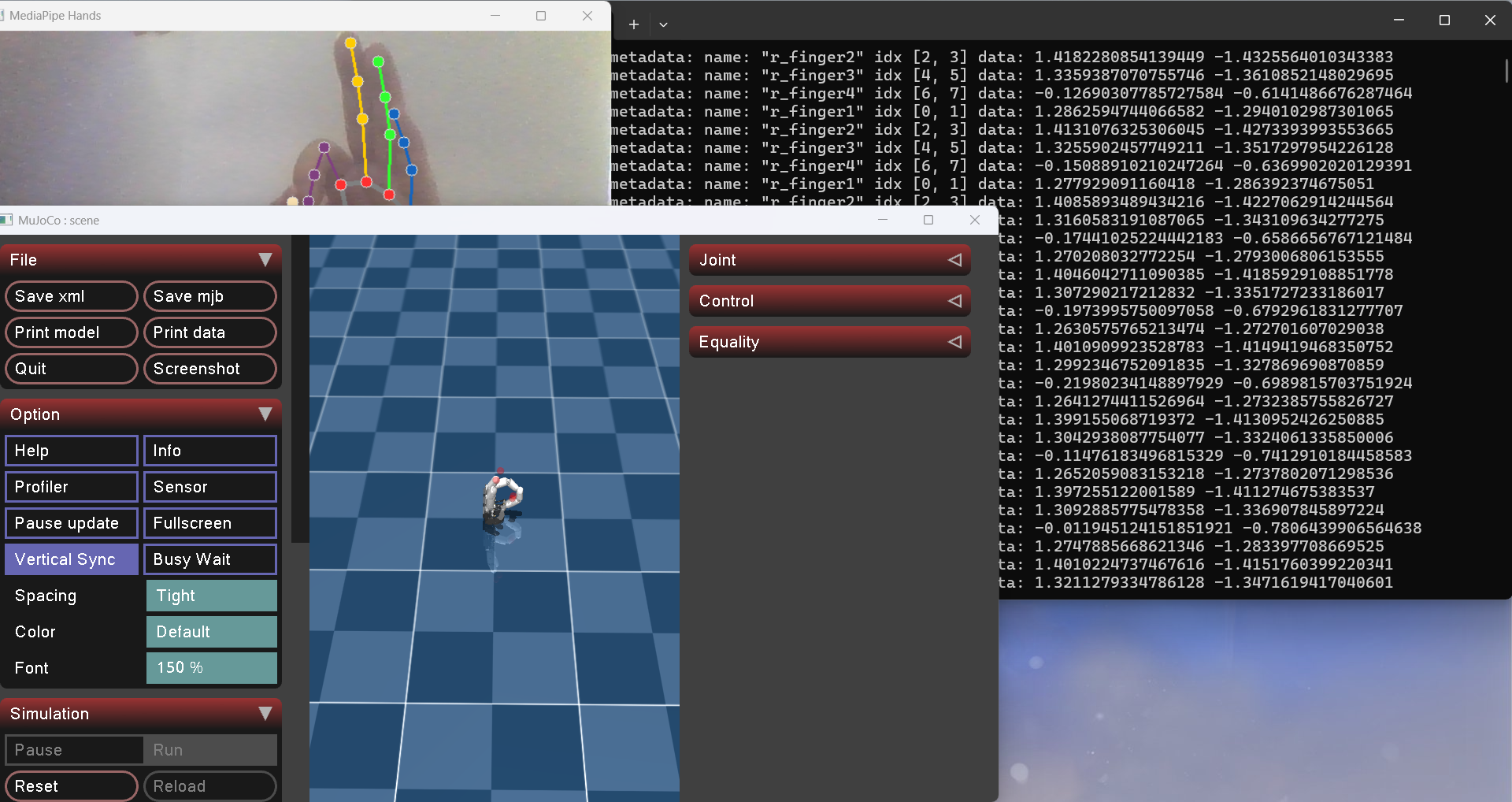
Configure the serial port: edit
--serialportindataflow_tracking_real_right.yml/_left.yml/_2hands.yml, changing it to the actual COM port or/dev/ttyUSB0,/dev/cu.usbserial-*.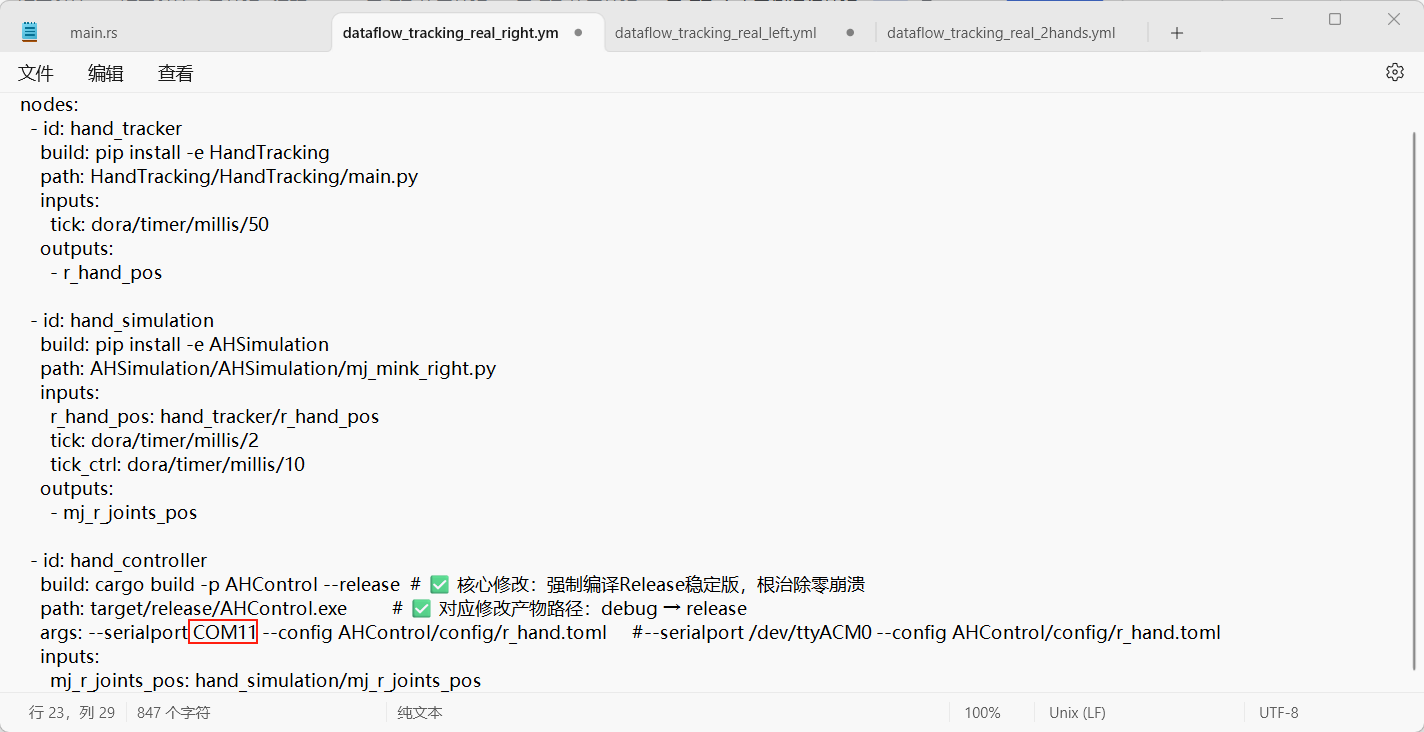
Build and run:
bash# Simulation dora build dataflow_tracking_simu.yml --uv dora run dataflow_tracking_simu.yml --uv # Real hardware (right hand; for left/both, substitute the file name) dora build dataflow_tracking_real_right.yml --uv dora run dataflow_tracking_real_right.yml --uv # Simple angle example dora build dataflow_angle_simu.yml --uv dora run dataflow_angle_simu.yml --uv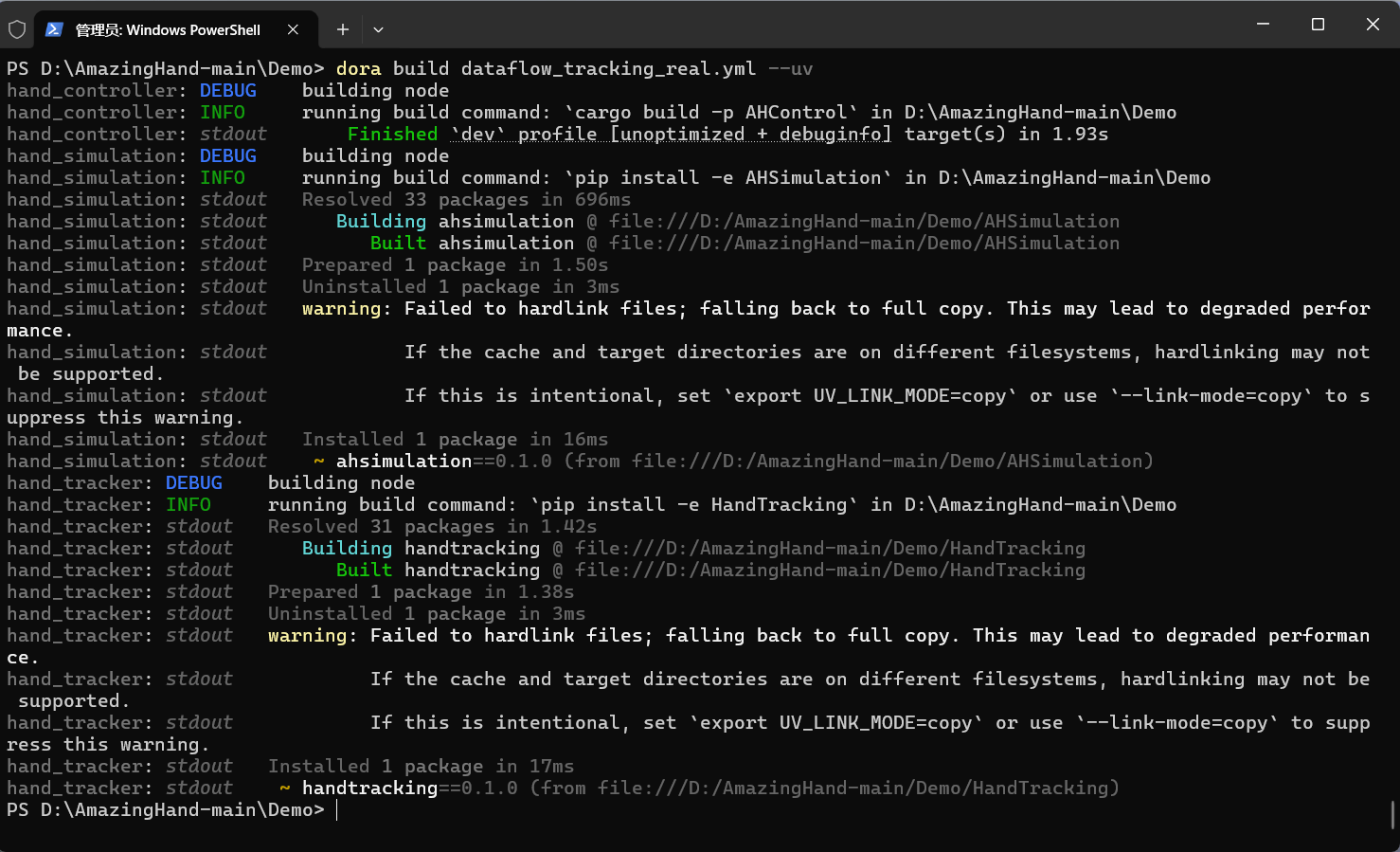
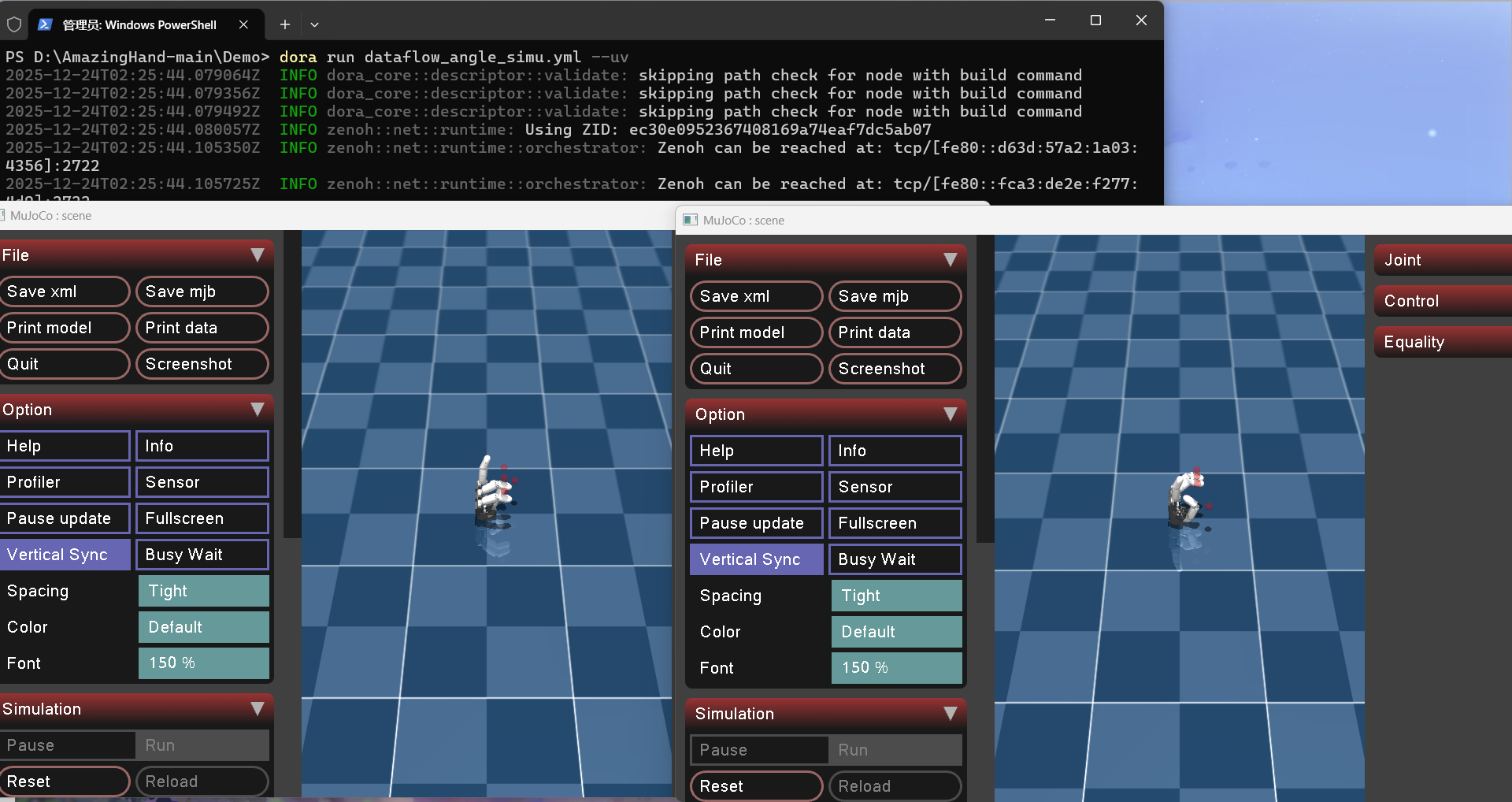
FAQ: mediapipe must be
0.10.14(Python 3.12); if the dora version is incompatible, align it withpyproject.toml/the logs; if OpenCV is missing, installopencv-contrib-python; camera permissions, VM USB passthrough and Chinese paths all affect model loading. For detailed troubleshooting, see FAQ and notes.
For more detailed official demo documentation, see
AmazingHand-main/Demo/README.md; the one-click deployment steps for each system have been merged into this page.
Code structure
Demo folder
AmazingHand-main/Demo/
├── AHControl/                Rust node: serial control of the servos; config/ holds servo IDs and offsets
├── AHSimulation/             Python node: MuJoCo simulation and inverse kinematics
├── HandTracking/             Python node: MediaPipe hand landmark detection
├── dataflow_*.yml            dora dataflow orchestration
├── Windows_Deploy_Scripts/   Windows one-click deployment scripts
├── Linux_Deploy_Scripts/     Linux one-click deployment scripts
├── Mac_Deploy_Scripts/       macOS one-click deployment scripts
└── docs/                     Official multilingual deployment tutorials
dataflow mapping
| Dataflow file | Purpose |
|---|---|
dataflow_tracking_simu.yml | Camera gesture tracking; drives only the MuJoCo simulated hand |
dataflow_tracking_real_right.yml | Camera gesture tracking; drives the real right hand |
dataflow_tracking_real_left.yml | Camera gesture tracking; drives the real left hand |
dataflow_tracking_real_2hands.yml | Camera gesture tracking; drives both hands at once |
dataflow_angle_simu.yml | Joint angles given directly; validates the simulation and inverse kinematics |
Dataflow principle
Camera → HandTracking (MediaPipe gesture recognition)
              ↓ hand landmark coordinates
         AHSimulation (MuJoCo simulation + inverse kinematics)
              ↓ joint target angles
         AHControl (serial → servo driver board → dexterous hand)
Port configuration locations
The
args:line of the threedataflow_tracking_real_*.ymlfiles:--serialport COMxxdefault_value = "COMxx"inAHControl\src\main.rs(the serialport argument default)AHControl\config\*.toml: servo model, IDs, offsets (usually no change needed)
FAQ and notes
1. cargo stuck at Updating 'tuna' index
Cause: the mirror is configured in git-repo mode (
.../git/crates.io-index.git), which downloads a 1GB+ index the first timeFix: change
C:\Users\<your username>\.cargo\config.tomlto the sparse index (see "cargo Tsinghua mirror settings" above), or simply re-run1-Install_Env.bat
2. mediapipe missing the solutions submodule / broken install
uv pip uninstall mediapipeuv pip install mediapipe==0.10.14Must be run with the virtual environment activated (in the
Demodirectory)3-Deploy_Demo.batalready does this as a fallback
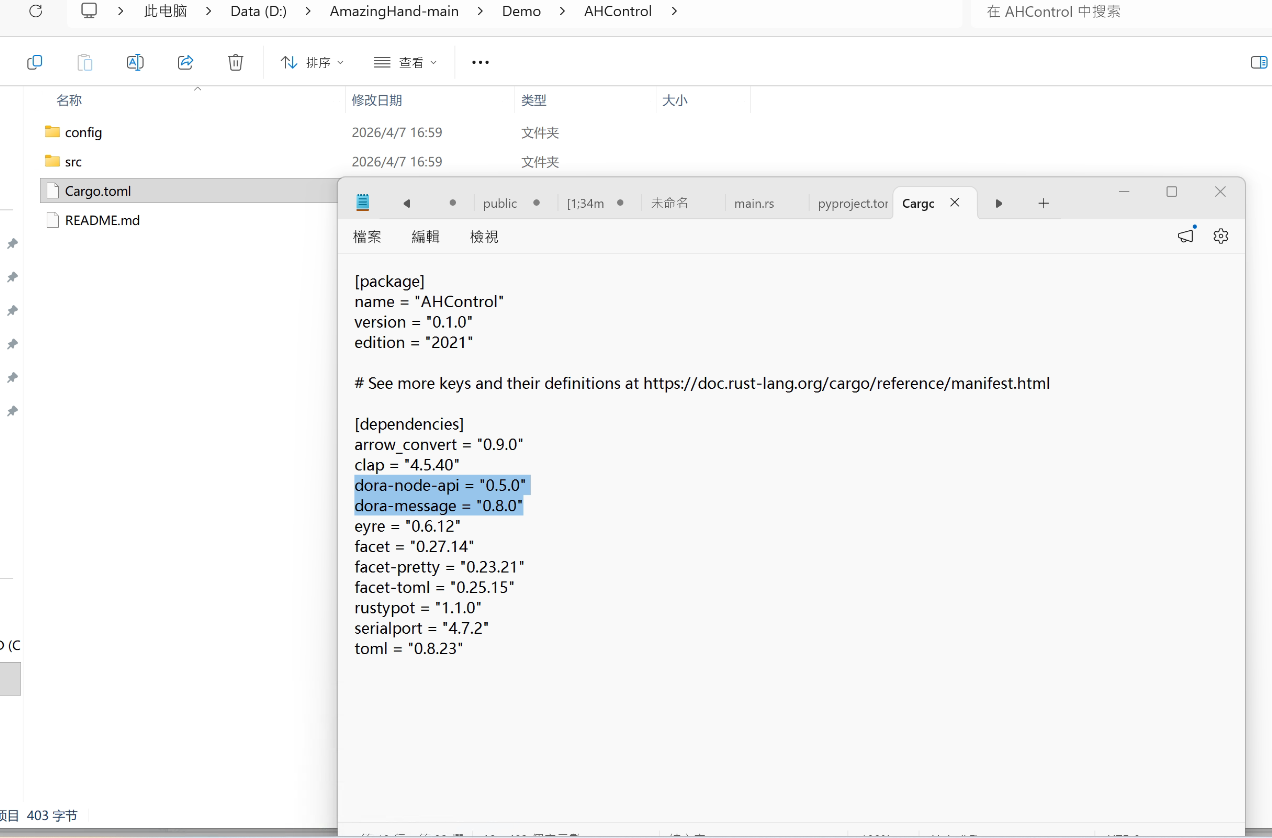
3. dora version incompatible (message v0.8.0 vs v0.7.0)
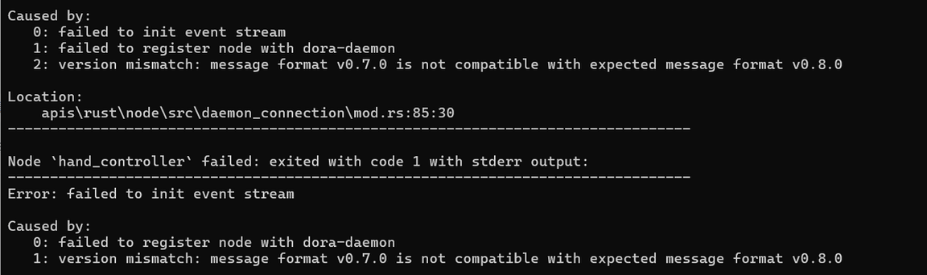
Symptom:
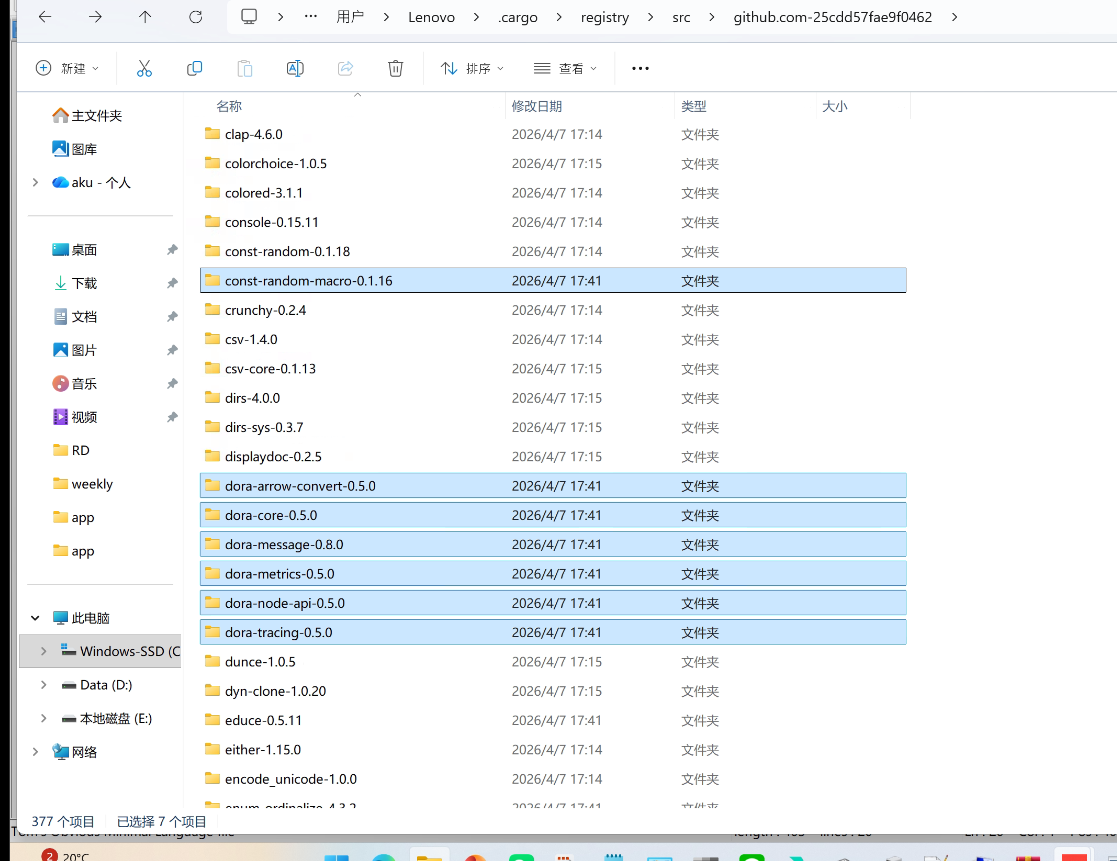
version mismatch: message format v0.8.0 is not compatible with expected message format v0.7.0Cause: the dora-cli version does not match dora-node-api. Both must be 0.5.0
Check:
dora --versionshould outputdora-cli 0.5.0,dora-message: 0.8.0Fix:
cargo install dora-cli --version 0.5.0 --forceIf PATH contains multiple dora installations (e.g. an old version in
C:\Users\<username>\.dora\bin), make sure.cargo\bincomes first, or delete the old version
4. MuJoCo / mediapipe fail to load models (Chinese paths)
Symptom:
ParseXML: Error opening file '...\scene.xml'orCan't find file: ....tfliteCause: the MuJoCo 3.x / mediapipe C++ loaders on Windows cannot open absolute paths containing Chinese characters (e.g.
D:\中文目录...)This project already includes fixes:
AHSimulation\AHSimulation\mj_mink_*.pyswitches the working directory before loading modelsHandTracking\mediapipe_patch.pyworks around it with 8.3 short paths + relative paths
Do not delete these fix files
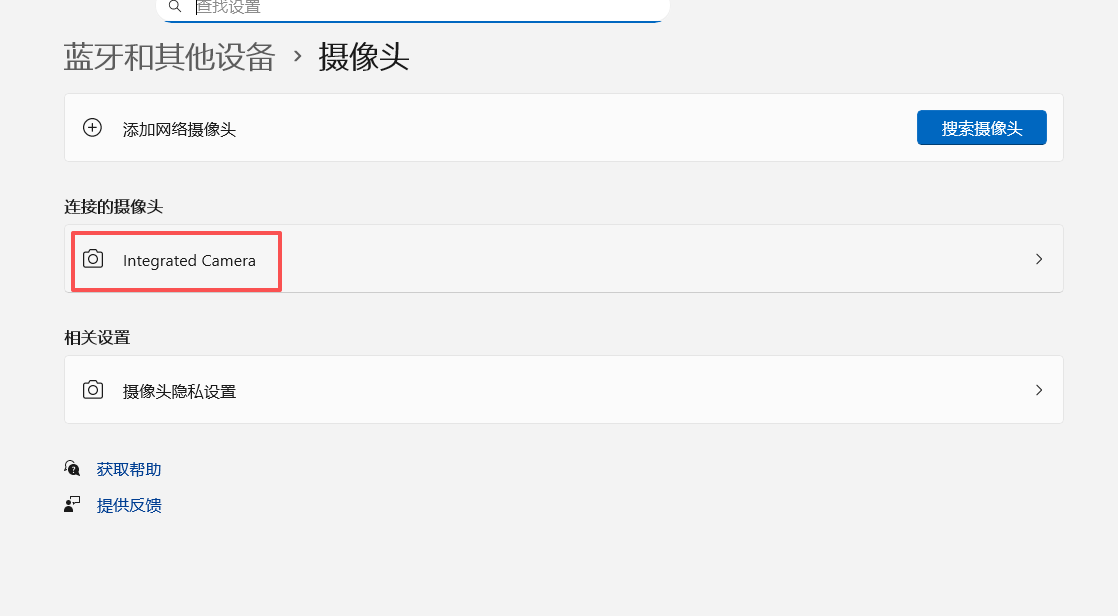
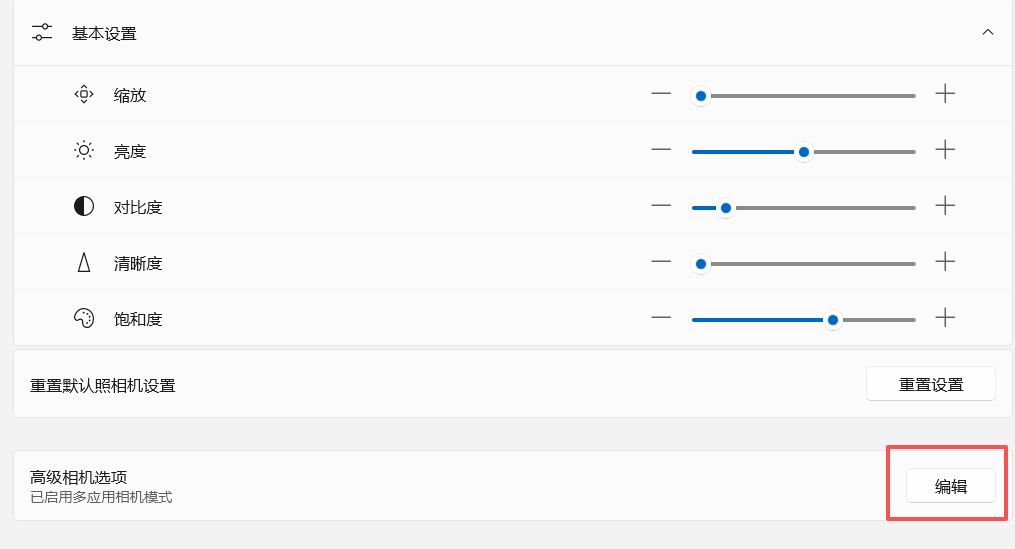
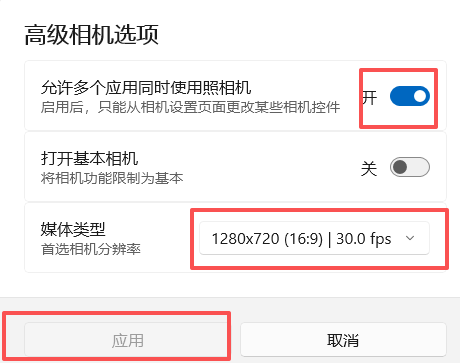
5. Camera permission
On first run, choose "Allow" in the popup
Settings → Privacy → Camera → allow desktop apps to access
6. Port number changes every time
- The COM number may change after replugging USB; re-run
2-Setup_Serial.bat
7. Missing OpenCV
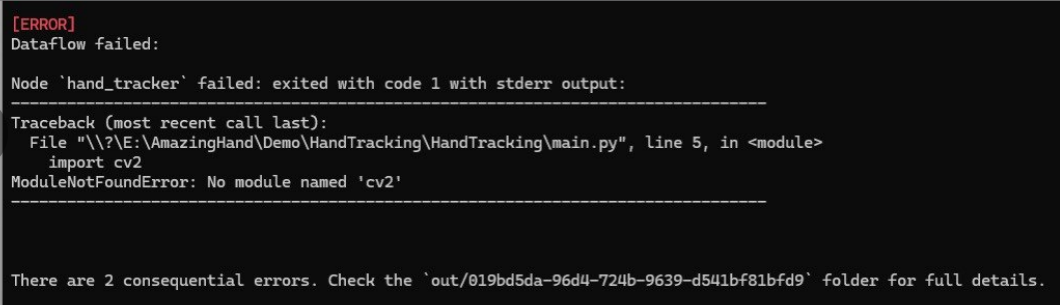
python -m pip install opencv-contrib-python numpy mediapipe -i https://mirrors.aliyun.com/pypi/simple/(run in the HandTracking directory with the virtual environment activated)