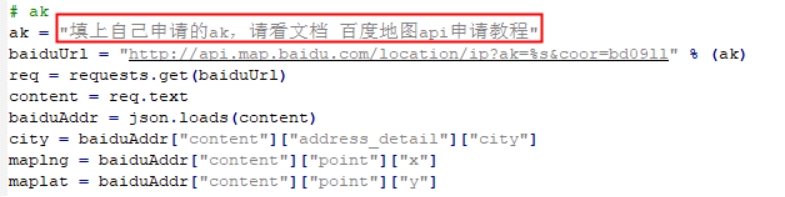
Raspberry Pi: Baidu Map API
1. Registration Method
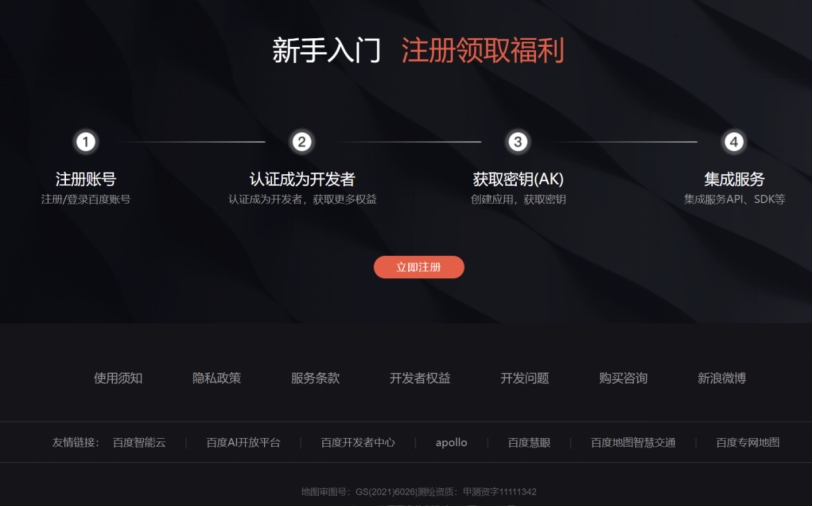
Go to the Baidu Maps Open Platform https://lbsyun.baidu.com/
Scroll to the bottom of the page
Click Register Now
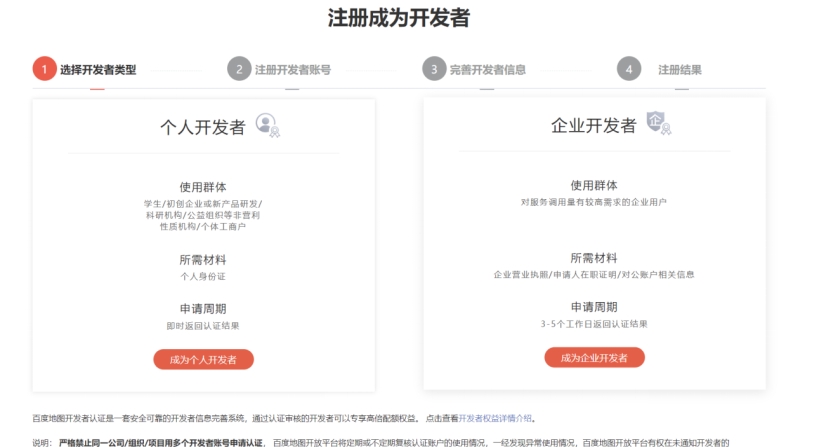
It is recommended to choose to become an individual developer (because it can be used on the day you apply)
Just complete it step by step following the prompts
2. Obtain the ak
We use the Regular IP Location in the web service; the documentation can be found at the link below.
https://lbsyun.baidu.com/index.php?title=webapi/ip-api
Click Console, select My Applications, and select Create Application.
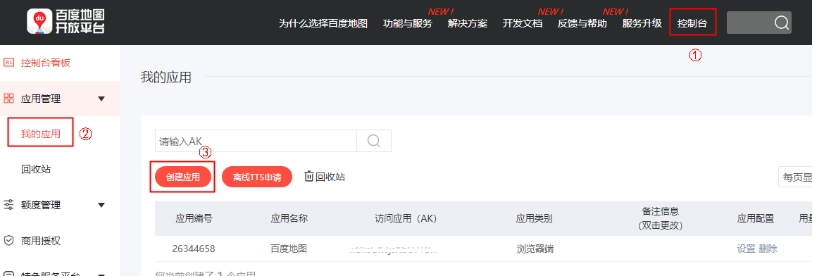
Write any application name; for the application type, select Server-side, enable the service, and enter 0.0.0.0/0 in the whitelist.
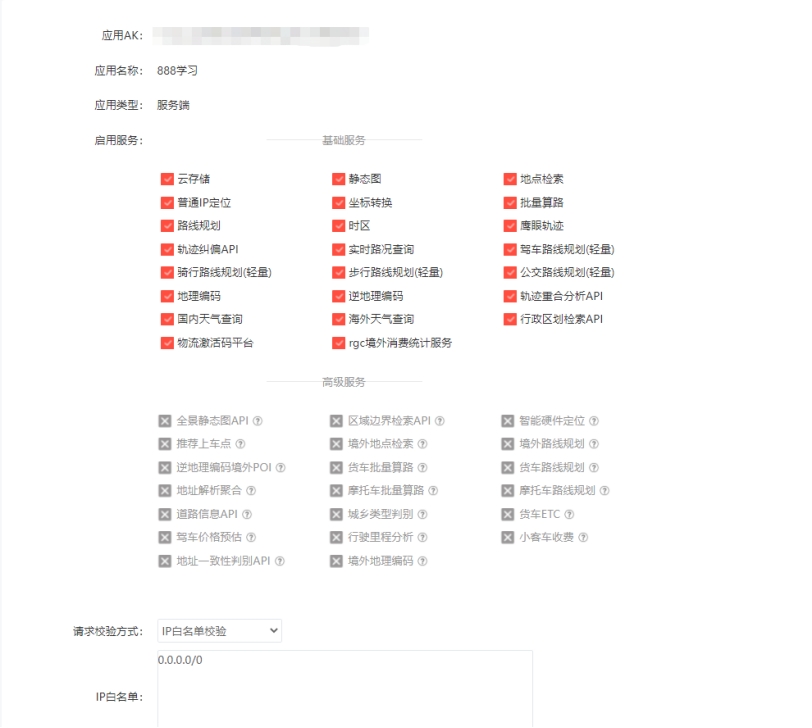
Click Submit to generate an application.

Copy the ak value of our application

Paste it into the program and save, and then you can read the position information through Baidu Maps.