KVM Switch
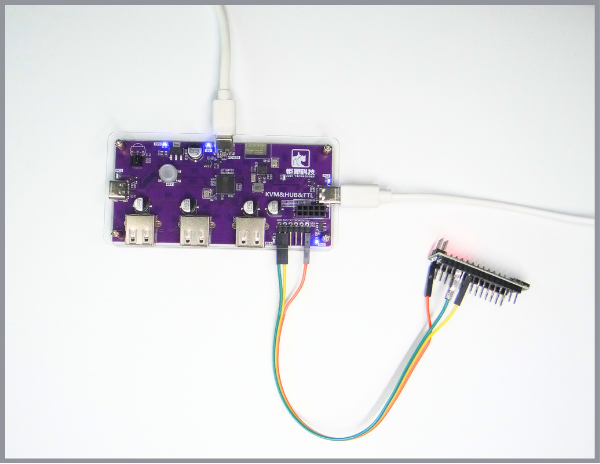
The KVM switch includes HUB functionality, TTL serial port, and Bluetooth module
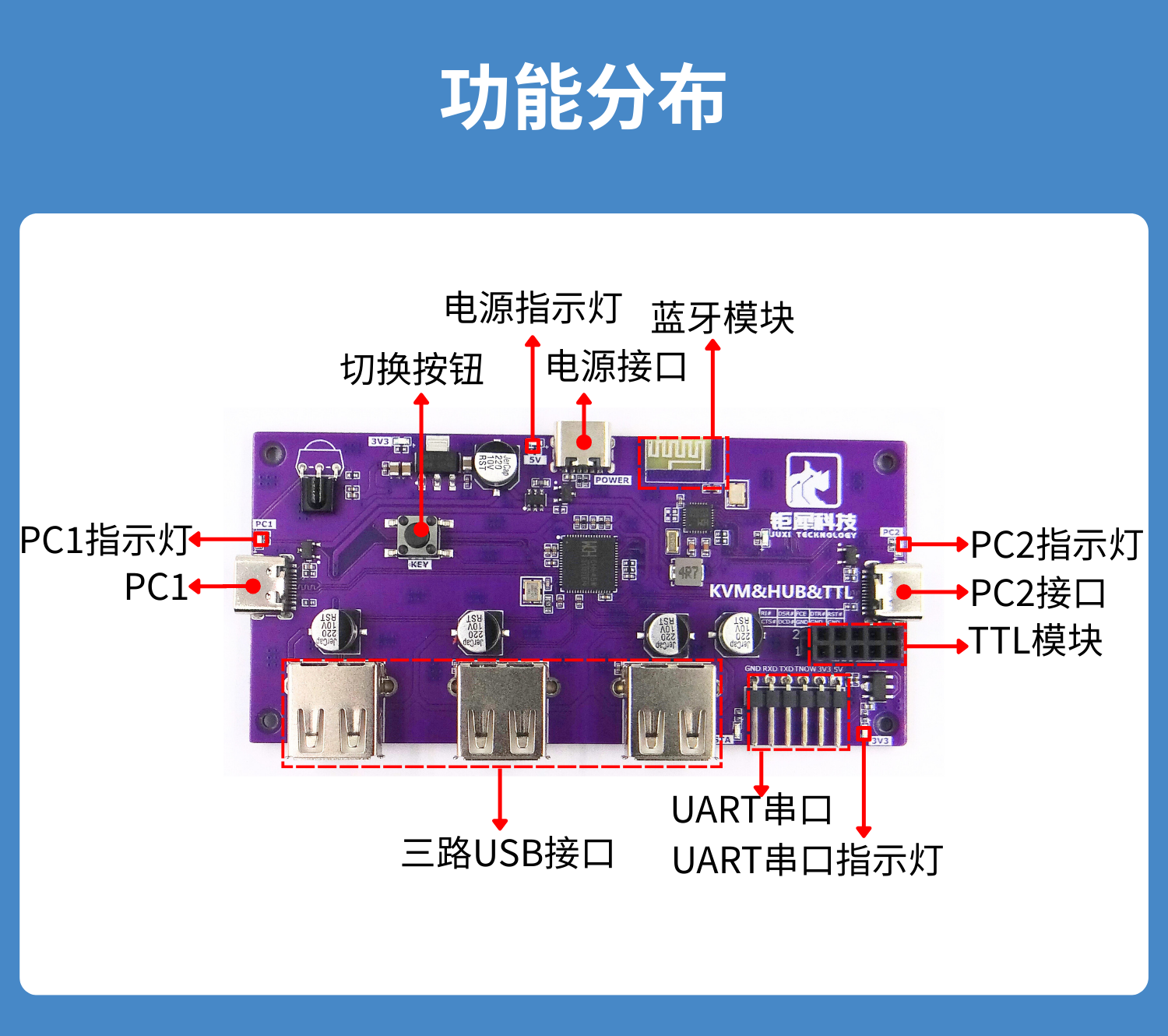
Individual module functionality
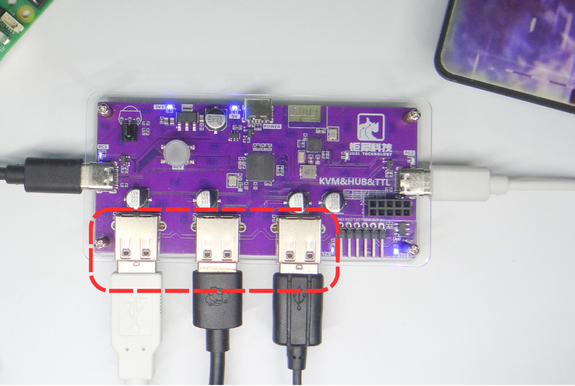
1. HUB Function
A single USB-TypeC cable can expand one USB port into three USB ports
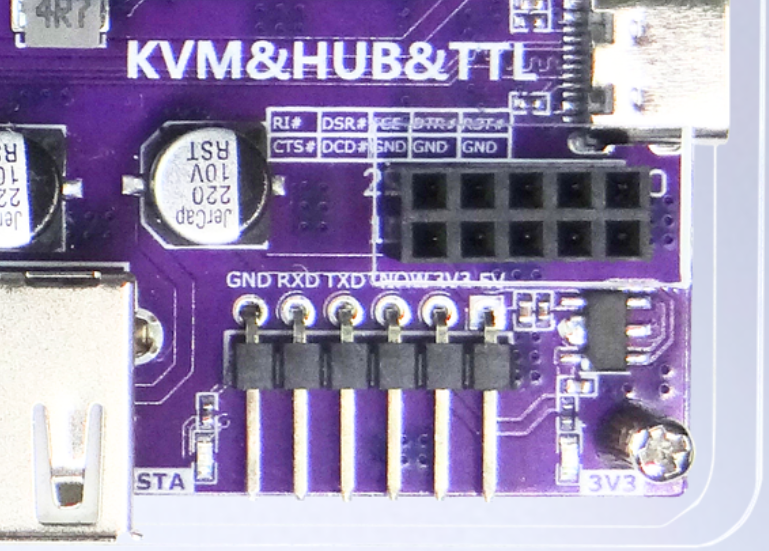
2. TTL Serial Port
The pins from left to right are GND, RXD, TXD, TNOW, 3V3, and 5V, respectively.
3. Bluetooth Module
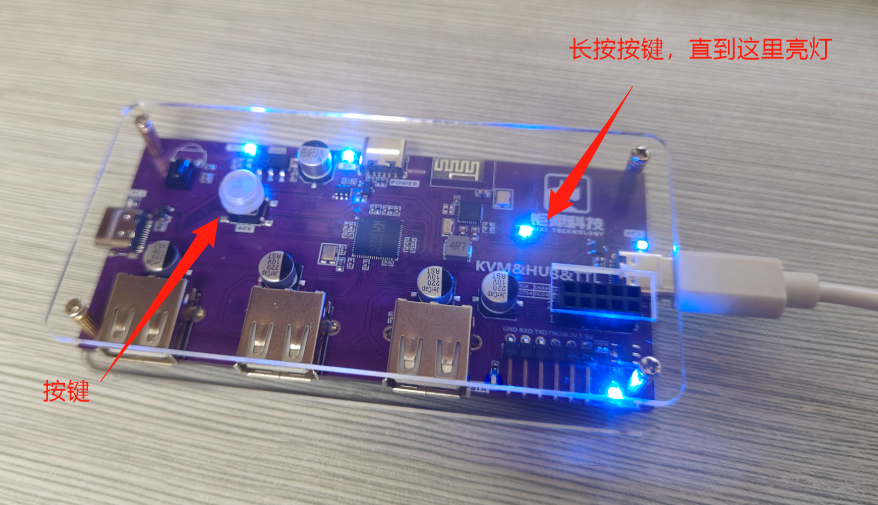
Connect using AT commands, or change to slave mode, and the phone must connect via the 4.2 protocol
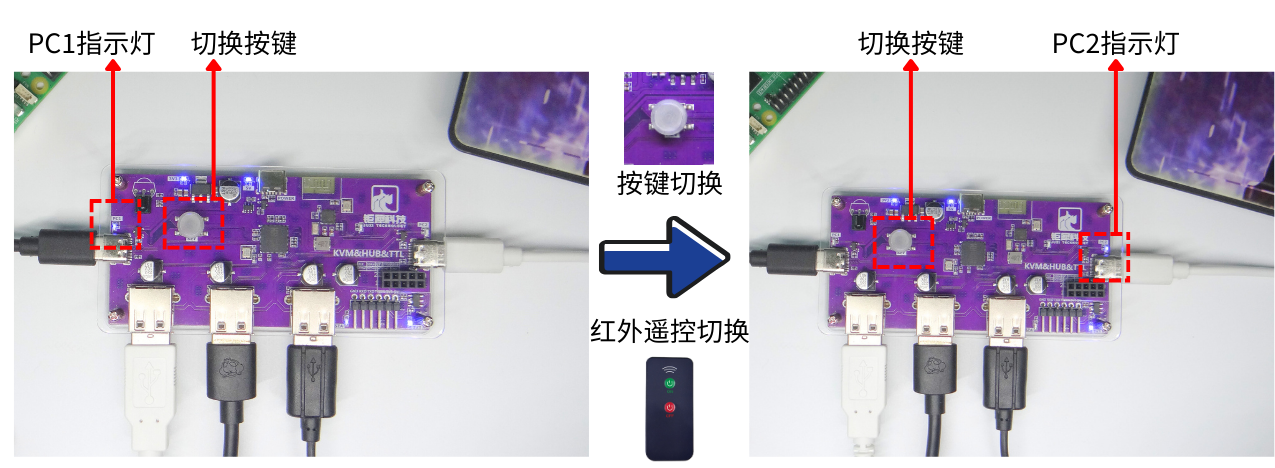
Double-ended switching
1. Device A + Device B (both ends have monitors)
Button Switch & Infrared Remote Control Switch
2. Motherboard (without monitor) + Host (with monitor)
Only need toadditionallyuse a 4K HD HDMI capture device connected to the host, and thenon the hostuse software such as OBS and Potplay to capturescreen
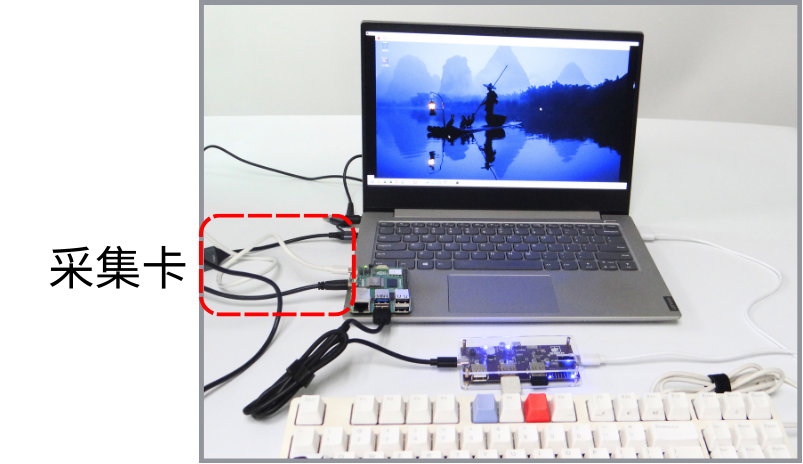
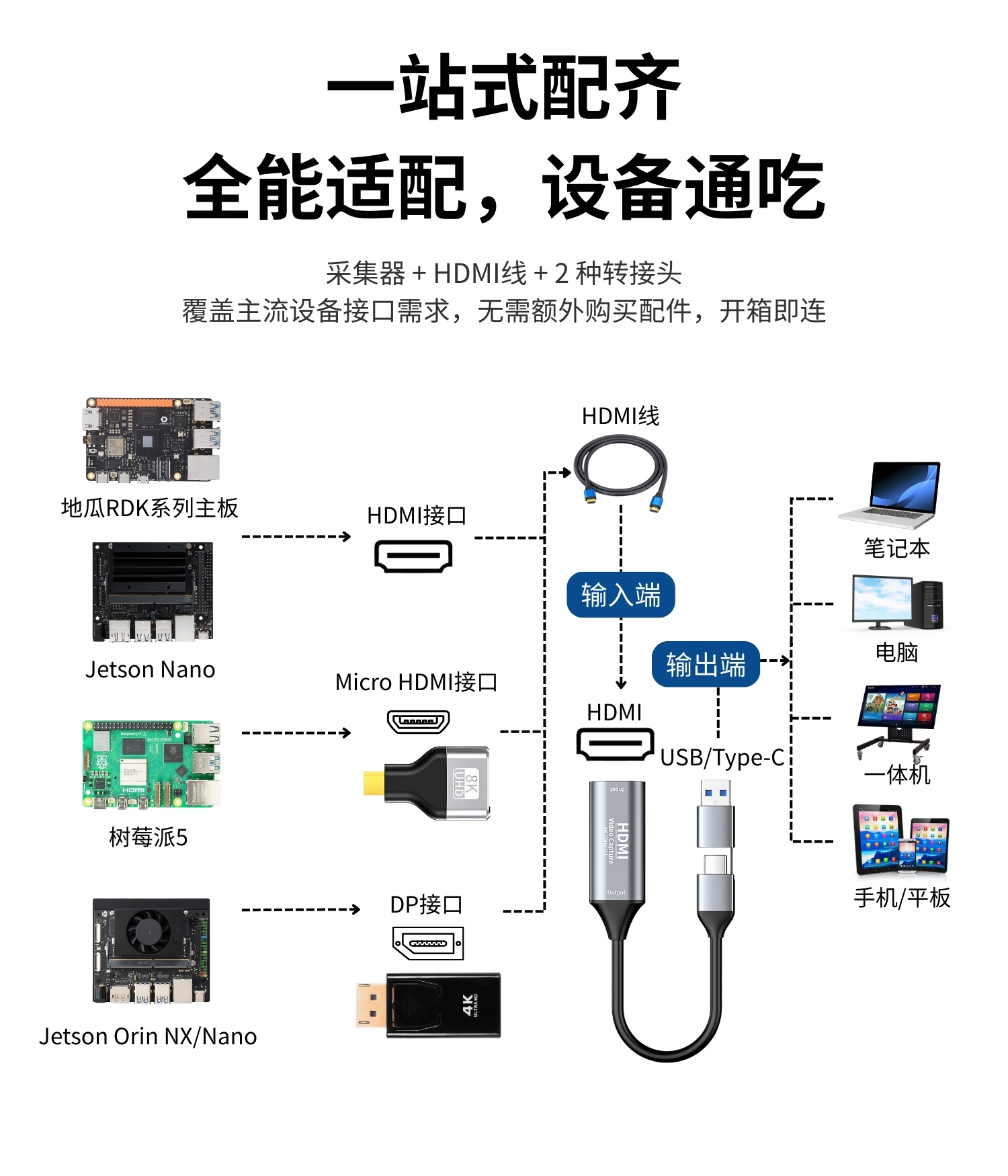
4K HD HDMI Capture Device Wiring Operation
According to the motherboard interface, there are the following three wiring operations
HDMI Interface ——> HDMI Cable ——> HDMI Interface of the Collector ——> USB/Type-C ——> Displays such as Laptops, Computers, All in One, Phones/Tablets, etc.
Micro HAMI Interface ——> Micro to HDMI Adapter ——> HDMI Cable ——> HDMI Interface of the Collector ——> USB/Type-C ——> Displays such as Laptops, Computers, All in One, Phones/Tablets, etc.
DP Interface ——> DP to HDMI Adapter ——> HDMI Cable ——> HDMI Interface of the Collector ——> USB/Type-C ——> Displays such as Laptops, Computers, All in One, Phones/Tablets, etc.
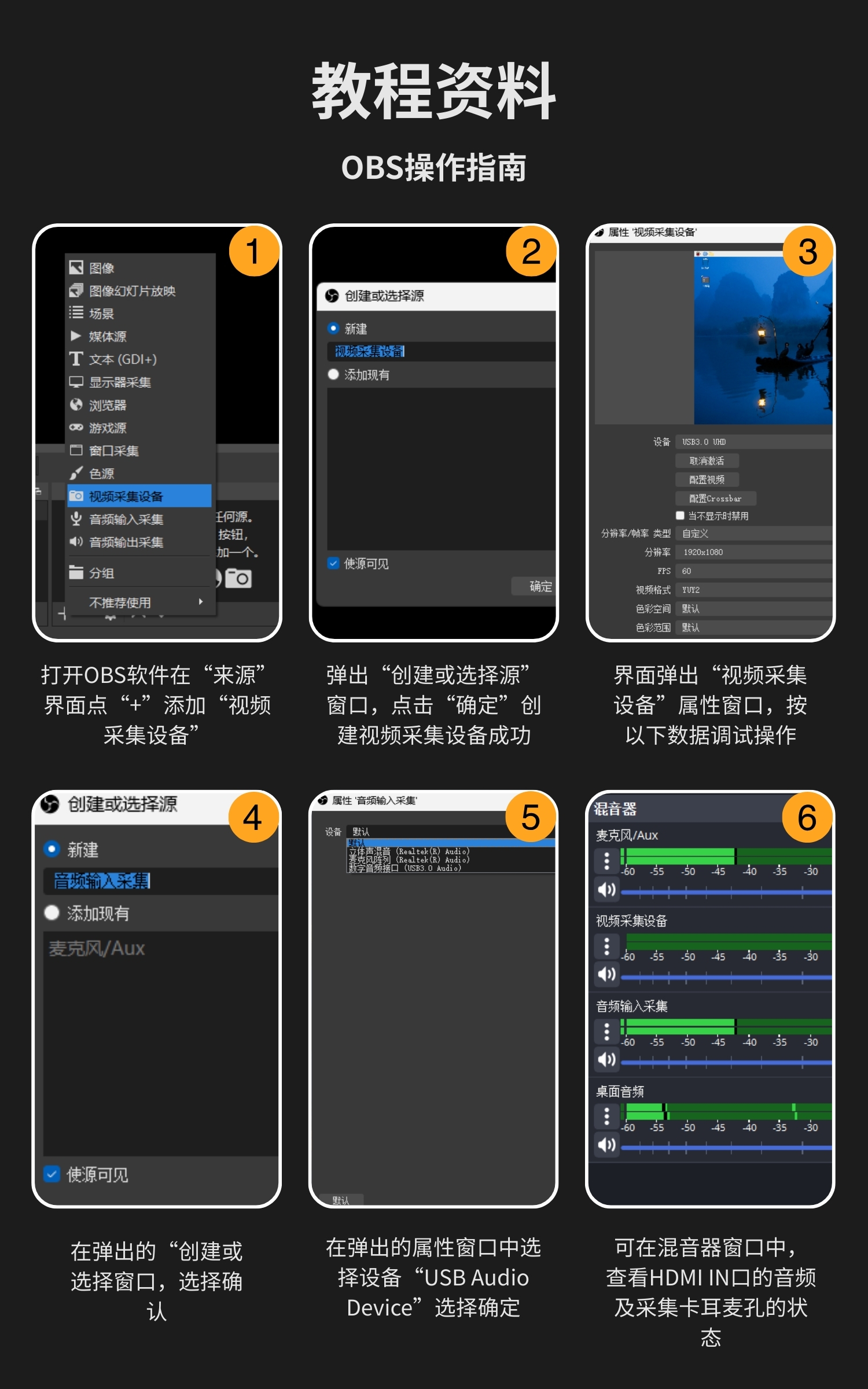
OBS Operation Guide
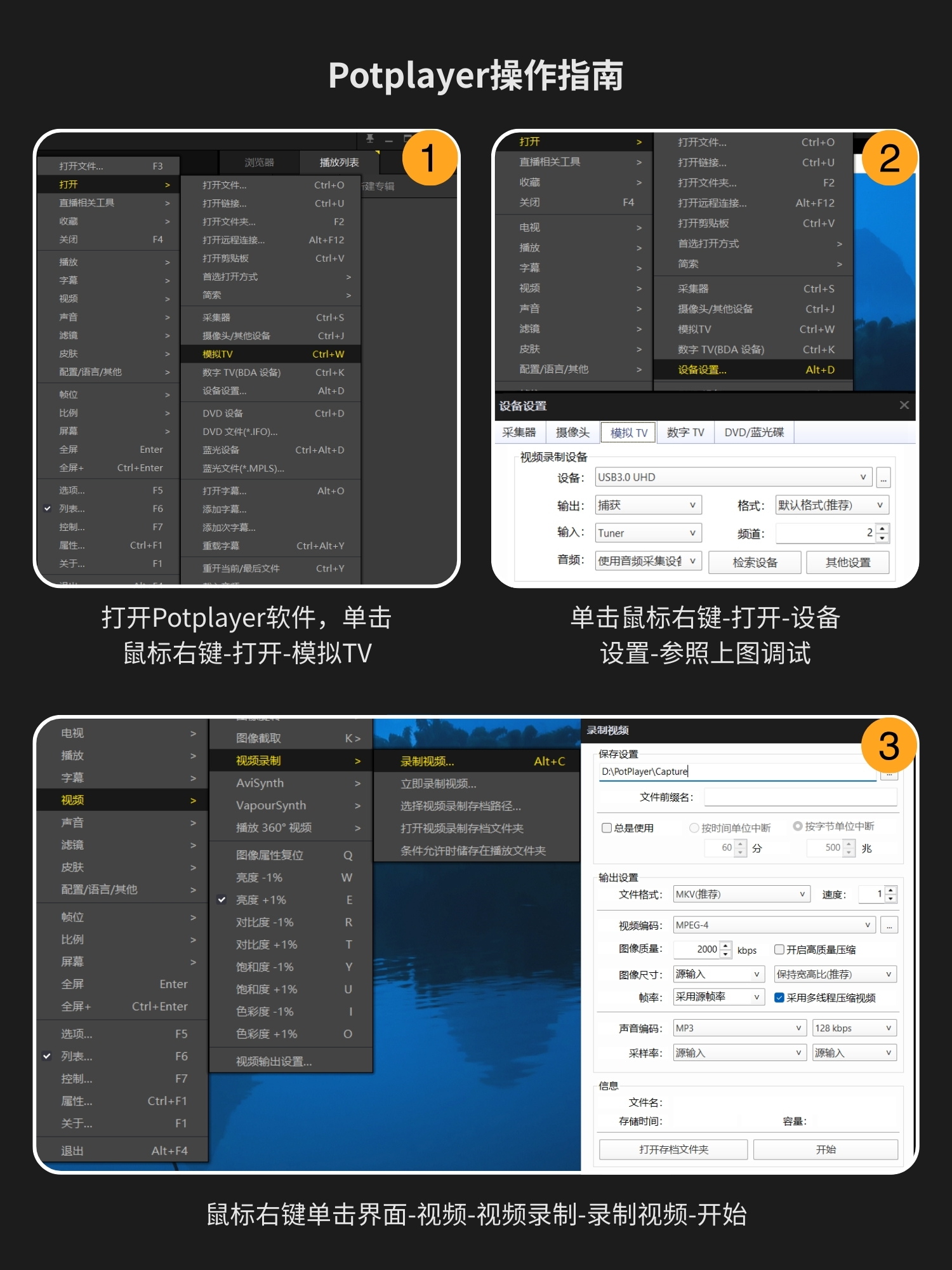
Potplayer Operation Guide
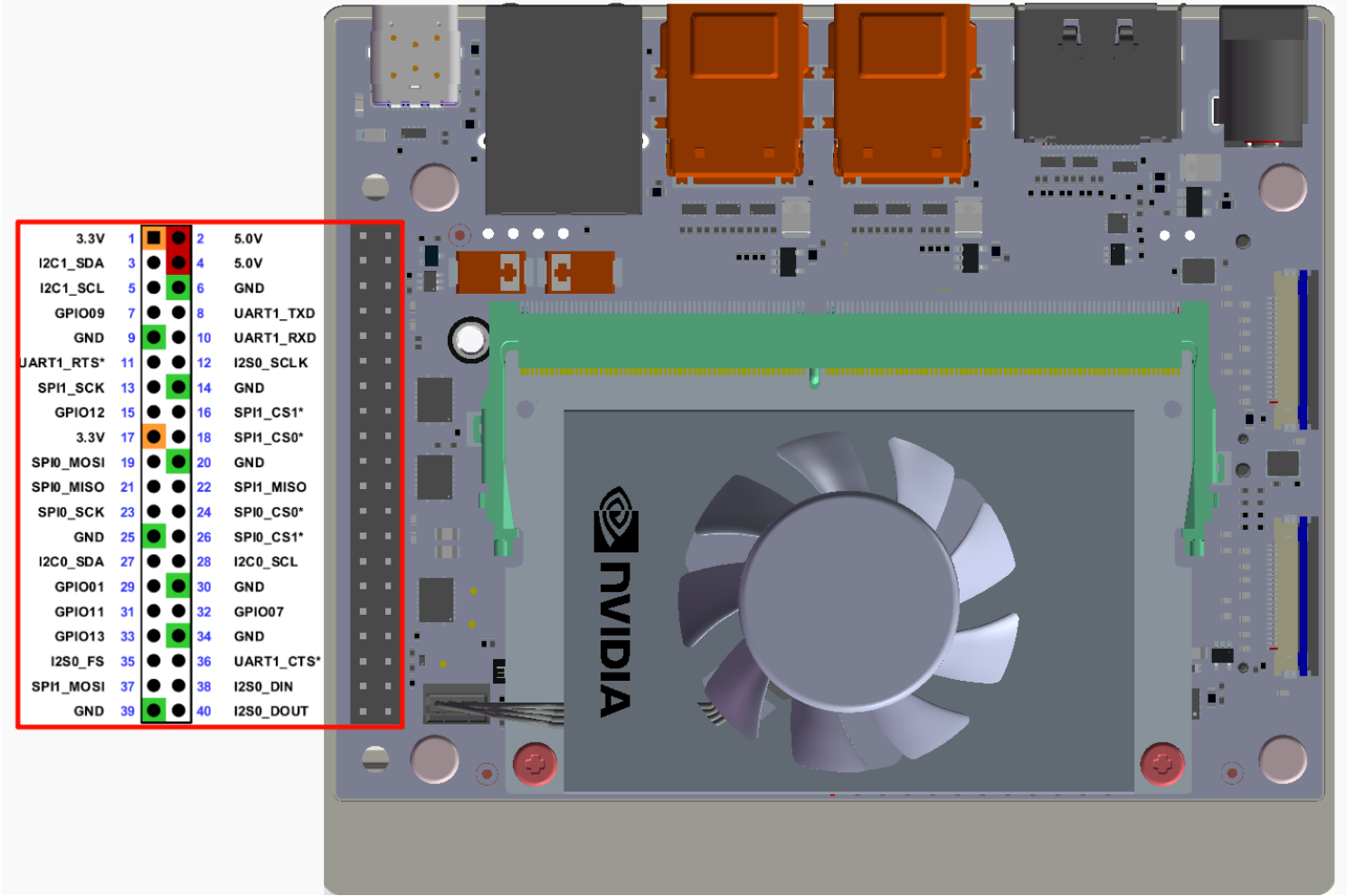
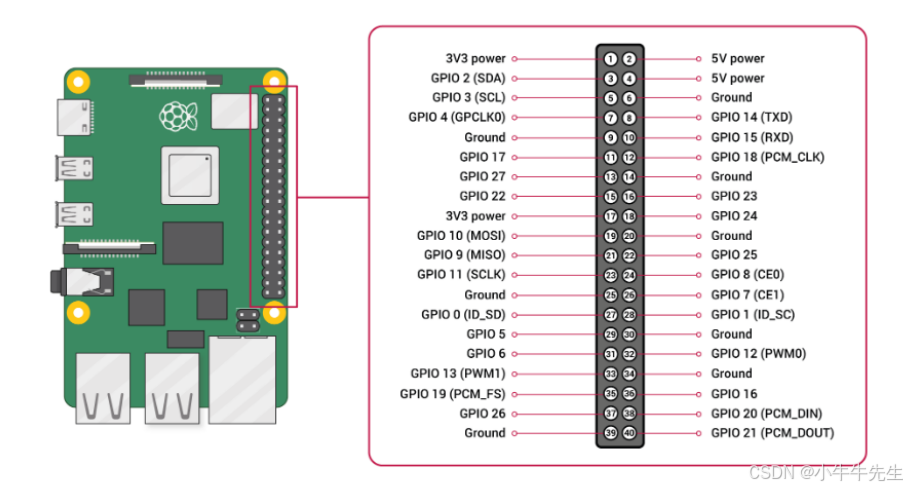
Example of Pin Diagram