Module Firmware Flashing
How to Flash the Module Firmware
1. Voice Chip Flashing Steps
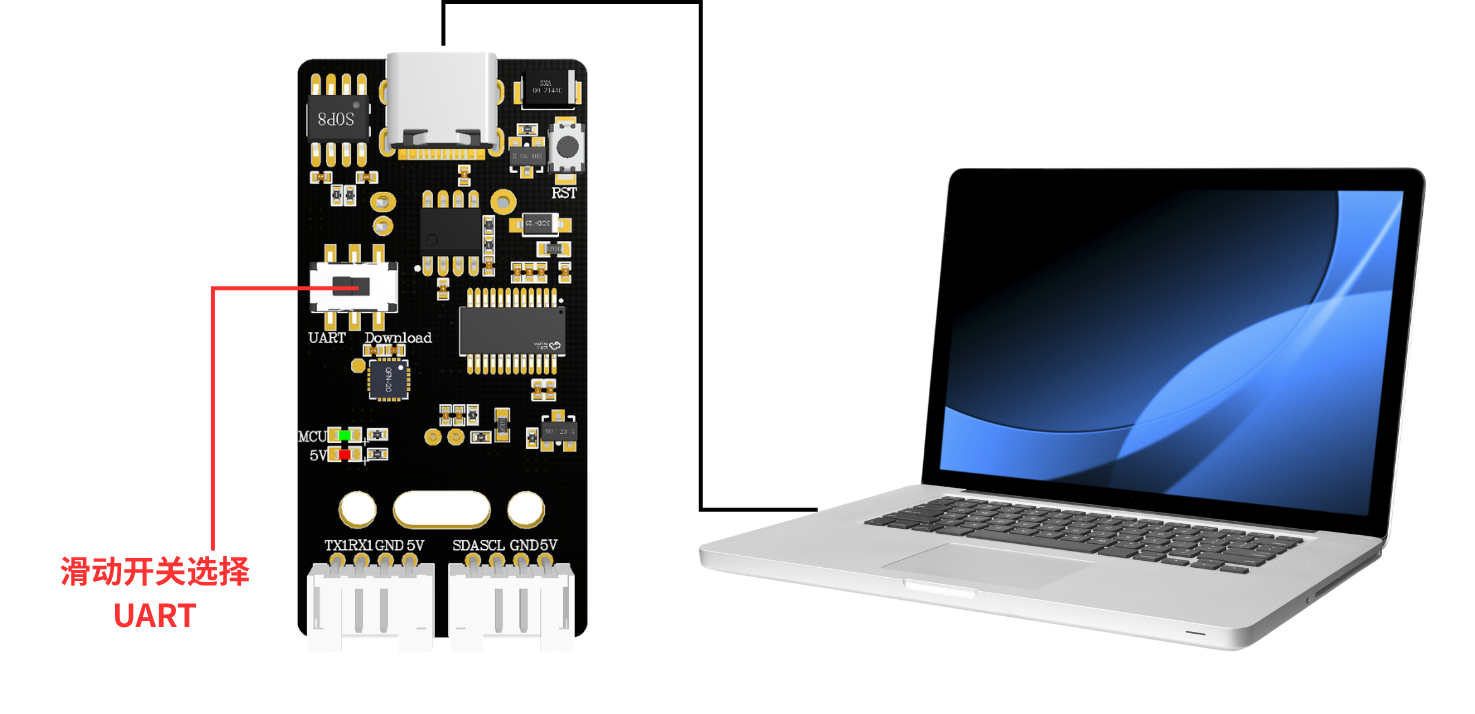
1.1 Device Connection
1.2. Open the Flashing Software
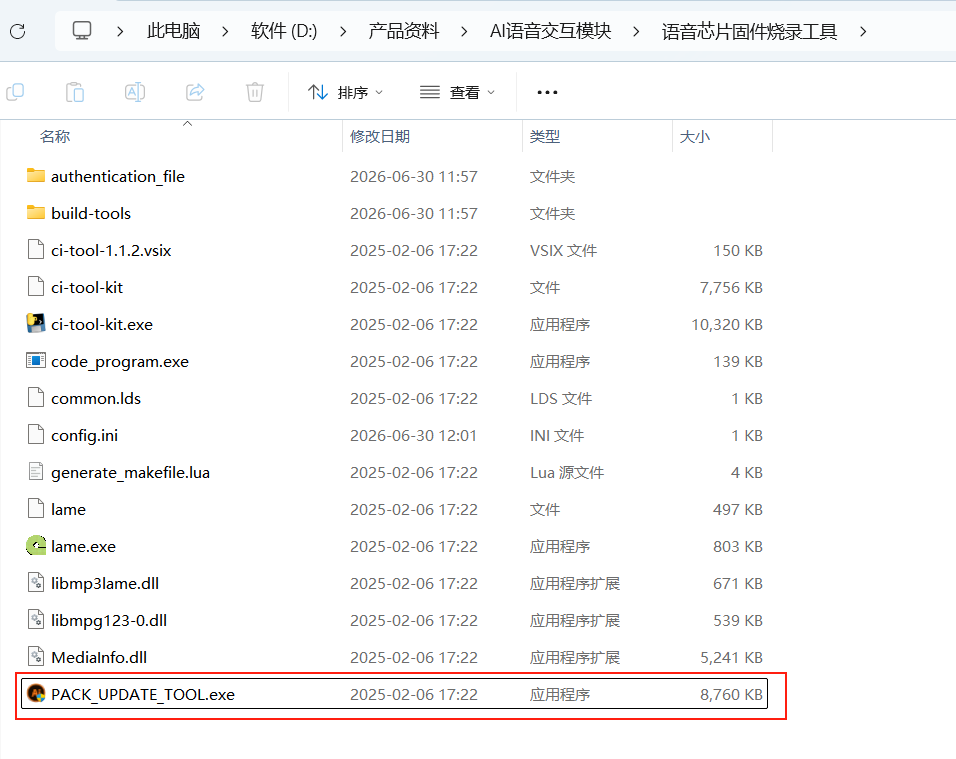
Open the "Voice Chip Firmware Flashing Tool" folder in the attachments and click ”PACK_UPDATE_TOOL.exe“
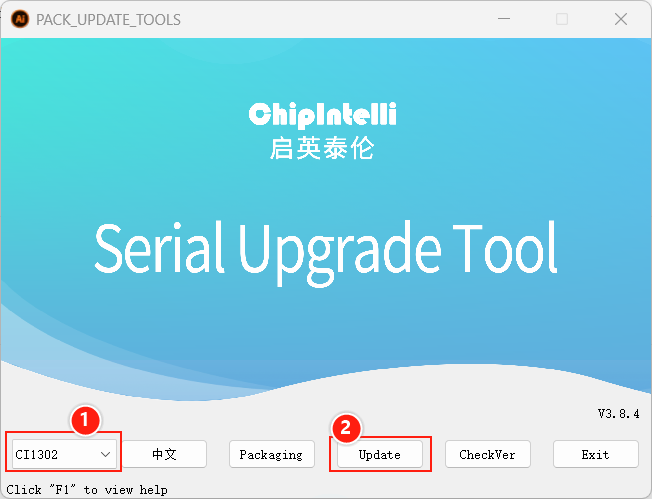
Select the CI1302 chip, then click “Firmware Upgrade”
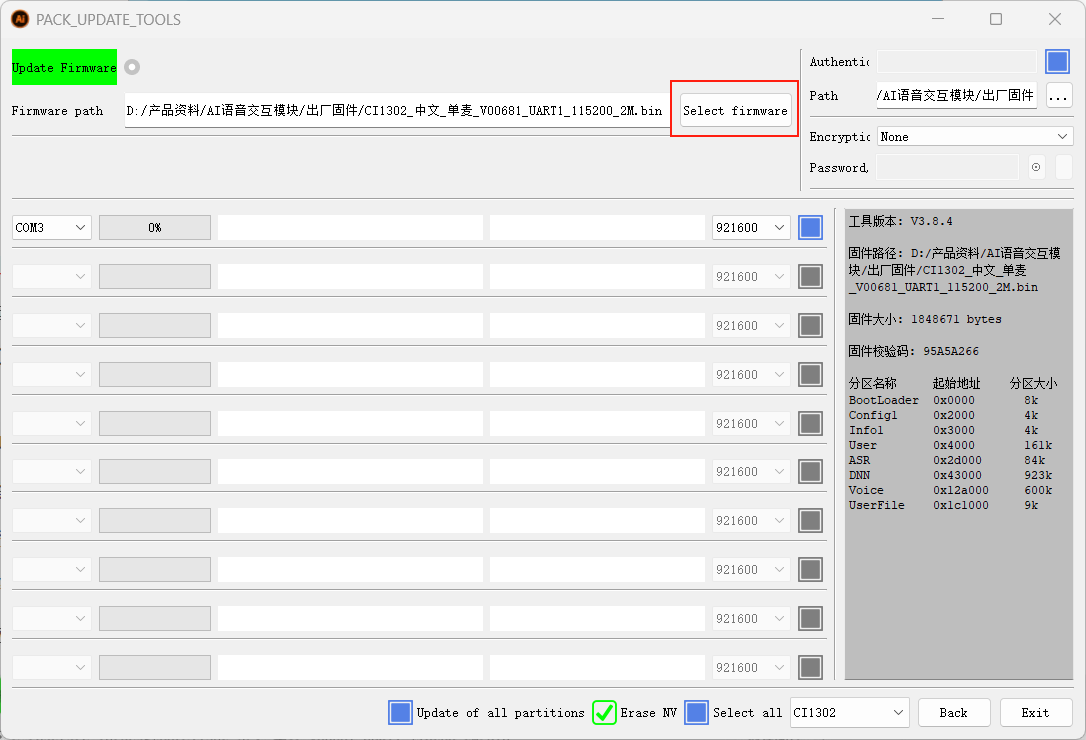
Enter the firmware upgrade interface; press "F1" to view the help
Click to select the firmware you just created, and locate the factory firmware “CI1302中文单麦_V00681_UART1_115200_2M” in the attachments.
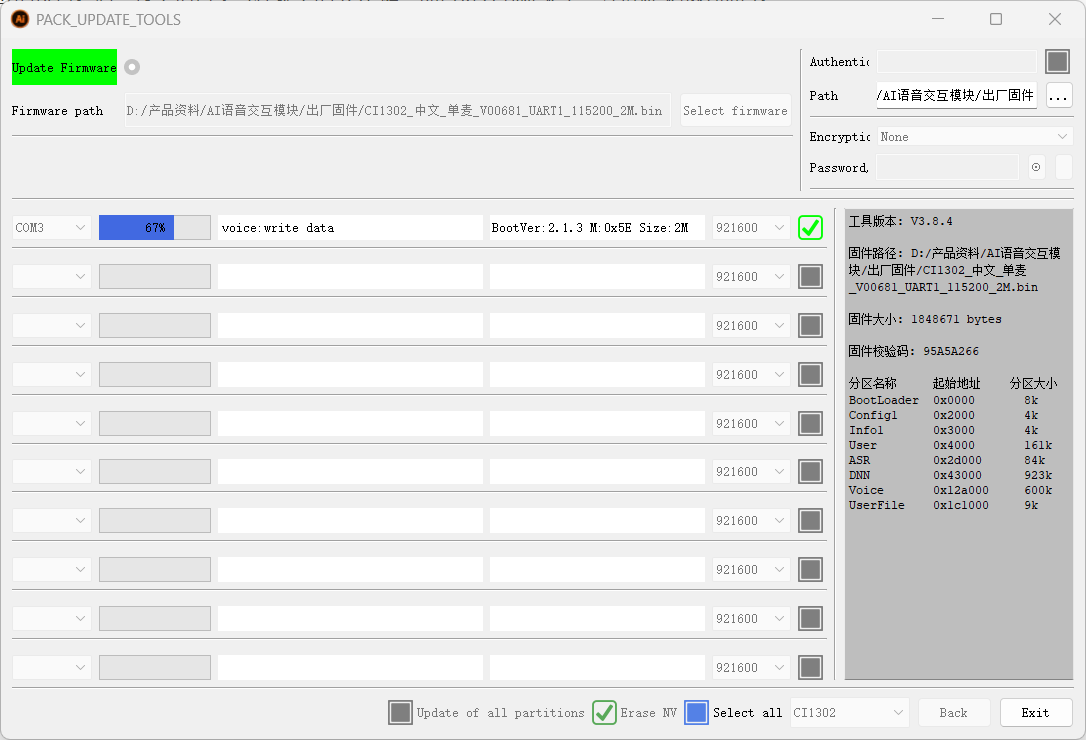
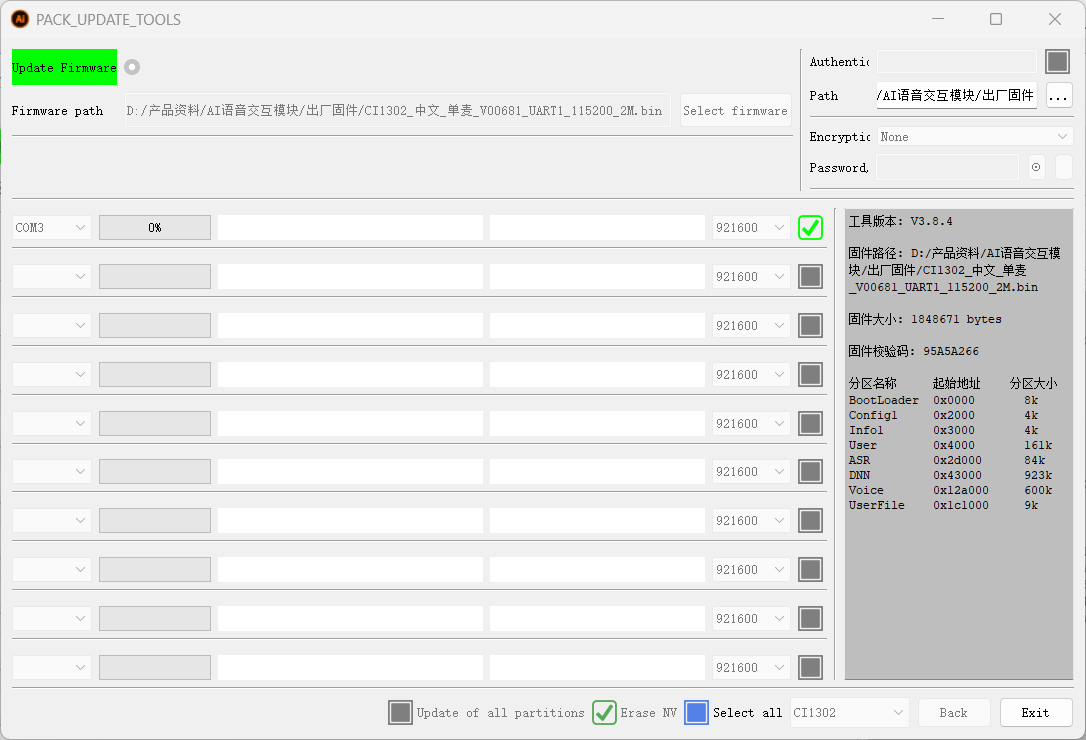
Select the firmware, find the corresponding serial port number, and click the checkbox to tick it
Move the slide switch to the Download position; Download means flashing firmware to the voice chip (that is, the right-hand side)
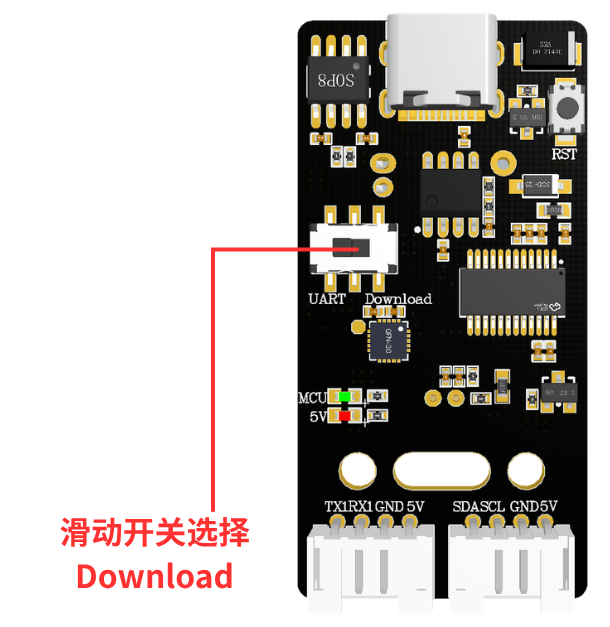
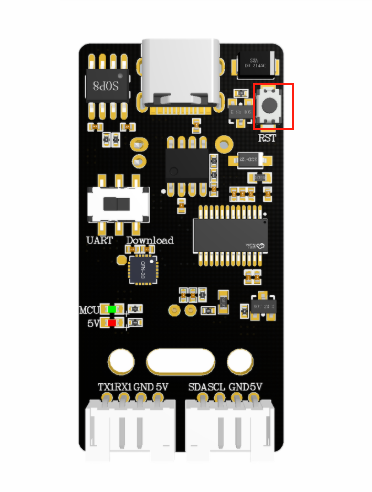
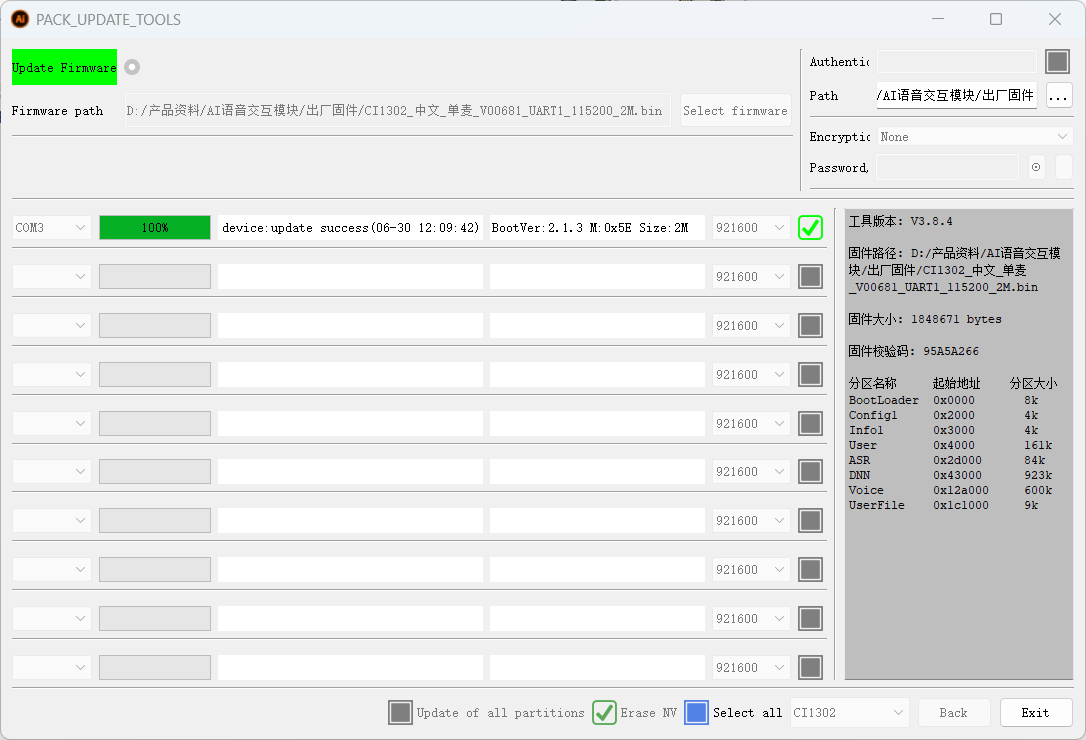
After switching to the corresponding position, press the RST button on the voice interaction module to enter flashing mode; wait for flashing to succeed, then click “Exit”.