

STM32F103: GPS Parsing Output
1. Learning Objectives
In this lesson, we will mainly learn to use STM32F103C8T6 and a GPS module to implement the position information parsing and output function.
2. Preparation
The GPS module uses UART and USB communication. Here, the STM32's UART port is used to read information. Connect the module's TXD to the PA10 pin of the STM32F103C8T6 board. Connect VCC and GND to the 5V and GND of the STM32F103C8T6 respectively; connect the TTL module's GND and RXD to the STM32's GND and PA9 respectively.
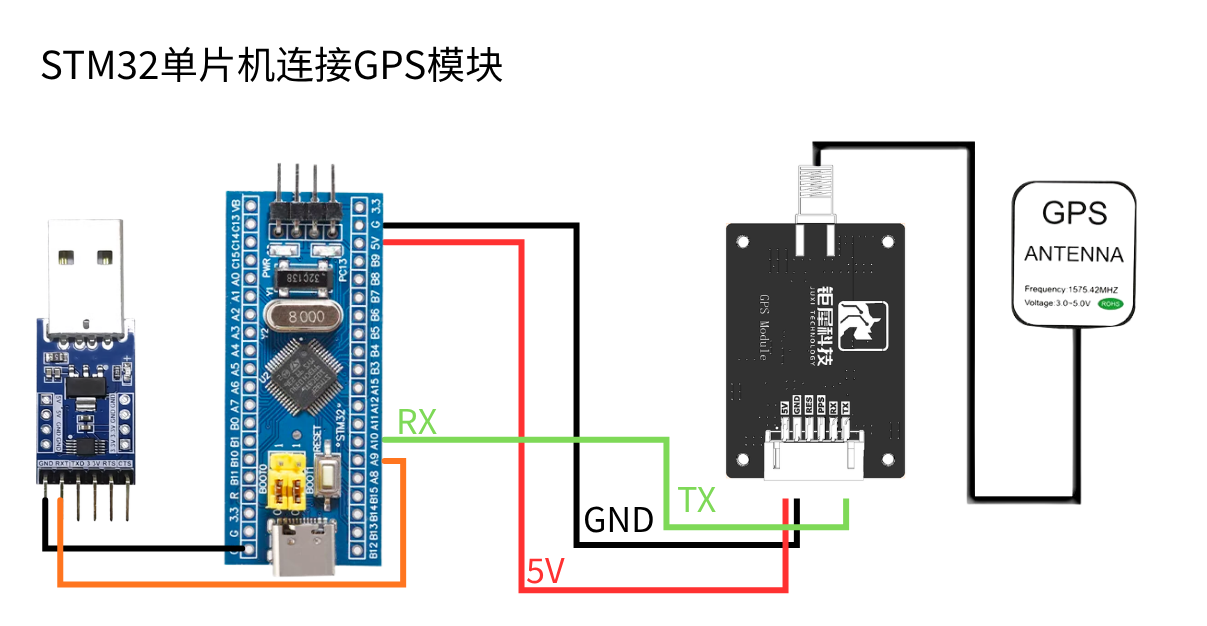
3. Program
The module's baud rate is 9600.

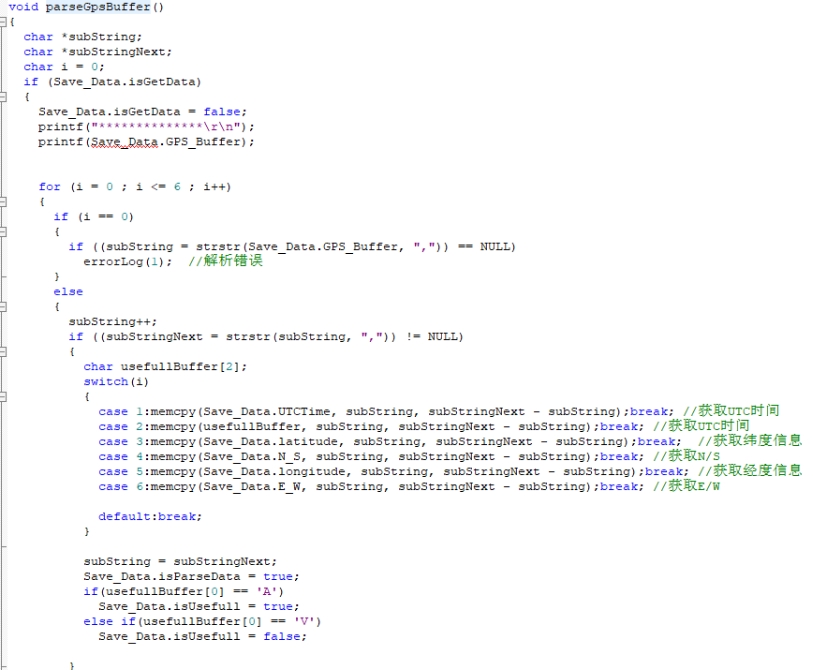
Read and parse the received data.
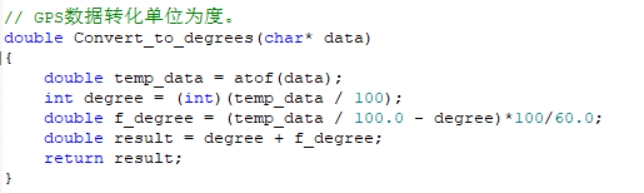
Convert the unit of the latitude and longitude information into degrees
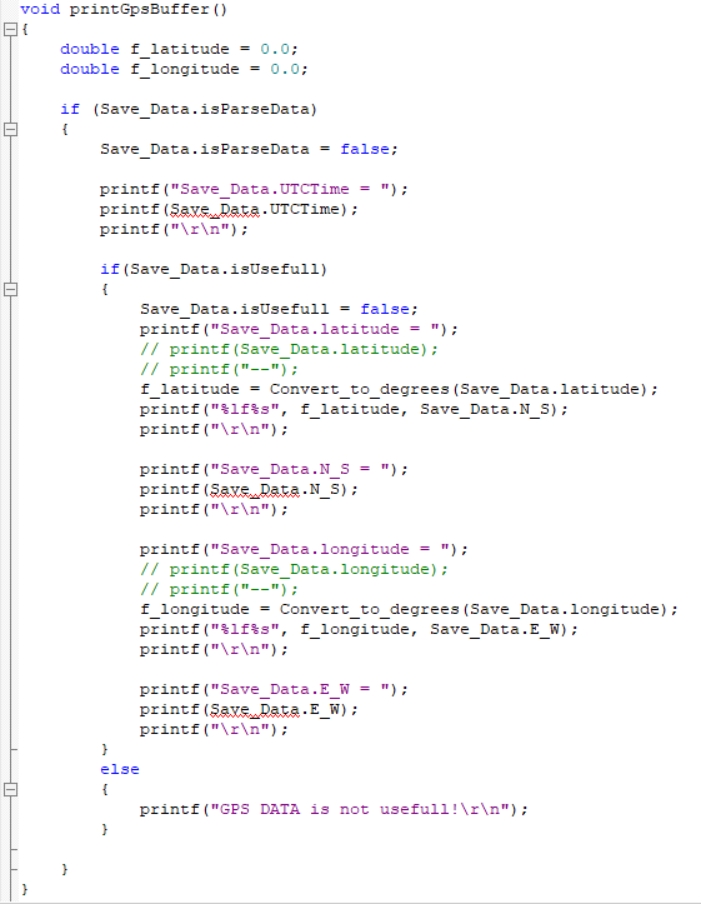
Print the received data via the serial port.
Note: In fact, the coordinate system values of GPS/BeiDou positioning are not simply a 100-times relationship; rather, a degree-minute-second conversion is required. For the GPS/BeiDou coordinate values we obtain, such as latitude 2429.53531 and longitude 11810.78036, the following calculation is needed: 24+(29.53531/60) ≈ 24.49225517 118+(10.78036/60) ≈118.17967267. In addition, different microcontrollers may have certain errors due to data conversion precision issues.
4. Experimental Results
After the module is powered on, it takes about 32s to start up. After that, the serial print status LED on the module will keep blinking, and data can be received normally.
After the program is downloaded and running, open the serial software, set the baud rate to 9600, and the serial port will print the current position information in a loop.
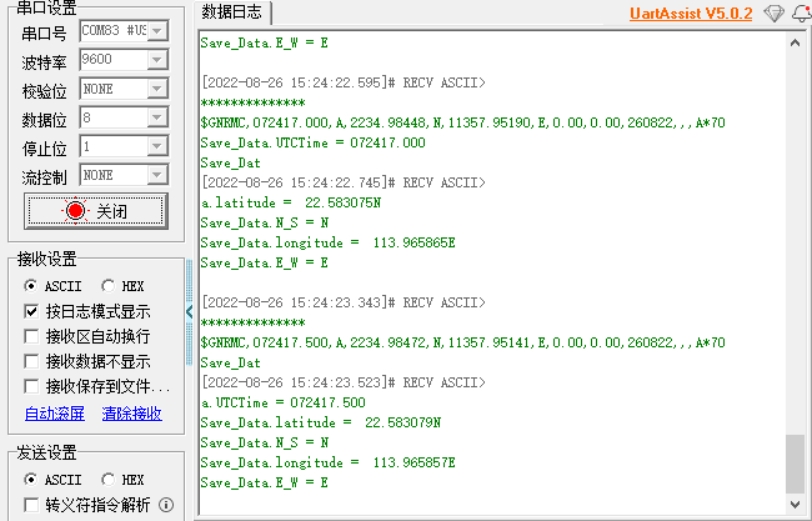
Note: the module antenna needs to be outdoors; otherwise, the GPS signal may not be found.