

Modify the Wake Word and Command Words
1. Precautions
Please modify the wake word in a quiet environment; a noisy environment will affect the recognition accuracy of the voice interaction module.
When speaking an entry, the voice should be loud and the speaking rate should not be too fast; it is recommended to stay within 5 meters of the module.
2. Device Connection
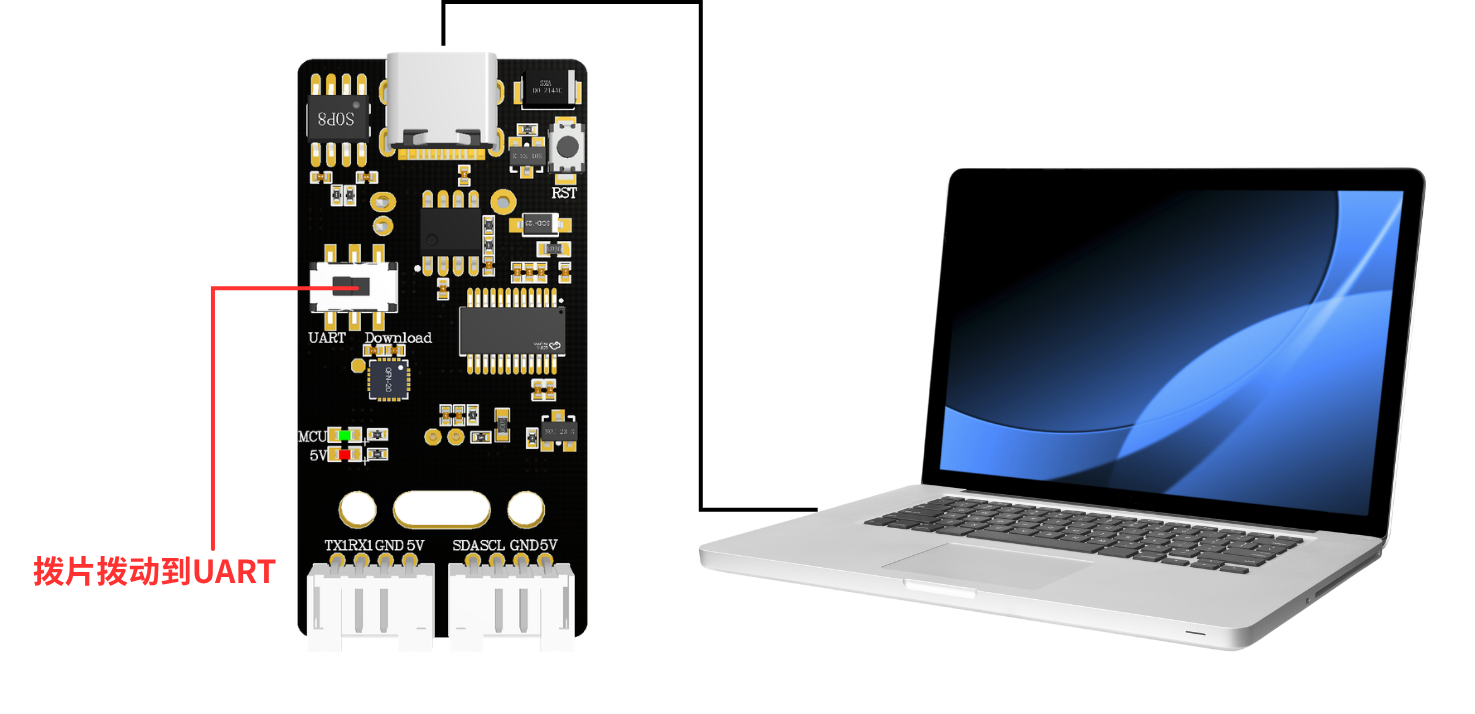
3. Modify the Wake Word
Say “你好,小犀” to the voice interaction module to wake it up; when the module replies “我在”, it indicates that it is currently in the recognizable state. Then say the “学习唤醒词” entry to the voice interaction module; when the voice interaction module responds “说出唤醒词”, you have entered the wake word learning state. Next, say the wake word you want to set to the voice interaction module — the wake word should be as short as possible; here we take setting “你好,小犀” as an example. When the voice interaction module recognizes it successfully, it will play back “学习成功”, indicating that the wake word was modified successfully. At this point we can use the “你好小犀” entry to wake the module.
Note: the wake word “你好,小犀” in the factory firmware is the basic wake word and cannot be modified or deleted by voice. Only one voice-modified wake word can exist at a time, coexisting with the basic wake word.
4. Modify the Command Words
The factory firmware of the voice interaction module presets 8 command words that can be modified by voice, as shown below:
An example of usage is as follows:
Say "你好,小犀" to the voice interaction module to wake it up; when the module replies “我在”, it indicates that it is currently in the recognizable state. Then say the “学习停车指令” entry to the voice interaction module; when the voice interaction module responds “请说指令”, you have entered the command word learning state. Next, say the command word you want to set to the voice interaction module — the command word should be as short as possible; here we take setting “前方停车” as an example. After the voice interaction module recognizes it successfully, it will play back “学习成功”, indicating that the command word was modified successfully. At this point we can use the “前方停车” entry to achieve the same effect as the “停车” command word. If you need to delete the ”前方停车“ entry, simply say ”删除停车指令“; when it replies ”删除成功”, the entry deletion is complete (only “前方停车” will be deleted here, not ”停车“).
Note: the command words in the factory firmware are basic command words and cannot be modified or deleted by voice. Only one voice-modified command word can exist at a time, and it coexists with the basic command words.