

Raspberry Pi: Communication par port série
Installer les dépendances
Plain
sudo apt-get updatePlain
sudo apt-get install -y python3-smbus python3-serialEmplacement du fichier
~/UART_Voice/uart_voice.py
Activer le port série
Modifiez /boot/firmware/config.txt ou /boot/config.txt et assurez-vous de la configuration suivante :
Plain
enable_uart=1
dtoverlay=disable-bt
Redémarrez ensuite le Raspberry Pi.
Plain
sudo rebootInstructions de câblage
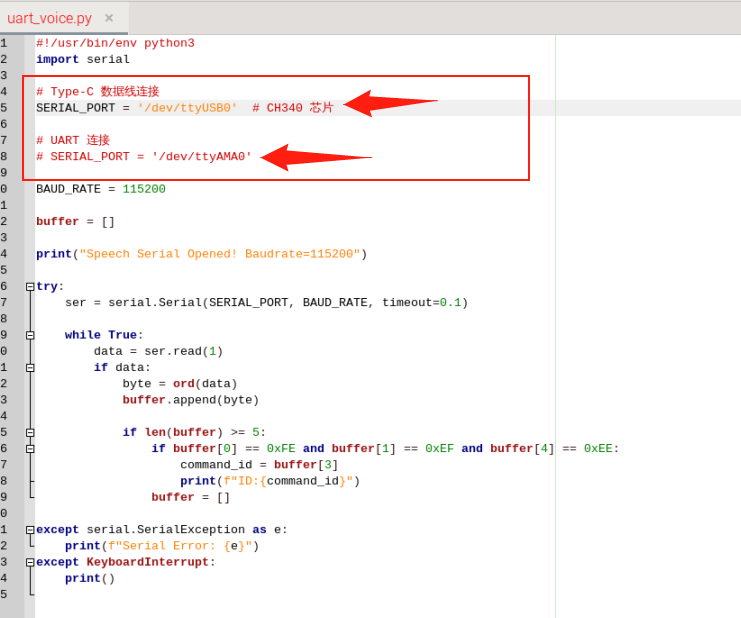
Lorsque le câble Type est connecté directement au Raspberry Pi, décommentez SERIAL_PORT = '/dev/ttyUSB0' et commentez SERIAL_PORT = '/dev/ttyAMA0'
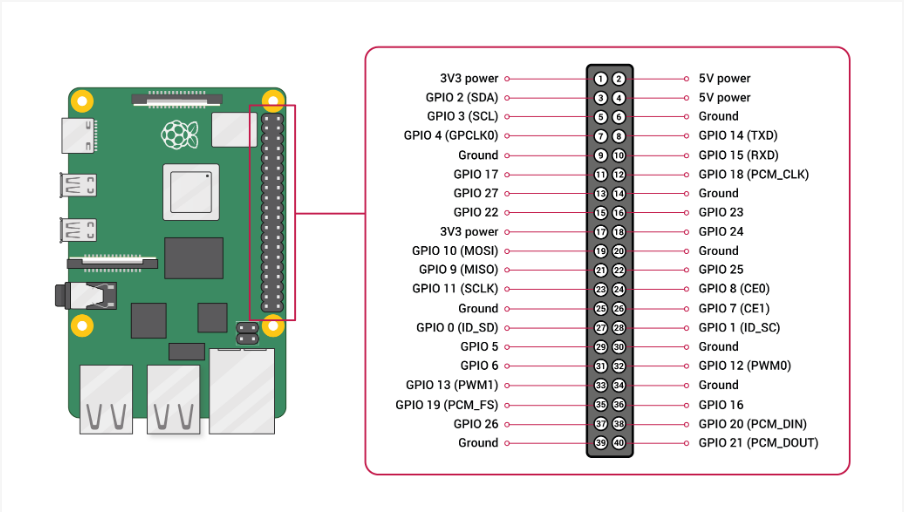
Connexion au Raspberry Pi via les broches UART
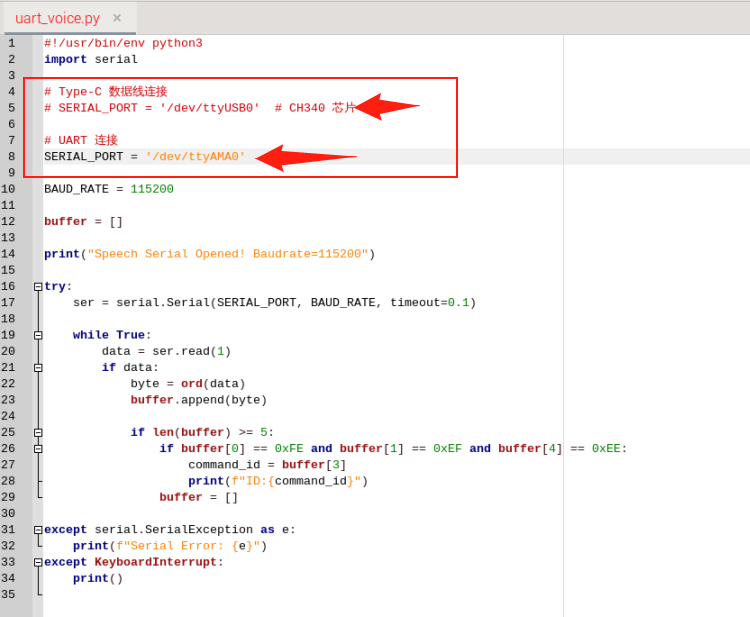
Commentez SERIAL_PORT = '/dev/ttyUSB0' et décommentez SERIAL_PORT = '/dev/ttyAMA0'
Exécution
Plain
cd UART_VoicePlain
python3 uart_voice.pyFormat de sortie
Plain
Speech Serial Opened! Baudrate=115200
ID:4
ID:1
ID:10