

Inférence sur NVIDIA DGX Spark
Le déploiement utilise uniformément
lerobot-rollout; pour l'usage et les paramètres, voir Description de la ligne de commande.
Installation de l'environnement
- Pytorch
Installez pytorch séparément depuis le site officiel, dans la version cuda13.0
Shell
pip3 install torch torchvision --index-url https://download.pytorch.org/whl/cu130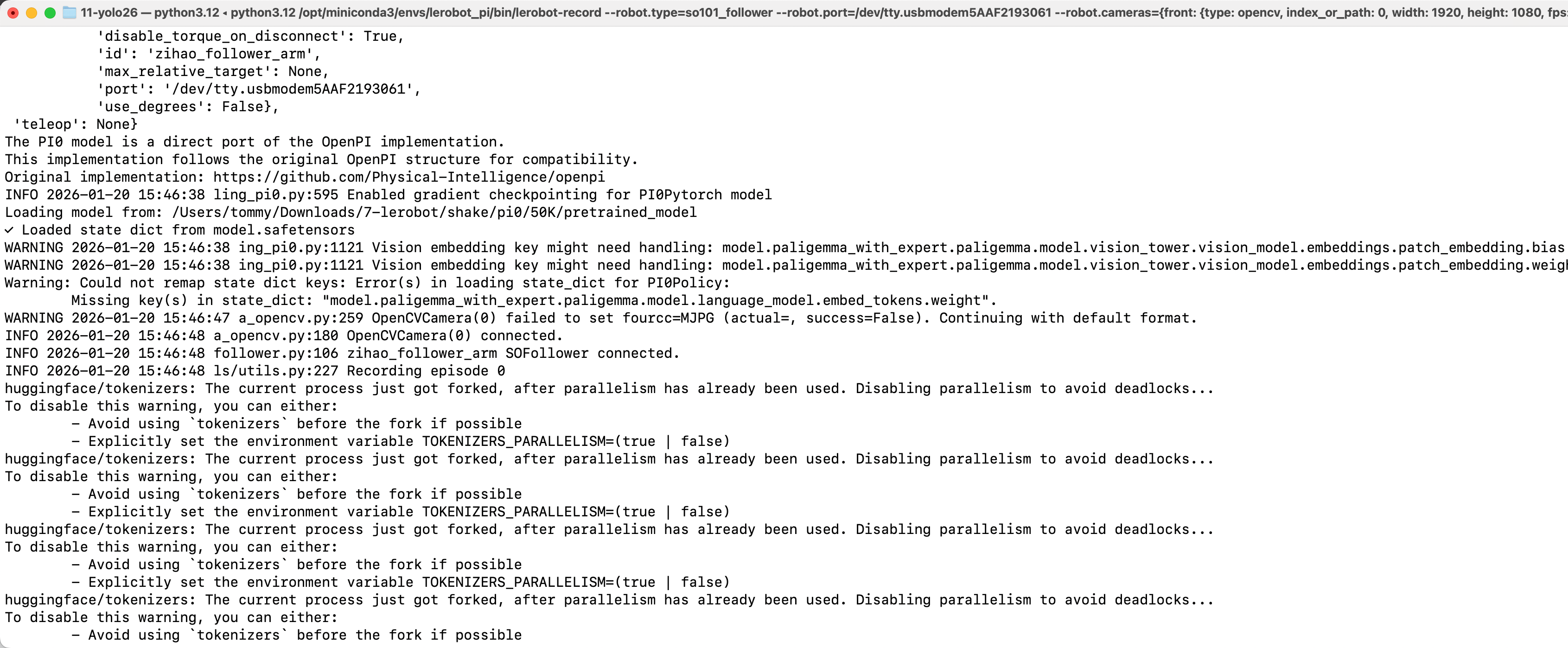
- Ensuite, commentez torch séparément dans le fichier pyproject.toml
Puis pip install -e .
- Attention au chemin de policy.path dans la commande d'inférence : remplacez-le par le chemin réel du modèle dans la Spark
Supprimer le dataset existant commençant par rollout (le cas échéant)
Shell
sudo chmod 666 /dev/ttyACM*Shell
sudo rm -rf /home/apx103/.cache/huggingface/lerobot/Tommymy/rollout_lerobot_my_dataset_shake_handsACT
Shell
lerobot-rollout  \
  --strategy.type=episodic \
  --robot.type=so101_follower \
  --robot.port=/dev/ttyACM0 \
  --robot.cameras="{ front: {type: opencv, index_or_path: 0, width: 640, height: 480, fps: 60, fourcc: "MJPG"}}" \
  --robot.id=my_follower_arm \
  --display_data=false \
  --dataset.repo_id=Tommymy/rollout_lerobot_my_dataset_shake_hands \
  --dataset.single_task="Shake Hands" \
  --dataset.episode_time_s=1000 \
  --policy.path=/home/apx103/Downloads/lerobot_output/shake/ACT/5K/pretrained_model
SmolVLA
- Installation de l'environnement
Shell
conda activate base
conda create -y -n lerobot-smolvla python=3.10 -y
conda activate lerobot-smolvla
conda install ffmpeg=7.1.1 -c conda-forge -y

pip3 install torch torchvision --index-url https://download.pytorch.org/whl/cu130

cd lerobot
pip install -e ".[feetech,smolvla]"- Inférence
Shell
lerobot-rollout  \
  --strategy.type=episodic \
  --robot.type=so101_follower \
  --robot.port=/dev/ttyACM0 \
  --robot.cameras="{ front: {type: opencv, index_or_path: 0, width: 640, height: 480, fps: 60, fourcc: "MJPG"}}" \
  --robot.id=my_follower_arm \
  --display_data=false \
  --dataset.repo_id=Tommymy/rollout_lerobot_my_dataset_shake_hands \
  --dataset.single_task="Shake Hands" \
  --dataset.episode_time_s=1000 \
  --policy.path=/home/apx103/Downloads/lerobot_output/shake/smolvla/40K/pretrained_model
WALL-OSS
- Installation de l'environnement
Shell
cd lerobot
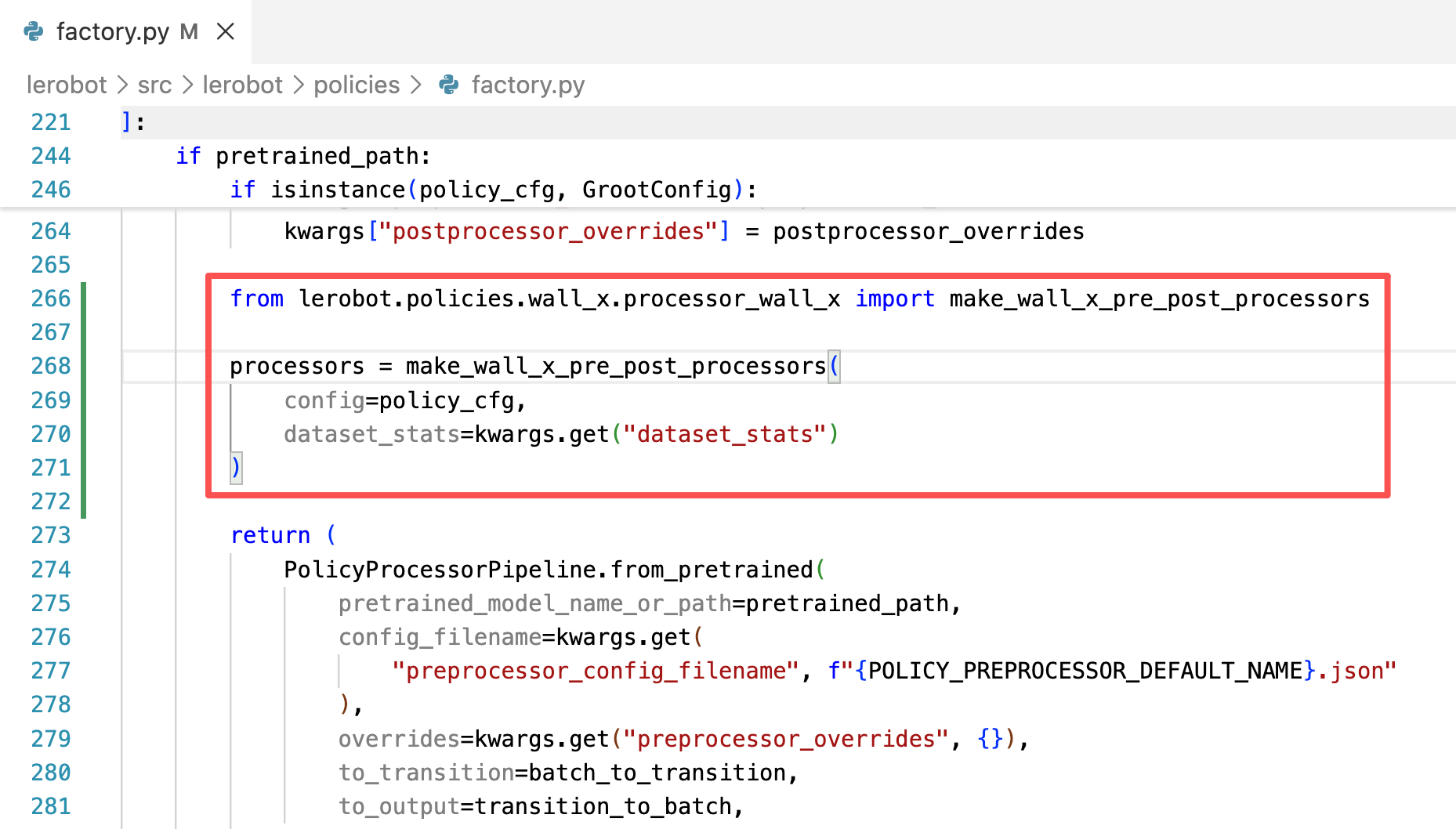
pip install -e ".[feetech,wallx]"- Ajouter du code
Shell
lerobot-rollout  \
  --strategy.type=episodic \
  --dataset.repo_id=Tommymy/rollout_lerobot_my_dataset_shake_hands \
  --dataset.single_task="Shake Hands" \
  --policy.path=/home/apx103/Downloads/lerobot_output/shake/wallx/30K/pretrained_model \
  --dataset.push_to_hub=false \
  --robot.type=so101_follower \
  --robot.id=my_follower_arm \
  --robot.port=/dev/ttyACM0 \
  --robot.cameras="{front: {type: opencv, index_or_path: 0, width: 640, height: 480, fps: 60, fourcc: "MJPG"}}" \
  --display_data=false \
  --dataset.episode_time_s=1000
pi0
- Installation de l'environnement
Shell
conda create -y -n lerobot-pi python=3.10 -y
conda activate lerobot-pi
conda install *ffmpeg*=7.1.1 *-c* conda-forge -y

cd lerobot
pip3 install torch torchvision --index-url https://download.pytorch.org/whl/cu130
pip install -e ".[feetech,pi]"- Inférence
Shell
lerobot-rollout  \
  --strategy.type=episodic \
  --robot.type=so101_follower \
  --robot.port=/dev/ttyACM0 \
  --robot.cameras="{ front: {type: opencv, index_or_path: 0, width: 640, height: 480, fps: 60, fourcc: "MJPG"}}" \
  --robot.id=my_follower_arm \
  --display_data=false \
  --dataset.repo_id=Tommymy/rollout_lerobot_my_dataset_shake_hands \
  --dataset.single_task="Shake Hands" \
  --dataset.episode_time_s=1000 \
  --dataset.push_to_hub=false \
  --policy.path=/home/apx103/Downloads/lerobot_output/shake/pi0/50K/pretrained_model