

Raspberry Pi: Comunicación por puerto serie
Instalar dependencias
Plain
sudo apt-get updatePlain
sudo apt-get install -y python3-smbus python3-serialUbicación de los archivos
~/UART_Voice/uart_voice.py
Habilitar el puerto serie
Edite /boot/firmware/config.txt o /boot/config.txt y asegúrese de que la siguiente configuración esté presente:
Plain
enable_uart=1
dtoverlay=disable-bt
A continuación, reinicie la Raspberry Pi.
Plain
sudo rebootInstrucciones de cableado
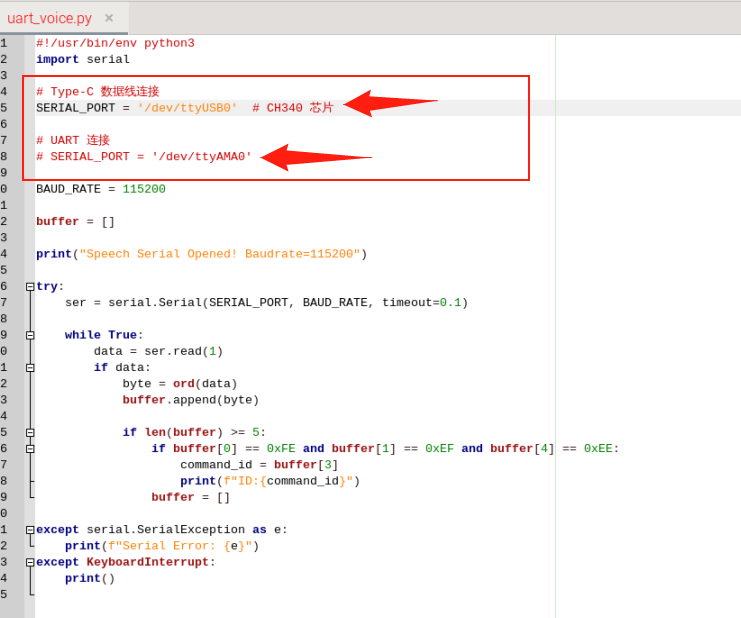
Cuando el Type se conecta directamente a la Raspberry Pi, descomente SERIAL_PORT = '/dev/ttyUSB0' y comente SERIAL_PORT = '/dev/ttyAMA0'
Conexión a la Raspberry Pi mediante los pines UART
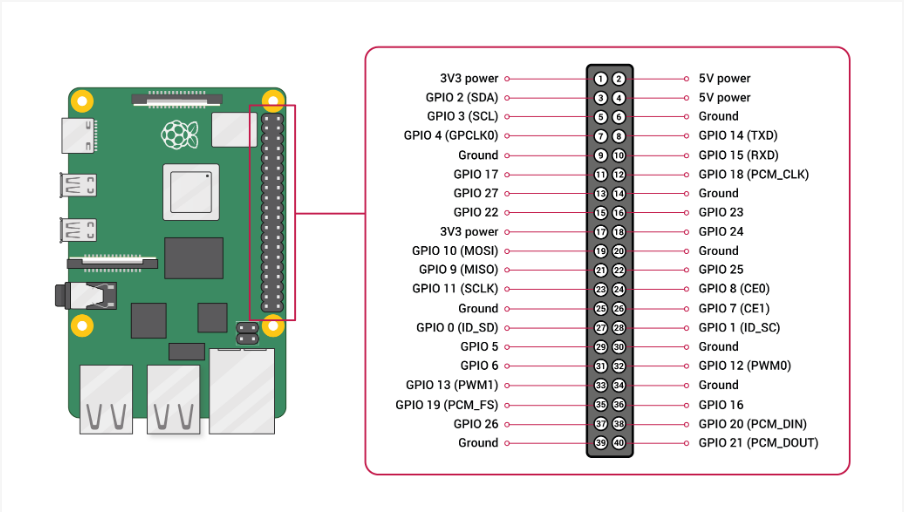
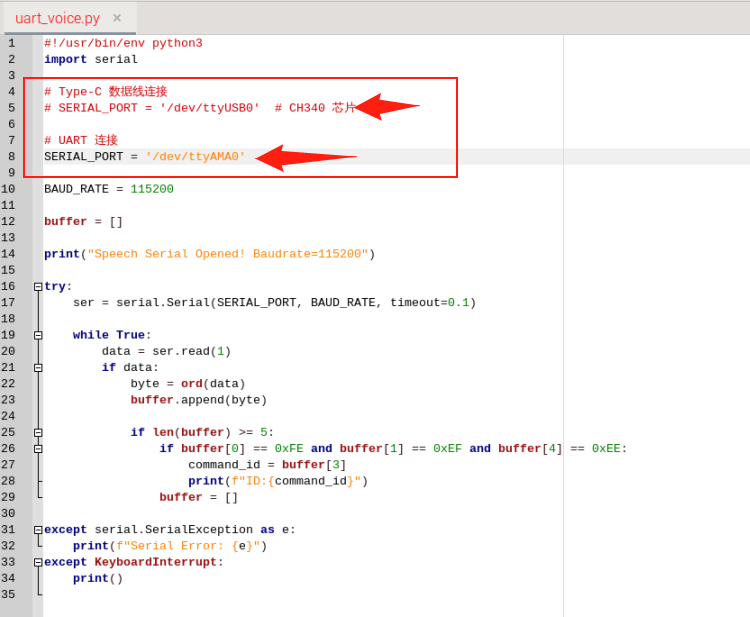
Comente SERIAL_PORT = '/dev/ttyUSB0' y descomente SERIAL_PORT = '/dev/ttyAMA0'
Ejecución
Plain
cd UART_VoicePlain
python3 uart_voice.pyFormato de salida
Plain
Speech Serial Opened! Baudrate=115200
ID:4
ID:1
ID:10