

ラズベリーパイ: IIC 通信
依存関係のインストール
Plain
sudo apt-get updatePlain
sudo apt-get install -y python3-smbus python3-serial i2c-toolsI2C の有効化
Plain
sudo raspi-config選択 Interface Options -> I2C -> Yes
Raspberry Pi を再起動します
ファイルの場所
~/IIC_Voice/iic_voice.py
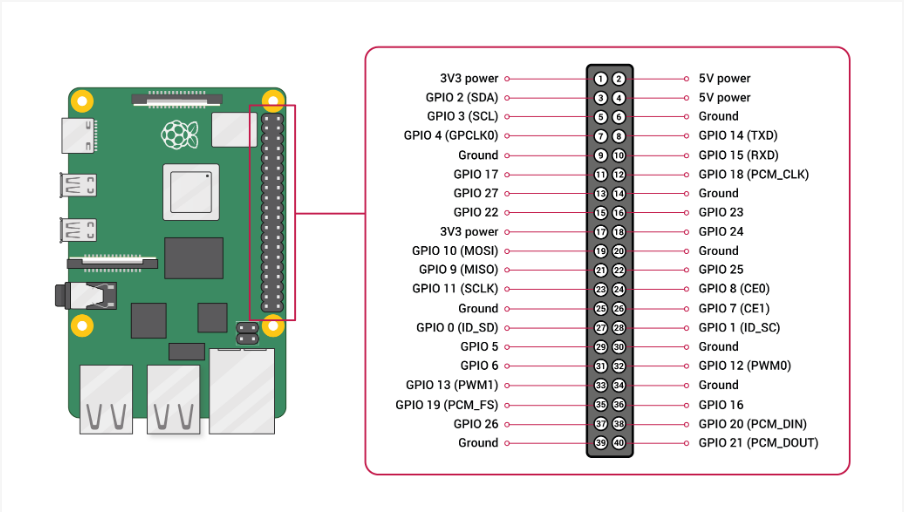
配線の説明
実行
Plain
cd IIC_VoicePlain
python3 iic_voice.py出力フォーマット
Plain
Speech Serial Opened! Baudrate=115200
ID:4
ID:1
ID:10