

라즈베리파이: IIC 통신
의존성 설치
Plain
sudo apt-get updatePlain
sudo apt-get install -y python3-smbus python3-serial i2c-toolsI2C 활성화
Plain
sudo raspi-configInterface Options -> I2C -> Yes 선택
Raspberry Pi 재부팅
파일 위치
~/IIC_Voice/iic_voice.py
배선 설명
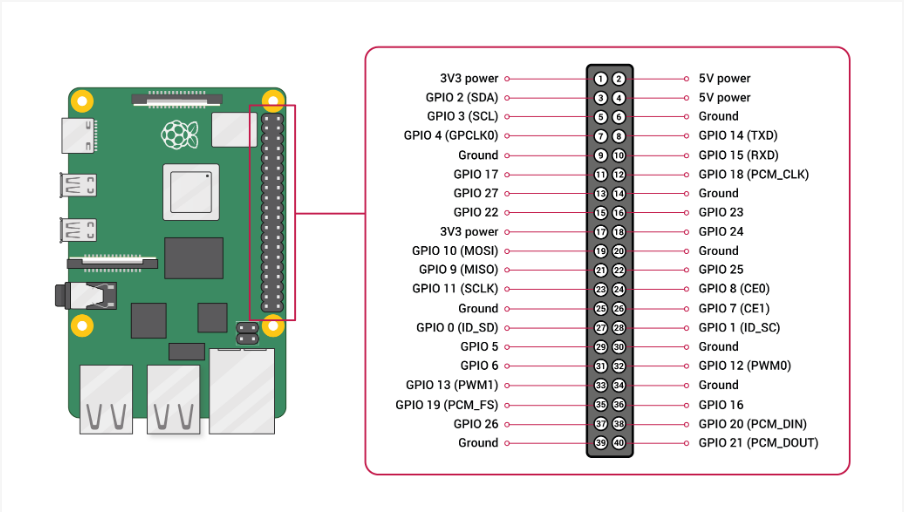
실행
Plain
cd IIC_VoicePlain
python3 iic_voice.py출력 형식
Plain
Speech Serial Opened! Baudrate=115200
ID:4
ID:1
ID:10