

Raspberry Pi: IIC-Kommunikation
Abhängigkeiten installieren
Plain
sudo apt-get updatePlain
sudo apt-get install -y python3-smbus python3-serial i2c-toolsI2C aktivieren
Plain
sudo raspi-configWählen Sie Interface Options -> I2C -> Yes
Starten Sie den Raspberry Pi neu
Dateispeicherort
~/IIC_Voice/iic_voice.py
Verkabelungsbeschreibung
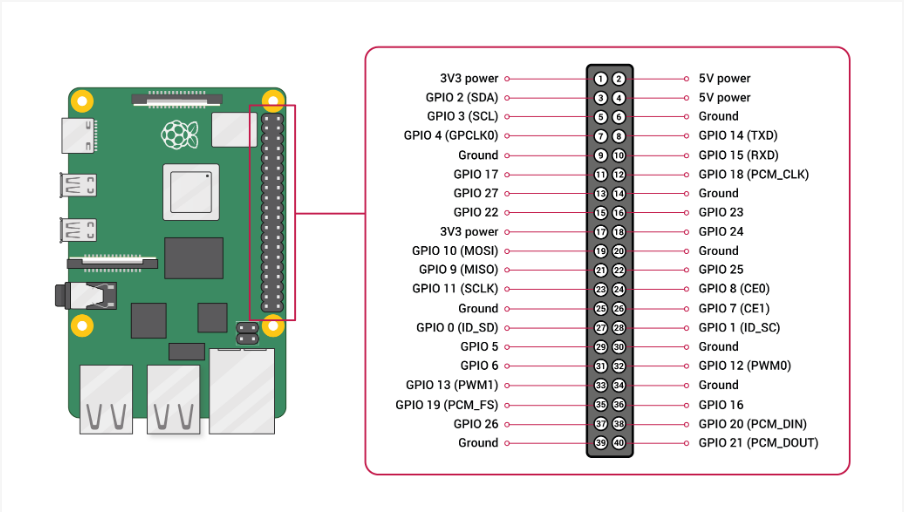
Ausführen
Plain
cd IIC_VoicePlain
python3 iic_voice.pyAusgabeformat
Plain
Speech Serial Opened! Baudrate=115200
ID:4
ID:1
ID:10