
Calibrating the Robot Arms
Calibration workflow for both arms and the head
Run the command below for your operating system.
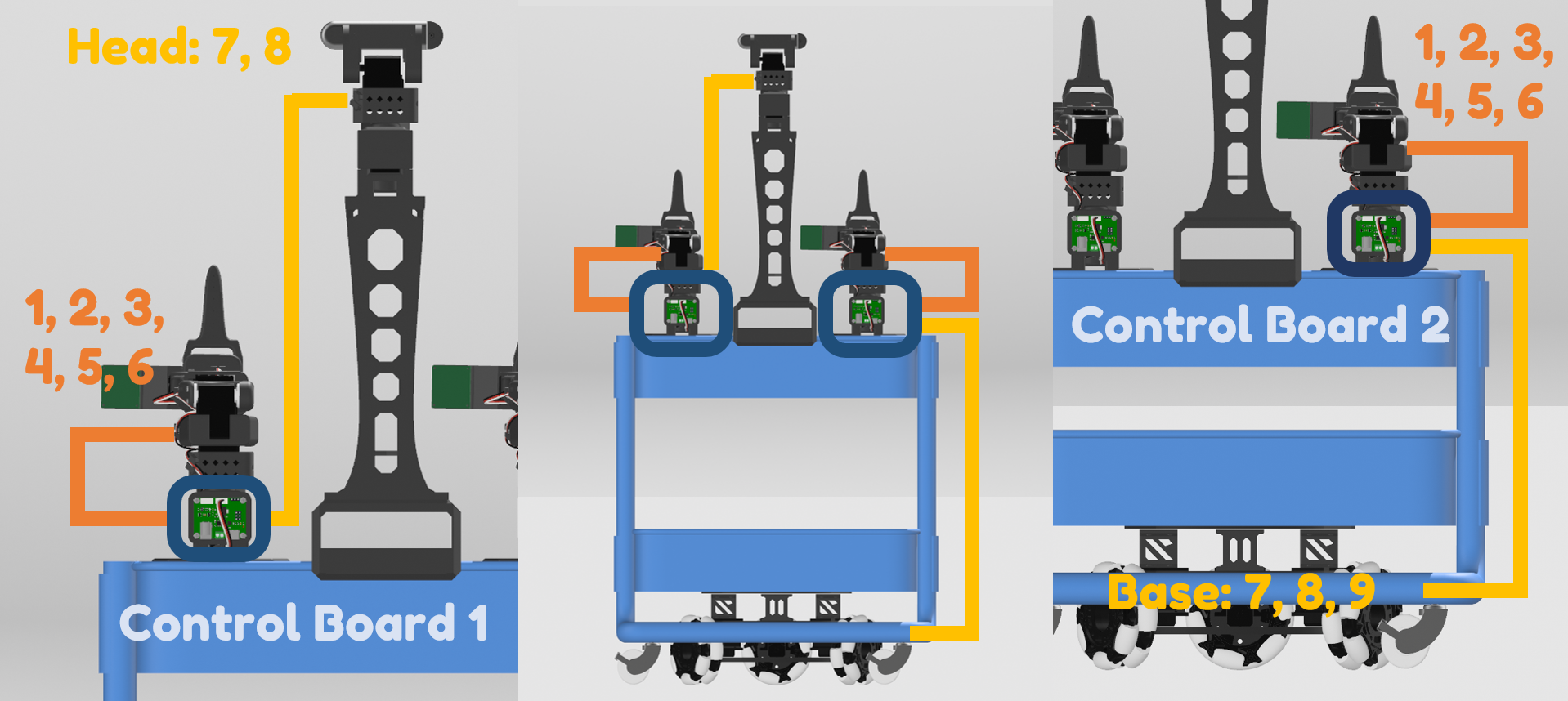
port1is the left-arm controller board andport2the right-arm controller board; confirm the actual ports withlerobot-find-portfirst.On Linux, list the ports quickly with
ls /dev/ttyACM*
Windows
lerobot-calibrate \
    --robot.type=xlerobot --robot.id=juxi_xlerobot \
    --robot.port1=COM3 \
    --robot.port2=COM4
macOS
lerobot-calibrate \
    --robot.type=xlerobot --robot.id=juxi_xlerobot \
    --robot.port1=/dev/tty.usbmodem58546521551 \
    --robot.port2=/dev/tty.usbmodem58546521552
Linux
lerobot-calibrate \
    --robot.type=xlerobot --robot.id=juxi_xlerobot \
    --robot.port1=/dev/ttyACM0 \
    --robot.port2=/dev/ttyACM1
After the calibration command starts, the terminal first prompts for Middle Position. Put the arms in the middle pose — moving jaw up, fixed jaw down — then press Enter. Then move every joint through its maximum and minimum limits.
Calibration notice
Before pressing Enter to start calibration, put the robot arm in its middle position — each joint at the center of its usable range.
Watch the minimum and maximum values of each joint. If a minimum jumps across 0 and starts decreasing from 4095, or a maximum passes 4095 and starts increasing from 0, perform a middle-position calibration with the Feetech host software, then calibrate the robot arm again.
The two servos on the camera tower work the same way: turn each through its maximum and minimum limits once.
When the following line appears in the terminal, calibration of the left arm and head begins:


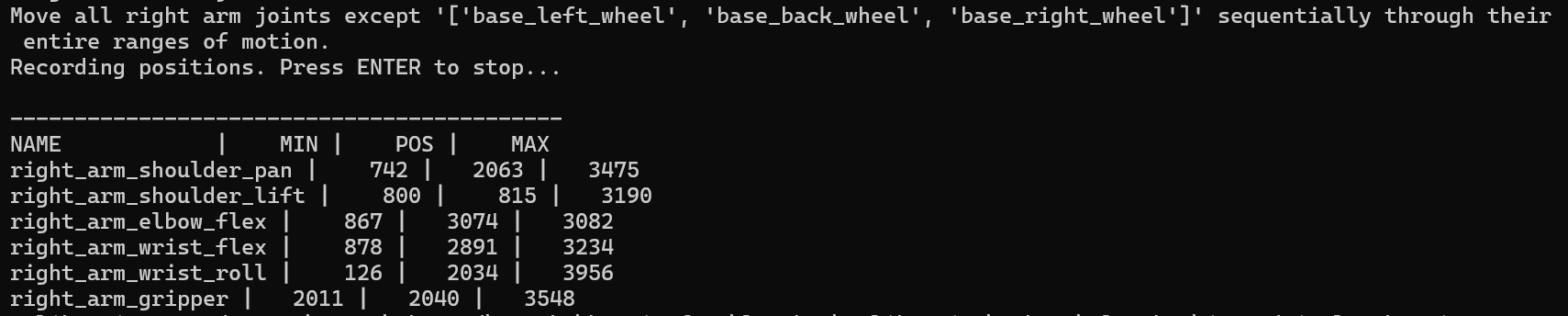
When the following line appears, calibration of the right arm begins. The base wheels do not need calibration.