Arduino Nano Tutorial
Wiring (Servo Driver Board + Nano Board)
Look carefully at the pin positions on the Nano board (i.e., the 328P development board)!
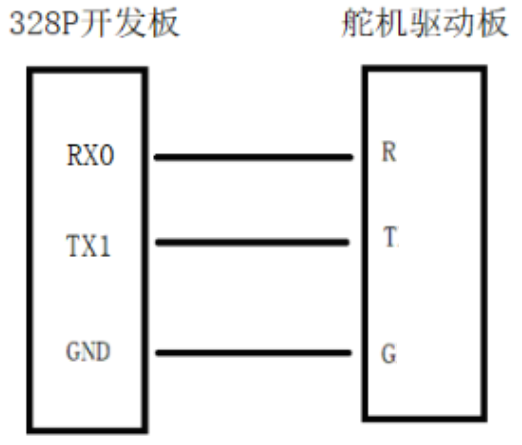
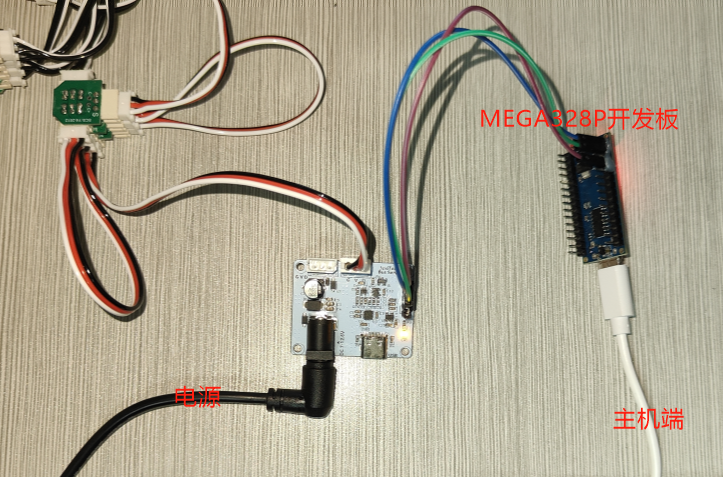
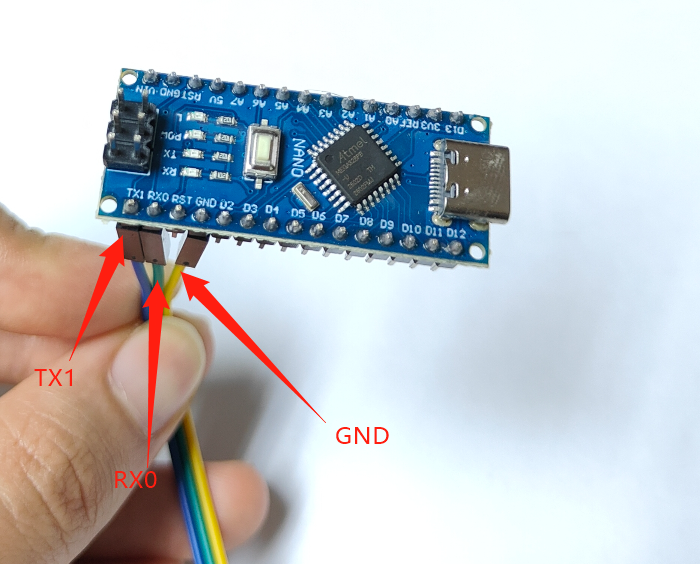
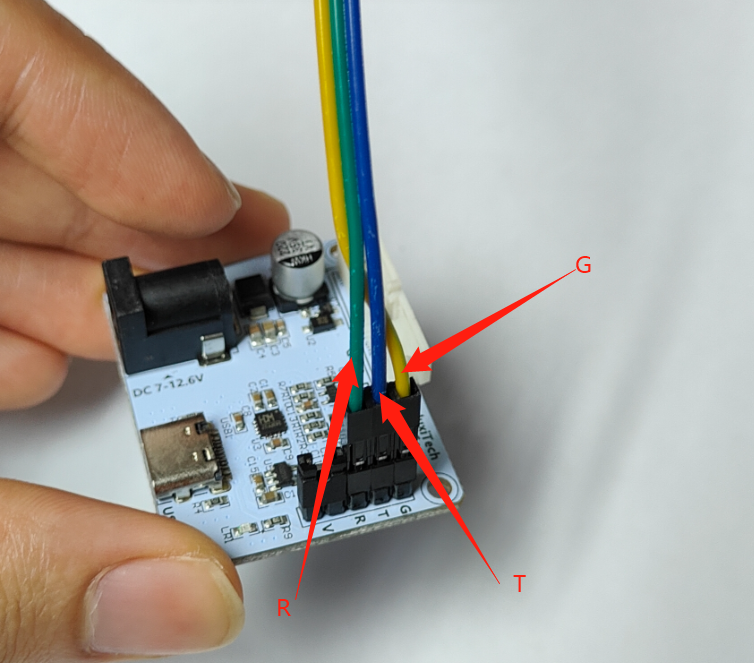
The following describes the debugging process using the microcontroller. The microcontroller itself runs the demo program in a loop; just disconnect the data cable to stop it.
Running the "02 Demo Program"
Install the Arduino IDE.
Depending on whether it is the left hand or the right hand, open the corresponding
.inofile.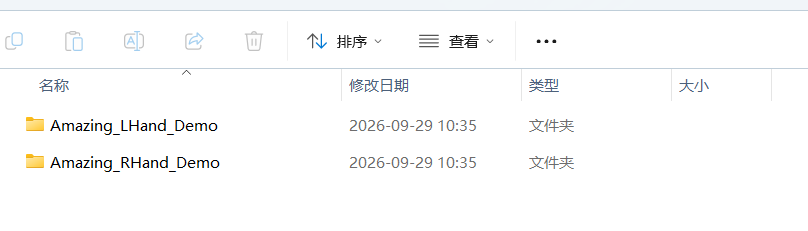
Before compiling and uploading the Arduino program to the Nano board, install the FTServo library and the SCServo library in the "Library Manager".
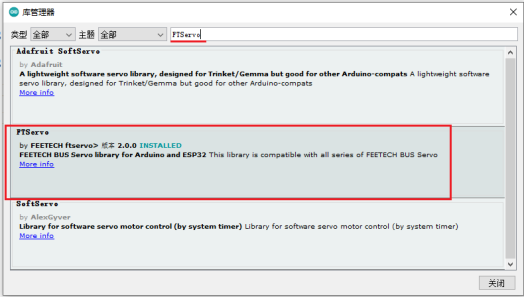
Select "Arduino Nano" as the board type.
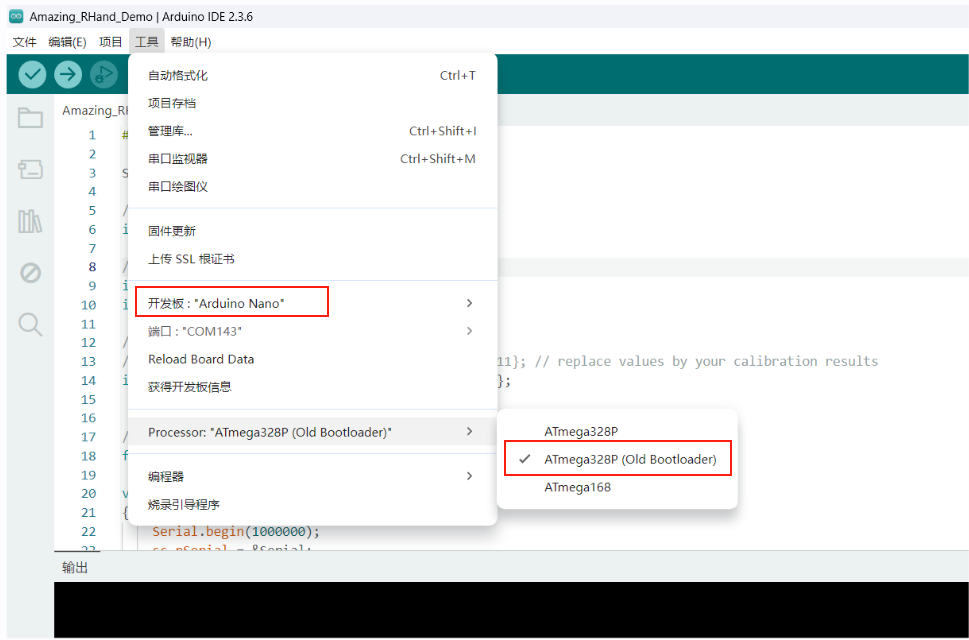
Compile and upload.
Note: At this point the computer is connected only to the Nano board; do not connect the Nano board to the servo driver board yet (i.e., do not connect it to the dexterous hand).
After a successful upload, connect the Nano board to the servo driver board with three jumper wires, and connect the servos to the servo driver board; refer to the wiring for debugging with the MEGA328P Nano board.
The dexterous hand keeps running the "02 demo program" in a loop; the result is as follows: