

Passo 8: Inferenza su NVIDIA DGX Spark
Installare l'ambiente
- PyTorch
Installa PyTorch separatamente dal sito ufficiale, usando la versione con CUDA 13.0
Shell
pip3 install torch torchvision --index-url https://download.pytorch.org/whl/cu130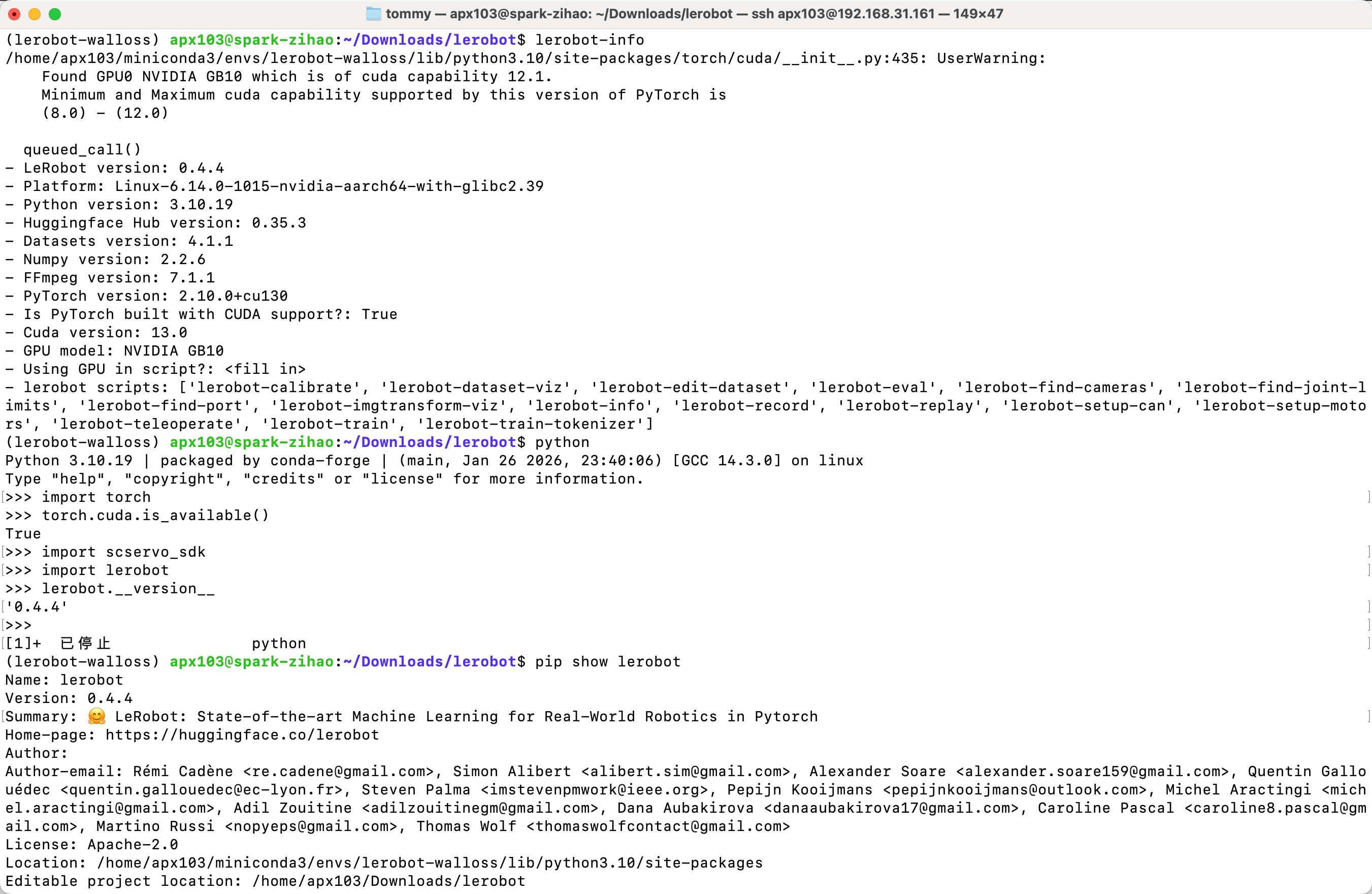
- Poi commenta torch da solo nel file pyproject.toml
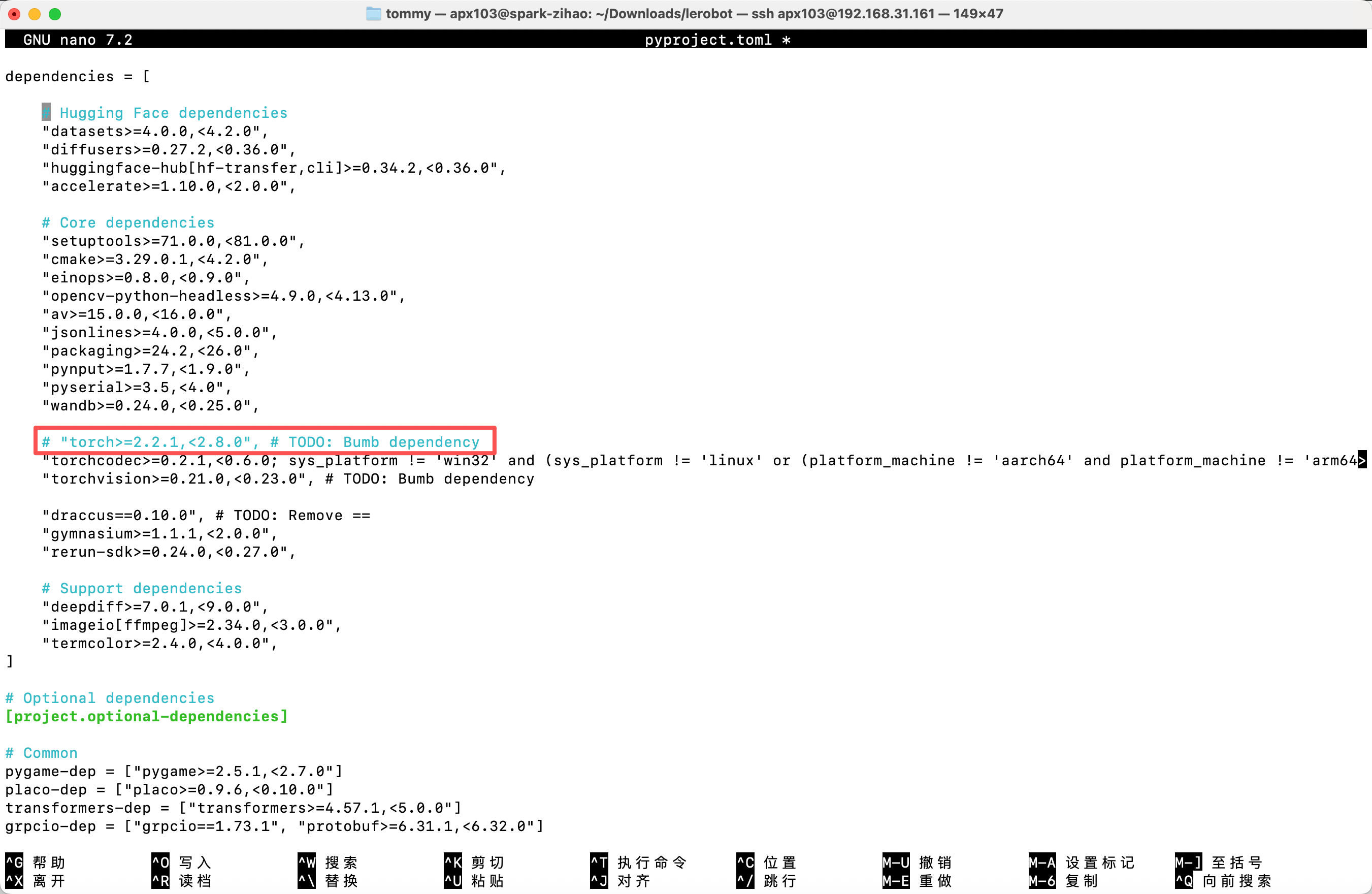
Poi esegui pip install -e .
- Nota: nella riga di comando di inferenza, cambia il percorso policy.path con il percorso effettivo del modello all'interno dello Spark
Elimina il dataset esistente con prefisso eval (se presente)
Shell
sudo chmod 666 /dev/ttyACM*Shell
sudo rm -rf /home/apx103/.cache/huggingface/lerobot/Tommymy/eval_lerobot_my_dataset_shake_handsACT
Shell
lerobot-record  \
  --robot.type=so101_follower \
  --robot.port=/dev/ttyACM0 \
  --robot.cameras="{ front: {type: opencv, index_or_path: 0, width: 640, height: 480, fps: 60, fourcc: "MJPG"}}" \
  --robot.id=my_follower_arm \
  --display_data=false \
  --dataset.repo_id=Tommymy/eval_lerobot_my_dataset_shake_hands \
  --dataset.single_task="Shake Hands" \
  --dataset.episode_time_s=1000 \
  --policy.path=/home/apx103/Downloads/lerobot_output/shake/ACT/5K/pretrained_model
SmolVLA
- Installare l'ambiente
Shell
conda activate base
conda create -y -n lerobot-smolvla python=3.10 -y
conda activate lerobot-smolvla
conda install ffmpeg=7.1.1 -c conda-forge -y

pip3 install torch torchvision --index-url https://download.pytorch.org/whl/cu130

cd lerobot
pip install -e ".[feetech,smolvla]"- Inferenza
Shell
lerobot-record  \
  --robot.type=so101_follower \
  --robot.port=/dev/ttyACM0 \
  --robot.cameras="{ front: {type: opencv, index_or_path: 0, width: 640, height: 480, fps: 60, fourcc: "MJPG"}}" \
  --robot.id=my_follower_arm \
  --display_data=false \
  --dataset.repo_id=Tommymy/eval_lerobot_my_dataset_shake_hands \
  --dataset.single_task="Shake Hands" \
  --dataset.episode_time_s=1000 \
  --policy.path=/home/apx103/Downloads/lerobot_output/shake/smolvla/40K/pretrained_model
WALL-OSS
- Installare l'ambiente
Shell
cd lerobot
pip install -e ".[feetech,wallx]"- Aggiungi il codice
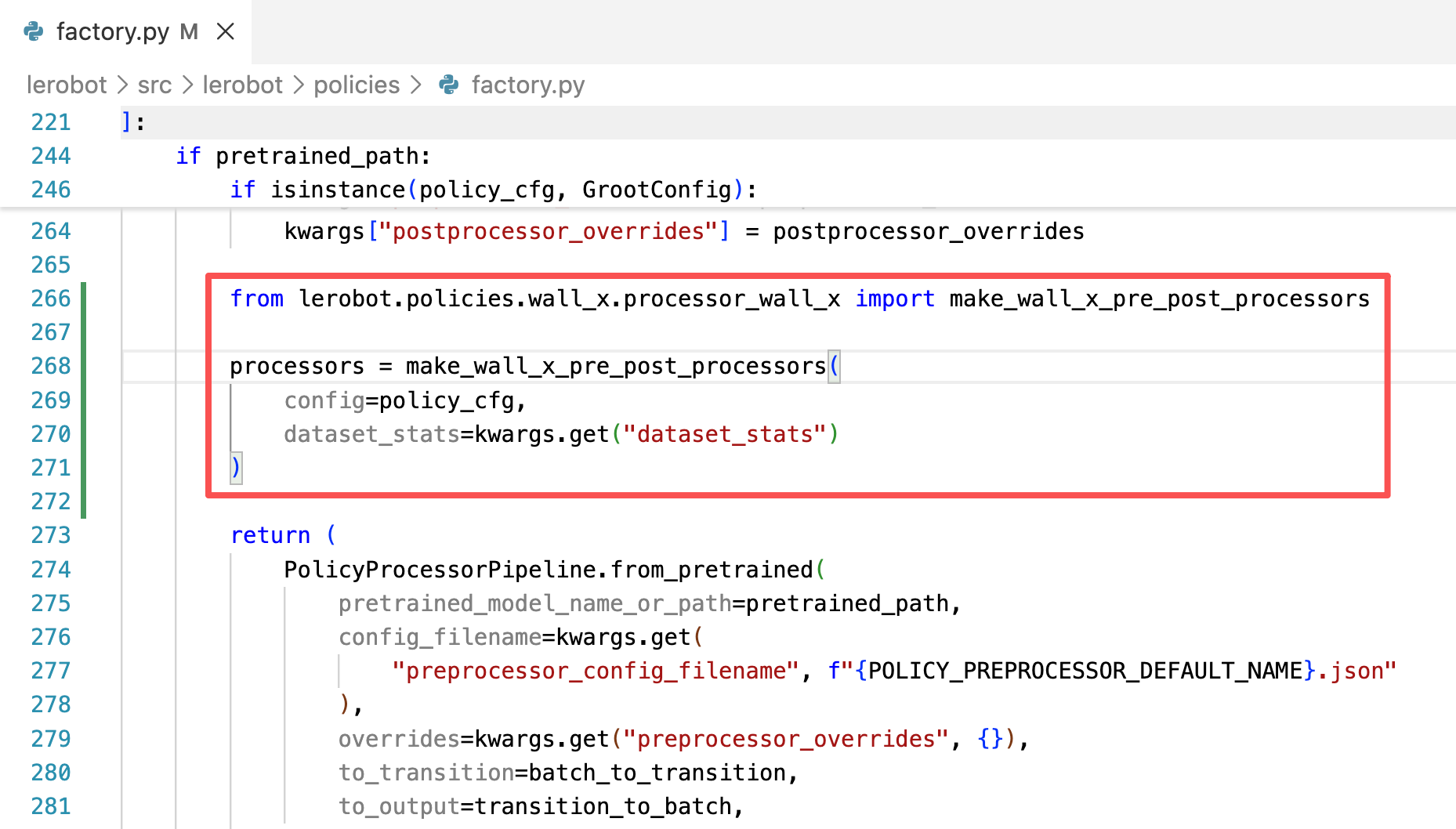
Shell
lerobot-record  \
  --dataset.repo_id=Tommymy/eval_lerobot_my_dataset_shake_hands \
  --dataset.single_task="Shake Hands" \
  --policy.path=/home/apx103/Downloads/lerobot_output/shake/wallx/30K/pretrained_model \
  --dataset.push_to_hub=false \
  --robot.type=so101_follower \
  --robot.id=my_follower_arm \
  --robot.port=/dev/ttyACM0 \
  --robot.cameras="{front: {type: opencv, index_or_path: 0, width: 640, height: 480, fps: 60, fourcc: "MJPG"}}" \
  --display_data=false \
  --dataset.episode_time_s=1000
pi0
- Installare l'ambiente
Shell
conda create -y -n lerobot-pi python=3.10 -y
conda activate lerobot-pi
conda install ffmpeg=7.1.1 -c conda-forge -y

cd lerobot
pip3 install torch torchvision --index-url https://download.pytorch.org/whl/cu130
pip install -e ".[feetech,pi]"- Inferenza
Shell
lerobot-record  \
  --robot.type=so101_follower \
  --robot.port=/dev/ttyACM0 \
  --robot.cameras="{ front: {type: opencv, index_or_path: 0, width: 640, height: 480, fps: 60, fourcc: "MJPG"}}" \
  --robot.id=my_follower_arm \
  --display_data=false \
  --dataset.repo_id=Tommymy/eval_lerobot_my_dataset_shake_hands \
  --dataset.single_task="Shake Hands" \
  --dataset.episode_time_s=1000 \
  --dataset.push_to_hub=false \
  --policy.path=/home/apx103/Downloads/lerobot_output/shake/pi0/50K/pretrained_model